


Updated: September 2026 · By the KKeyQik Team
Most small businesses approach Google Ads budget planning backwards: they pick a number that feels affordable and hope it produces leads. The right way runs in reverse — start from the revenue you want, work backwards through your close rate and cost per lead, and the budget calculates itself. This guide walks you through that goal-math framework, step by step, with no jargon and no guesswork. If you’ve been searching for Google Ads budget planning advice that amounts to more than “spend more,” this is the method. (For the full paid-media system this budget plugs into, see our guide to PPC management services.)
Google Ads budget planning for small business is the process of working backwards from your revenue goal — through your average deal value, your lead-to-customer close rate, and your acceptable cost per lead — to arrive at a monthly ad budget tied to outcomes instead of hunches. A budget built this way tells you exactly how many leads you need and what each one can cost; a budget built on “what feels affordable” tells you nothing.
Key takeaways
- Never start from “what can I afford.” Start from the revenue goal and calculate backwards — the budget is an output, not an input.
- The formula: monthly budget = leads needed × your acceptable cost per lead. Every step in the framework exists to fill in those two numbers.
- Your close rate is the hidden variable — improving it from 1 in 10 to 1 in 5 halves the budget you need for the same revenue.
- Separate testing budget from scaling budget. The first 30–60 days buy data; only scale what the data validates.
- If Google Ads budget planning says the budget you need is bigger than the budget you have, shrink the target — not the method. A smaller proven campaign beats a bigger hopeful one.
Google Ads Budget Planning: The 5-Step Goal-Math Framework
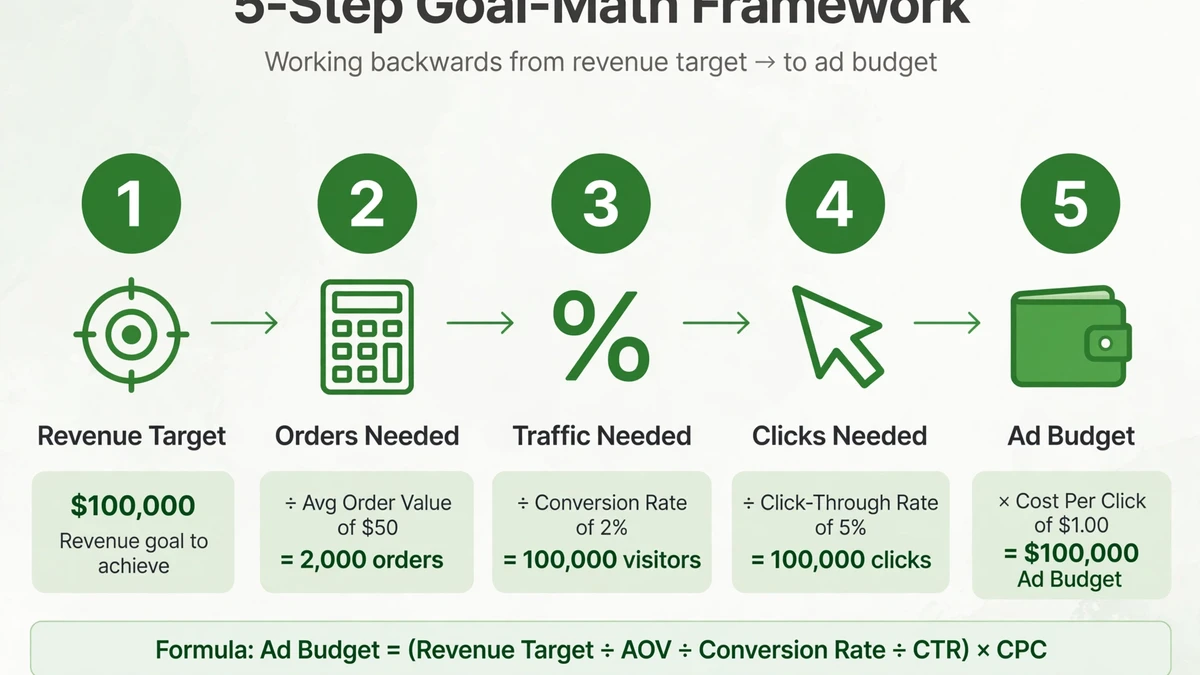
The framework has five steps. Each one fills in a number you need for the next. By the end, you have a monthly budget derived from your business math — not from a gut feeling or a competitor’s rumored spend.
- Set your monthly revenue goal from ads. Not total revenue — the portion you want Google Ads to produce. Be specific and realistic for a single channel. If your business does $100k/month and you’re testing Google Ads as a new channel, a $20k/month goal from ads is a reasonable starting target. The goal should stretch you without requiring miracles.
- Divide by your average deal value. Revenue goal ÷ average deal value = customers needed per month. This is the number everything else serves. If your goal is $20k and your average deal is $2k, you need 10 new customers per month from ads. Simple division, but most businesses skip it and guess at lead volume instead.
- Divide by your close rate. Customers needed ÷ your lead-to-customer close rate = leads needed per month. If you close 1 in 4 leads, you need four times as many leads as customers. Don’t guess this number — pull it from your last quarter of sales data. Your CRM, your spreadsheet, your memory of last month’s calls — use real numbers. A 25% close rate means 10 customers require 40 leads. A 10% close rate means the same 10 customers require 100 leads. The close rate is the highest-leverage variable in the entire Google Ads budget planning framework.
- Set your acceptable cost per lead. Average deal value × close rate × the fraction of margin you’re willing to reinvest = the most a lead can cost while the math still works. This is your ceiling — every campaign decision bows to it. If your deal is $2k, you close 25%, and you’ll reinvest 20% of margin, your ceiling is $2,000 × 0.25 × 0.20 = $100 per lead. Any keyword, ad group, or campaign that can’t produce leads at or under $100 gets fixed or paused.
- Multiply: leads needed × acceptable cost per lead = your monthly Google Ads budget. That’s it — a budget derived from your business instead of your comfort zone. 40 leads × $100 = $4,000/month. The number might surprise you. It might be higher than you hoped or lower than you feared. Either way, it’s honest — and honest budgets outperform hopeful ones.
Google Ads Budget Planning Worksheet
Use this worksheet to run the framework with your own numbers. Fill in the “Your input” column, follow the calculation, and the output column gives you each step’s result.
| Step | Your input | Calculation | Output |
|---|---|---|---|
| 1. Revenue goal | Monthly revenue you want from ads | Your target | Revenue target |
| 2. Deal value | Average revenue per new customer | Revenue target ÷ deal value | Customers needed |
| 3. Close rate | Leads that become customers (from your sales data) | Customers needed ÷ close rate | Leads needed |
| 4. Cost per lead ceiling | Most a lead can cost while staying profitable | Deal value × close rate × reinvest fraction | Max cost per lead |
| 5. Monthly budget | — | Leads needed × max cost per lead | Your ad budget |
Testing Budget vs Scaling Budget
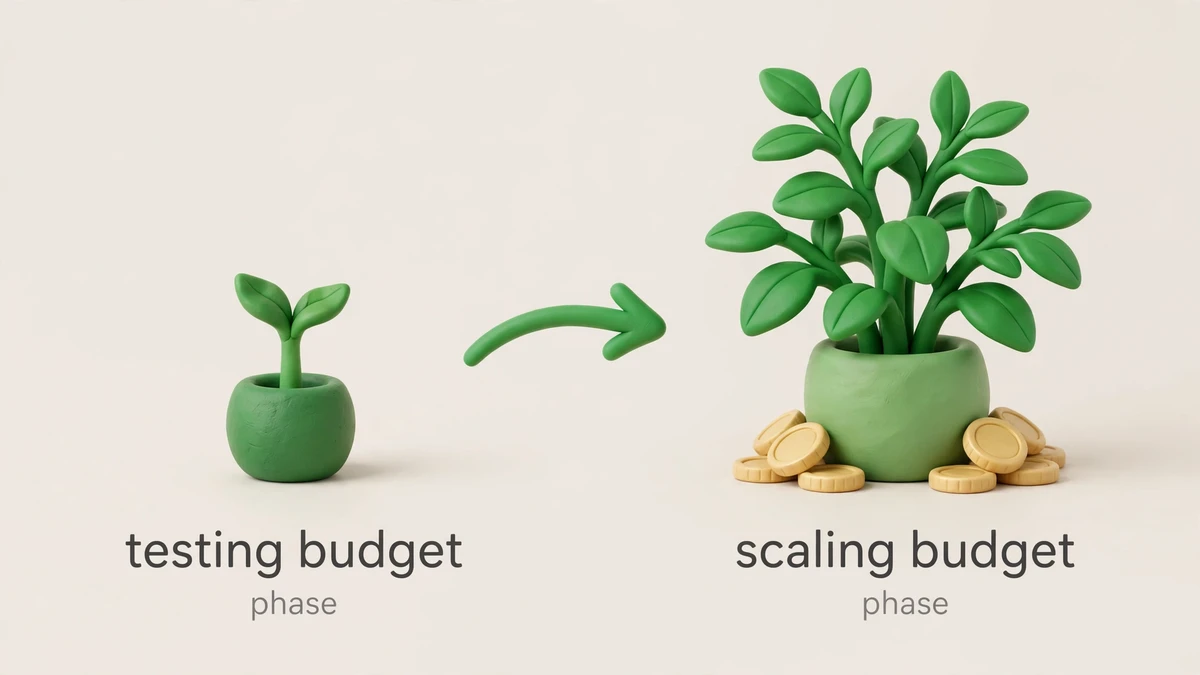
Your Google Ads budget planning doesn’t end with a monthly number. That number splits into two phases with different goals, different rules, and different success metrics. Confusing them is one of the most expensive mistakes in Google Ads budget planning.
| Testing phase (days 1–60) | Scaling phase (day 60+) | |
|---|---|---|
| Goal | Find what converts — keywords, ads, landing pages | Feed more budget to proven winners |
| Budget posture | Smaller, fixed, protected — this money buys learning | Grows only as cost per lead holds under your ceiling |
| Success metric | Data: enough clicks and conversions to judge each test | Efficiency: cost per lead at or under your ceiling, volume rising |
| Kill rule | Any keyword or ad group spending without converting gets paused — no sentimentality | Any scale-up that pushes cost per lead over the ceiling gets rolled back |
The table gives you the shape of the two phases. Here are the decision rules we use to move between them — because in Google Ads budget planning, “testing” and “scaling” aren’t vibes, they’re specific actions triggered by specific data.
Kill rule (testing): Any keyword or ad group that spends without producing a conversion gets paused. We don’t wait for perfect statistical significance on obvious losers. If a keyword has spent meaningfully and produced zero conversions while its siblings convert, it’s out. The testing budget buys learning, not hope.
Hold rule (testing): A keyword with a few conversions at an acceptable cost per lead stays, even if volume is low. Early data is noisy, so we judge on cost efficiency, not volume. Under the ceiling? It’s a candidate for scaling.
Scale rule: We increase budget only on campaigns where cost per lead has held under the ceiling for a full cycle. Scaling is gradual — feed winners more budget and watch the cost per lead. If it rises over the ceiling, roll back to the last stable level. Patience in scaling protects the efficiency you earned in testing.
Review cadence: Weekly during testing, bi-weekly during scaling. Every review asks three questions: what’s converting under the ceiling (scale it), what’s spending without converting (kill it), and what haven’t we tested yet (test it). This operating rhythm is what makes Google Ads budget planning for small business actually work — the framework sets the budget, the cadence protects it.
Signs Your Budget Is Too Small to Learn Anything
There’s a difference between a small budget and a too-small budget. A small budget, focused on a tight geography and a handful of keywords, can still produce learnings. A too-small budget produces noise — and noise looks like failure, which leads businesses to quit Google Ads entirely. Here’s how to tell which one you have.
Your campaigns never leave learning. Google Ads needs conversion data to optimize. If your campaign status stays in “Learning” for weeks, your budget isn’t generating enough conversions for the algorithm to work with. This is the single most common sign of an underfunded account in our Google Ads budget planning reviews.
You’re losing impression share to budget. Add the “Search Lost IS (Budget)” column in your campaigns view. If you’re losing a meaningful share of impressions specifically to budget — not to ad rank — your ads aren’t even entering auctions you could win. You’re not competing; you’re spectating. Good Google Ads budget planning watches this metric from day one.
Clicks trickle too slowly to judge anything. If a keyword gets a handful of clicks per week, you can’t tell whether the keyword, the ad, or the landing page is the problem. Testing requires a minimum data rate. When weeks pass without enough clicks to make a decision, the budget is too small for the scope you’ve set.
You’re spread across too many campaigns. Five campaigns each getting a trickle of traffic learn five times slower than one focused campaign. If your Google Ads budget planning forces you to spread thin, consolidate. One campaign with enough data beats five campaigns with none.
The fix isn’t always “spend more.” It’s usually “focus more” — narrower geography, fewer keywords, one campaign — until the data rate supports decisions. A too-small budget spread thin teaches nothing; the same budget concentrated teaches everything. That’s the core lesson of Google Ads budget planning for small business: concentration beats coverage.
When the Math Doesn’t Fit Your Wallet
Sometimes Google Ads budget planning outputs a budget you can’t fund yet. That doesn’t mean the framework is wrong — it means the target needs resizing. Three honest options: narrow the geography (one city instead of the metro), narrow the keywords (ten proven-intent terms instead of fifty), or lower the revenue target and prove the machine at small scale first. What you must not do is fund half the required budget and expect full results — an underfunded campaign doesn’t produce half the leads, it usually produces noise.
The temptation is to “try it with less and see.” But Google Ads budget planning is math, not magic. If the math says you need 40 leads at $100 each, spending $2,000 (half the budget) doesn’t get you 20 leads — it gets you a campaign that never exits learning, never optimizes, and teaches you nothing. Half-funded is not half-effective; it’s usually zero-effective. Shrink the scope until the budget you have can fund the math properly.
How to Present the Budget Plan to Your Founder or Finance Team
You’ve run the framework and you have a number. Now you need someone else to approve it. Founders and finance teams don’t buy “we need to spend on ads” — they buy a test-then-scale narrative with clear decision points. Here’s how we frame Google Ads budget planning when the audience is a founder or a finance team.
Lead with the test, not the budget. Don’t open with the monthly number. Open with: “We’re proposing a 60-day test to answer one question — can Google Ads produce qualified leads at or under our target cost per lead?” A fixed budget, a fixed timeline, and a pre-defined kill rule. That’s a proposal finance can evaluate, not a blank check.
Show the math, not just the number. Walk them through the goal-math: revenue target, customers needed, leads needed, cost-per-lead ceiling, budget. When they see the budget is derived from the revenue goal — which is exactly what Google Ads budget planning is — the conversation shifts from “why so much?” to “is the math right?” That’s a much better conversation to have.
Define what happens after the test. “If the test hits our cost-per-lead target, we scale because the math says it produces revenue. If it doesn’t, we kill it and we’ve spent the test budget to learn that.” Bounded risk upfront, clear upside if it works. That’s the test-then-scale narrative that makes Google Ads budget planning credible to skeptics.
Name the alternative. The alternative to a proper test isn’t saving money. It’s either never knowing if Google Ads works (opportunity cost) or running an underfunded campaign that produces noise (wasted spend). A structured test is the cheapest way to get a real answer — and it’s the responsible way to do Google Ads budget planning for a small business.
Finance doesn’t fear spending; finance fears spending without a decision framework. Give them the framework, and the Google Ads budget planning conversation becomes about the math — which is exactly where you want it.
Common Google Ads Budget Planning Mistakes
Even with the framework, teams make predictable errors in Google Ads budget planning. Here are the ones we see most often:
- Setting budget by competitor rumor. “I heard our competitor spends $10k/month.” You don’t know their close rate, their deal value, or whether it’s working. Their budget is irrelevant to your math. Run your own numbers.
- Forgetting the close rate. Teams obsess over cost per click and ignore the close rate — but the close rate determines how many leads you need. A 10% close rate needs twice the leads (and twice the budget) of a 20% close rate for the same revenue. Fix the close rate before you increase the budget.
- Scaling before the test is done. The first 30 days show promise, so the budget doubles in week five — before the data is conclusive. Then cost per lead spikes, and nobody knows if the channel works or if the scale broke it. Finish the test. Then scale.
- Treating the budget as fixed forever. The goal-math gives you a starting budget, not a permanent one. As close rates improve, as deal values change, as you learn which keywords convert — recalculate. Google Ads budget planning is a quarterly exercise, not a one-time event.
Ready to talk about your ads?
If you’ve been picking budgets by gut feel, run the framework above and see what the math says — then compare it to what you’re spending now. The gap between those two numbers is usually the whole story. Contact the KKeyQik team and tell us about your business and your current ad spend — we’ll help you think through what to prioritize first and whether Google Ads is the right channel for your goal.
Further reading: our complete guide to PPC management services — how engagements are structured, how budgets are planned, and how to choose an agency. For Google’s official documentation on this Google Ads budget planning framework, see the Budgets overview and the guide to setting a daily budget in Google Ads Help.
About the KKeyQik Team
KKeyQik is a digital marketing agency helping small businesses grow with SEO, social media marketing, PPC (Google Ads and Meta Ads), web development, video editing, and graphic design. The KKeyQik Team publishes practical, no-fluff guides for business owners who want marketing that pays for itself.
Frequently Asked Questions
Rerun the framework with the new target — budget planning is a quarterly exercise, not a one-time event. As close rates, deal values, and costs shift, recalculating keeps the budget honest instead of letting it drift from the math that justified it.
It's the highest-leverage variable in the whole framework — improving your close rate means you need fewer leads for the same revenue, which shrinks the required budget. Pull it from real sales data, not guesses; a small improvement here changes the entire budget picture.
In the testing phase (roughly the first one to two months), the goal is finding what converts — the budget is smaller, fixed, and buys data, and anything spending without converting gets paused. In the scaling phase, you feed more budget to proven winners, growing only as cost per lead stays under your ceiling.
Shrink the target, not the method — a smaller proven campaign beats a bigger hopeful one. You can narrow the goal, tighten the audience, or improve your close rate and landing pages first, then scale once the data supports it.
Set a separate cost-per-lead ceiling for each service line instead of one blended number. A high-value service can justify a higher ceiling while a low-margin one needs a tighter one — lumping them together hides which campaigns are actually profitable.
Because what feels affordable tells you nothing about whether the budget can produce results — it risks a spend too small to buy data or too random to judge. A budget derived from your revenue math tells you exactly how many leads you need and what each one can cost.
Any keyword or ad group that spends meaningfully without producing a conversion gets paused — no sentimentality, and no waiting for perfect statistical significance on obvious losers. The testing budget buys learning, not hope; the data decides what survives.
Raising budgets too fast on early promise — the first weeks can look good before the data is conclusive. Scale gradually, watch cost per lead after each increase, and roll back to the last stable level if efficiency slips.
Your revenue goal for the channel, your average deal value, and your real lead-to-customer close rate from your last quarter of sales data. The close rate is the number businesses most often guess at — pull it from your sales records, because a guessed number makes the whole budget a guess.
It still works, but you'll run it with conservative estimates first and treat the testing phase as the place to validate them. Start small, measure actual close rates and costs from real data, then recalculate the framework with numbers you trust before scaling.