

Updated: September 2026 · By the KKeyQik Team
Google Ads doesn’t fail small businesses — small businesses fail Google Ads, usually by repeating the same Google Ads mistakes. None of these mistakes look like mistakes when you’re making them; they look like default settings, reasonable shortcuts, and “we’ll optimize later.” This is the teardown: each mistake, how to spot it in your account, and the fix. Run through all seven before you spend another dollar. (For the full paid-media system these fixes plug into, see our guide to PPC management services.)
Google Ads mistakes are the account setup and management errors that burn budget without producing leads — broad targeting left unchecked, conversion tracking that’s broken or missing, landing pages that don’t match the ad, and campaigns set up once and never reviewed. Almost every wasted-budget account we audit fails on the same handful of fundamentals, not on advanced tactics.
Key takeaways
- Most wasted Google Ads spend comes from Google Ads mistakes hiding in the defaults nobody changed — broad match without negatives, auto-apply recommendations left on, and campaigns never reviewed.
- Fix tracking first: every other optimization is guesswork if conversions aren’t measured correctly.
- One keyword theme per ad group, one promise per landing page. Relevance is the whole game in Google Ads.
- A weekly 30-minute account review catches every one of these Google Ads mistakes before it compounds. Put it on the calendar.
- If your agency can’t explain what changed in your account this month, that’s mistake number eight.
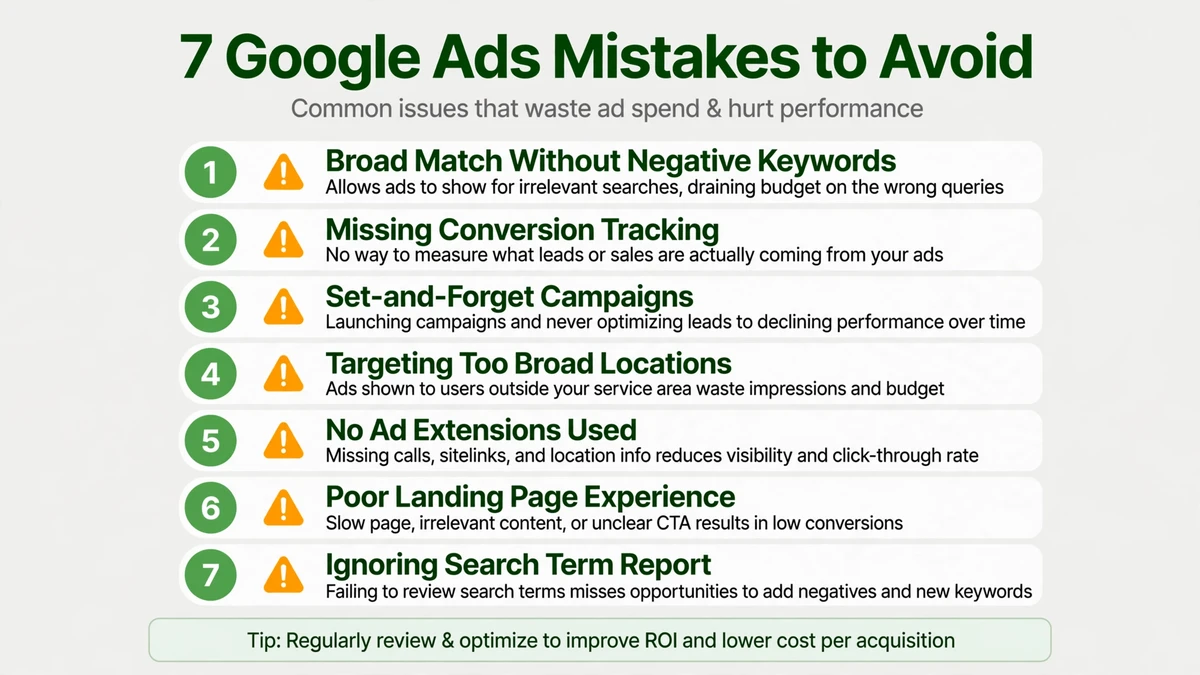
The 7 Google Ads Mistakes
Mistake 1: Sending ad traffic to your homepage
Symptom: decent click-through rate, almost no conversions. Your ads earn the click, but the landing page doesn’t close the deal.
How to check: open your top-spending ad group, click the ad, and look at the final URL. If it lands on your homepage — or a generic page that doesn’t repeat the ad’s promise — you’ve got one of the classic Google Ads mistakes. The homepage serves everyone; it converts no one in particular.
The fix: every ad group gets a dedicated landing page that repeats the ad’s exact promise in the headline. If the ad says “Emergency Plumber in Austin — 60-Minute Response,” the landing page headline should say the same thing, with a phone number and booking form above the fold. Match the message, remove the navigation distractions, and give the visitor one clear action. This single change often lifts conversion rates more than any bidding tweak, because it fixes the disconnect between what the ad promised and what the page delivers.
Mistake 2: Running on broad match with no negative keywords
Symptom: clicks for searches that have nothing to do with your business. Your budget drains on job seekers, DIY researchers, and people looking for free options.
How to check: open the Search Terms report for the last 30 days. If you see queries you’d never bid on — job seekers, competitors’ names, freebie hunters, “how to” DIY queries — and your negative keyword list is empty or hasn’t grown in weeks, these Google Ads mistakes are costing you real money every day.
The fix: review the search terms report weekly, add negatives aggressively, and keep broad match on a short leash until you know what it buys you. Start every new campaign with a seed list of obvious negatives (free, jobs, salary, DIY, tutorial, cheap). Then build the habit: every Monday, open search terms, sort by cost, and negate anything irrelevant. Over a month, this discipline typically cuts wasted spend significantly — not because broad match is bad, but because unmanaged broad match is a blank check.
Mistake 3: No conversion tracking — or broken tracking
Symptom: you’re optimizing for clicks because there’s nothing else to optimize for. Reports show impressions and CTR, but nobody can tell you what a lead costs.
How to check: go to Tools > Conversions. If the list is empty, or the status shows “Unverified” or “No recent conversions,” your tracking is broken or missing. Do a test conversion yourself — submit your own form, make a test call — and see if it registers within 24 hours. Of all the Google Ads mistakes, this one makes every other optimization guesswork.
The fix: define what a conversion is (call, form fill, booking, purchase), verify it fires with a test submission, and never launch a campaign without it. Install via Google Tag Manager so you can manage tags without touching code. Smart bidding without conversion data is just expensive bidding — the algorithm needs to see what a good outcome looks like before it can find more of them. This is the foundation; everything else in this guide assumes it’s in place.
Mistake 4: One campaign, one ad group, thirty keywords
Symptom: low Quality Scores, generic ad copy, nothing you can diagnose. The account “looks” organized, but performance is mushy across the board.
How to check: open your ad groups. If one ad group contains keywords for different services, different intents, or different locations — and the ad copy is generic enough to “cover” them all — your structure is the problem. This is how Google Ads mistakes hide in plain sight.
The fix: break keywords into tight themes — one theme per ad group, ad copy written for that theme, landing page matched to it. A plumber shouldn’t have “drain cleaning,” “water heater install,” and “emergency plumber” in one ad group with one generic ad. Each deserves its own ad group with specific copy and a matching landing page. Structure is what makes optimization possible: when each ad group has one job, you can see which jobs perform and fix the ones that don’t.
Mistake 5: Letting Google’s auto-apply recommendations run wild
Symptom: budget creeping up, match types loosening, display network appearing where you never put it. Changes happen that you didn’t authorize.
How to check: go to Recommendations > Auto-apply and look at what’s enabled. If anything touching bids, budgets, or targeting is set to auto-apply, Google is editing your account without asking. Cross-check the Change History for edits you didn’t make. These Google Ads mistakes are the defaults working as designed — against you.
The fix: turn off auto-apply for anything that changes bids, budgets, or targeting. Review recommendations manually — some are genuinely good, but “good” and “automatic” are different things. A recommendation to add a keyword might be smart; auto-applying it at 2 AM without context is not. Keep auto-apply only for truly safe housekeeping (like fixing disapproved ads), and keep strategic decisions in human hands.
Mistake 6: Setting it and forgetting it
Symptom: the account looks exactly like it did at launch, three months ago. No new negatives, no bid adjustments, no ad tests.
How to check: open Change History. If the last 30 days show zero or near-zero changes — no new negatives, no bid adjustments, no ad tests, no budget tweaks — the account is on autopilot. Autopilot in Google Ads means slowly drifting toward higher costs as auctions shift, competitors adjust, and search behavior evolves.
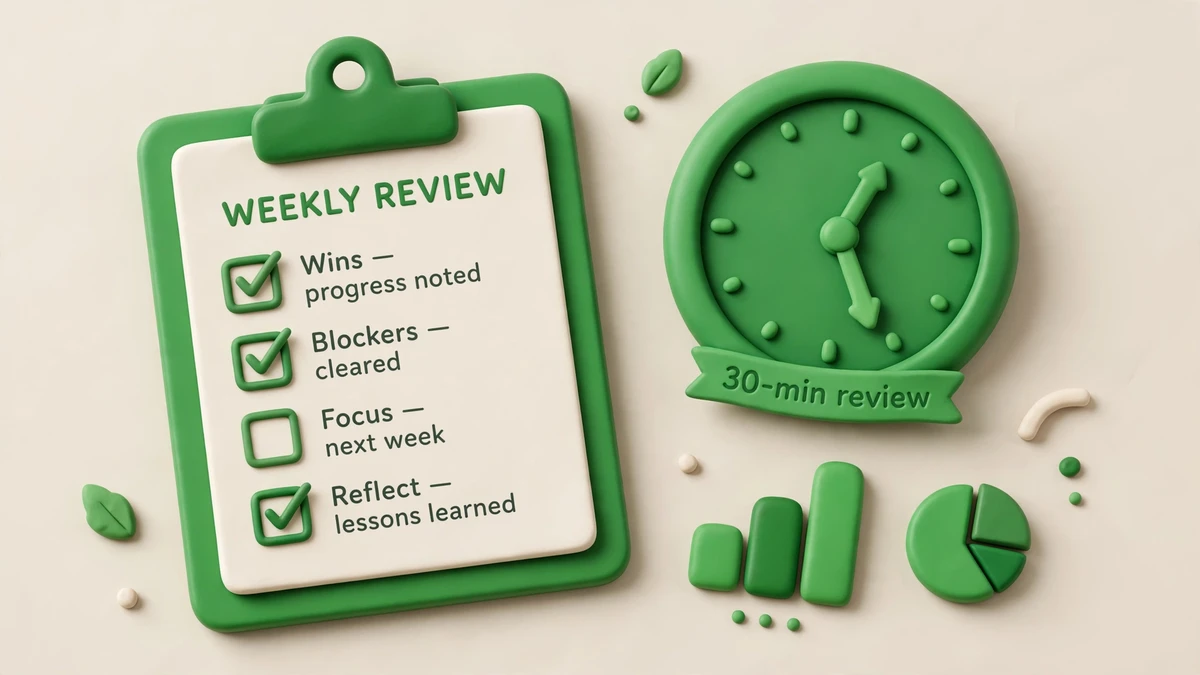
The fix: a weekly 30-minute review — search terms, bid adjustments, ad performance, budget pacing. Like most Google Ads mistakes, this one compounds quietly. The accounts that perform aren’t the ones with the cleverest setup; they’re the ones with the most consistent maintenance. Put a recurring 30-minute block on your calendar. The specific checklist is below.
Mistake 7: Optimizing for traffic instead of leads
Symptom: clicks are up, the phone isn’t ringing, and the report still looks “good.” Your agency (or your own dashboard) leads with CTR and impressions instead of cost per lead.
How to check: compare your click trend to your conversion trend over the last 90 days. If clicks climb while conversions stay flat — or if your reports celebrate traffic metrics while staying vague on leads — you’re optimizing for the wrong thing. Of all the Google Ads mistakes, this one feels most like success, until you check the bank account.
The fix: judge every keyword, ad, and campaign by cost per conversion against your ceiling — the acceptable cost per lead from your budget math. Anything over the ceiling gets fixed or paused, no matter how much traffic it drives. Traffic is not a goal; it’s a cost. The only question that matters: what did each dollar buy?
Google Ads Mistakes: Symptom → Fix Quick Reference
| # | Mistake | Symptom | Fix |
|---|---|---|---|
| 1 | Homepage as landing page | Clicks but no conversions | Dedicated page matching the ad’s promise |
| 2 | Broad match, no negatives | Irrelevant search terms | Weekly search-term review + negative lists |
| 3 | Broken or missing tracking | Optimizing for clicks only | Verified conversion actions before launch |
| 4 | Everything in one ad group | Low Quality Scores, generic ads | Tight keyword themes per ad group |
| 5 | Auto-apply left on | Budget and targeting drift | Manual review of all recommendations |
| 6 | Set and forget | Account unchanged for months | Weekly 30-minute review ritual |
| 7 | Optimizing for traffic | Clicks up, leads flat | Judge everything by cost per conversion |
The 5-Minute Account Health Check
Before the 30-minute weekly review, run this 5-minute health check. It’s the fastest way to spot which of the 7 Google Ads mistakes is active in your account right now — one minute per check, no analysis paralysis.
- Minute 1 — Conversions: Go to Tools > Conversions. Is tracking verified and recording recent conversions? If not, you’ve got Mistake #3, and nothing else you do matters until it’s fixed. This is the Google Ads mistake that invalidates all other data.
- Minute 2 — Search terms: Open the Search Terms report for the last 7 days. Any queries you’d never pay for? If yes and your negative list hasn’t grown this week, you’ve got Mistake #2. Add the negatives now — it takes 60 seconds.
- Minute 3 — Change history: Open Change History for the last 14 days. Any changes you didn’t make? If auto-apply edited your bids, budgets, or targeting, you’ve got Mistake #5. Turn off the offending auto-applies immediately.
- Minute 4 — Structure: Open your highest-spend ad group. Count the keyword themes. If one ad group covers multiple services or intents, you’ve got Mistake #4. You don’t have to fix it in this minute — just flag it for the weekly review.
- Minute 5 — Landing pages: Click your top-spending ad and look at where it lands. Does the page repeat the ad’s promise in the headline? If it dumps you on the homepage, you’ve got Mistake #1. Flag it.
Five minutes, five checks, five of the seven Google Ads mistakes covered. (Mistakes #6 and #7 reveal themselves in trends, not snapshots — that’s what the 30-minute review is for.) Run this health check every Monday before you touch anything else. It tells you where the fire is.
The 30-Minute Weekly Review
| Minutes | Check | Action |
|---|---|---|
| 0–10 | Search terms report | Add negatives, promote converting queries to exact match |
| 10–18 | Campaign and ad group performance | Pause what exceeds your cost-per-lead ceiling; note what to fix |
| 18–25 | Ad copy performance | Pause the loser in each ad group, write a challenger to the winner |
| 25–30 | Budget pacing and settings | Confirm spend pace matches the month; check nothing auto-changed |
Your First 7 Days: What to Fix in What Order
Finding Google Ads mistakes is one thing; fixing them in the right order is another. If your account has several of these issues, don’t try to fix everything on day one. Use this sequence — it orders the fixes by dependency, so each step makes the next one more effective.
Days 1–2: Fix tracking (Mistake #3). Nothing else matters until conversions are measured. Verify every conversion action, run test submissions, and confirm data flows into Google Ads. Without this, you’re optimizing blind — every other fix is guesswork.
Days 3–4: Stop the bleeding (Mistakes #2 and #5). Turn off dangerous auto-applies, then do a deep search-terms review. Add negatives for the obvious waste. This doesn’t require restructuring — it’s triage. You’re stopping budget from leaking while you plan the bigger fixes.
Days 5–6: Fix the structure (Mistakes #1 and #4). Break bloated ad groups into tight themes. Build or fix landing pages so each ad group has a matching destination. This is the heavy lifting, but it’s what makes the account optimizable going forward.
Day 7: Set the rhythm (Mistakes #6 and #7). Run your first 30-minute weekly review. Set your cost-per-lead ceiling. Put the recurring review on your calendar. The fixes you just made will decay without maintenance — this is how you prevent the Google Ads mistakes from creeping back.
Ready to talk about your ads?
If you recognized your account in two or more of these Google Ads mistakes, the fastest path forward is a structured review of what’s actually happening in the account. Contact the KKeyQik team and tell us about your business and your current Google Ads setup — we’ll help you think through whether the account is salvageable or better rebuilt, and what to prioritize first.
Further reading: our complete guide to PPC management services — how engagements are structured, how budgets are planned, and how to choose an agency. For Google’s official documentation on fixing these Google Ads mistakes, see the guide to setting up conversion tracking and Google Ads Help.
About the KKeyQik Team
KKeyQik is a digital marketing agency helping small businesses grow with SEO, social media marketing, PPC (Google Ads and Meta Ads), web development, video editing, and graphic design. The KKeyQik Team publishes practical, no-fluff guides for business owners who want marketing that pays for itself.
Frequently Asked Questions
Start with the headline: copy the ad's exact promise into the page headline, put one clear action above the fold, and strip navigation to a minimum. Most website builders let you duplicate a template per ad group in minutes. You do not need a new design — you need message match, and that is mostly copy, not code.
Broad match is not the enemy — unmanaged broad match is. Use it with a healthy negative list, tight budgets, and weekly search-term reviews so it can surface new queries without spending on irrelevant ones. Treat it as a discovery tool you supervise, not a set-and-forget setting.
Go to the Conversions section under Tools and check whether the list is empty, unverified, or shows no recent conversions — then submit a test conversion yourself and see if it registers. If you can't tell what a lead costs, every optimization decision is guesswork; never launch a campaign without verified tracking.
Only low-risk housekeeping: fixing disapproved ads or adding responsive search ad assets you have already reviewed. Anything that moves money — bids, budgets, keyword additions — deserves human review first. When in doubt, read the recommendation, apply it manually if it makes sense, and leave auto-apply off.
Put a recurring 30-minute block on your calendar for the same morning each week and work the same five checks in the same order — conversions, search terms, change history, structure, landing pages. A fixed ritual takes the decision-making out of maintenance, and that is what keeps small accounts from drifting. The accounts that perform are rarely the cleverest; they are the most consistently maintained.
Because it looks reasonable — the homepage is your main page — but it serves everyone and converts no one in particular. The visitor clicked a specific promise, and every step away from that promise (navigation menus, generic content) leaks the conversion. A dedicated page that repeats the ad's message often lifts conversion rates more than any bidding tweak.
Aim for one theme, not one number — five to fifteen closely related keywords sharing a single intent is a practical range for small accounts. If you cannot write ad copy that fits every keyword in the group, the group is too broad. Split by intent and give each theme its own ad and landing page.
The obvious irrelevant categories: free, jobs, salary, DIY, tutorial, and cheap — queries that signal someone who isn't buying. Start with these on day one, then build the weekly habit of reviewing the search terms report and negating anything that doesn't match buying intent.
Smart bidding needs conversion data to learn what a good outcome looks like — without verified tracking and enough conversions, the algorithm is optimizing blind. That's why tracking comes before bidding strategy: bidding without conversion data behind it is just expensive bidding.
Ask what they changed in a client account last month and what they plan to change next month — specifics, not summaries. Ask how they report cost per lead rather than clicks, and who owns the account if you part ways. An agency that can answer concretely is already managing; one that cannot is the hidden eighth mistake waiting to happen.