
Updated: September 2026 · By the KKeyQik Team
Every SEO engagement we start begins the same way: a run through our technical SEO audit checklist before a single word of content changes. Skip this step and you’re building on a cracked foundation — pages that can’t be crawled, load too slowly, or confuse Google about which version to rank.
This is the full technical SEO audit checklist we run on every site: 27 checks, grouped by category, in the order we run them. (For where technical work fits in the bigger picture, see our guide to SEO services.)
A technical SEO audit checklist is a systematic check of the behind-the-scenes factors that determine whether search engines can crawl, index, and rank your site. It covers crawlability, site speed, mobile usability, structured data, and security — everything except the words on the page. Think of it as the engine inspection before the road trip: invisible when it’s fine, catastrophic when it’s not.
Key takeaways
- Run this technical SEO audit checklist before any content or link-building work — fixes here multiply everything that follows.
- Most small business sites fail on the same five checks: slow mobile load times, missing or duplicate meta data, broken internal links, no XML sitemap, and unoptimized images.
- You don’t need paid tools for most of this technical SEO audit checklist — Google Search Console, PageSpeed Insights, and a crawler’s free tier cover the majority of it.
- Fix in this order: crawlability first (if Google can’t reach it, nothing else matters), then speed, then everything else.
- Re-run this technical SEO audit checklist quarterly or after any site redesign, migration, or platform change — technical SEO degrades silently.
Crawlability & Indexing (1–8)
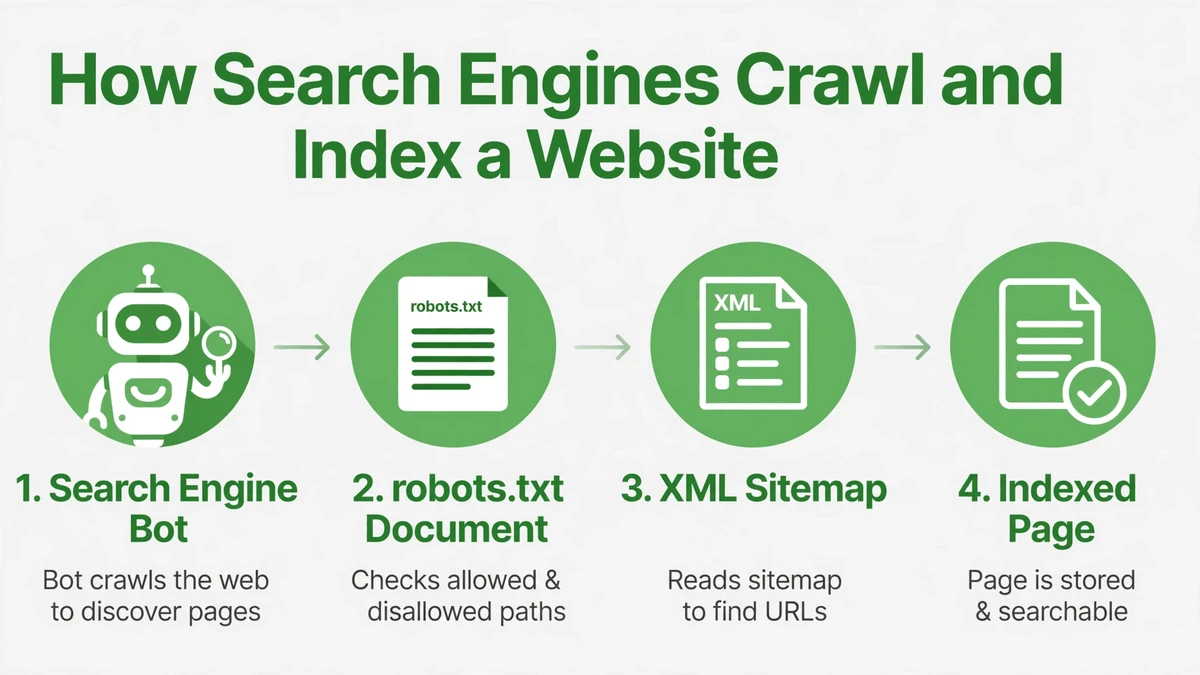
- Robots.txt is accessible and blocks no important pages. One misplaced “Disallow: /” can wipe out rankings overnight.
- XML sitemap exists, is submitted in Search Console, and contains only indexable URLs. A sitemap full of 404s trains Google to distrust yours.
- Search Console shows indexed pages roughly matching your real page count. Big gaps mean crawl or quality problems.
- Noindex tags appear only where intended (thank-you pages, admin, staging). Make sure staging isn’t indexed and production isn’t accidentally noindexed.
- Canonical tags point to the correct preferred URL on every page, including self-referencing ones.
- Redirect chains are two hops or fewer with no loops. Chains bleed crawl budget and load time.
- Broken internal links are fixed or redirected. Every internal 404 wastes crawl budget your real pages need.
- URLs are clean, lowercase, hyphenated — no session IDs or parameter soup.
Site Speed & Core Web Vitals (9–14)
Speed problems are among the most common findings when we run a technical SEO audit checklist — here’s what to measure.
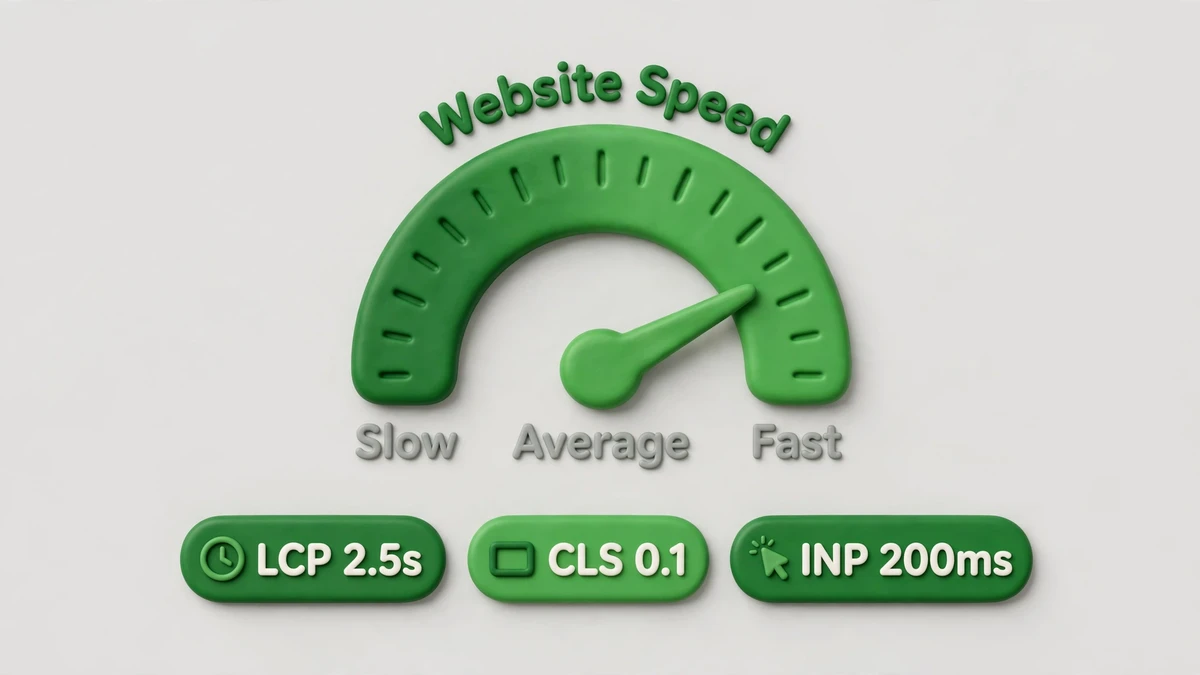
- Largest Contentful Paint under 2.5 seconds on mobile for key templates. Test the homepage, a service page, and a blog post — templates differ.
- Cumulative Layout Shift under 0.1. If content jumps while loading, users misclick and Google notices.
- Interaction to Next Paint under 200 milliseconds. Sluggish buttons and menus are a ranking factor now, not just an annoyance.
- Images are compressed, properly sized, and served in modern formats (WebP or AVIF). Unoptimized hero images are the single most common speed killer we find.
- Render-blocking resources are minimized — critical CSS inlined or deferred, non-essential JavaScript delayed.
- Server response time (Time to First Byte) is under 600ms. Slow hosting can’t be fixed with plugins.
Mobile Usability (15–17)
Google indexes the mobile version of your site, so this section of the technical SEO audit checklist deserves testing on a real phone.
- The site is fully usable on a real phone — not just “responsive” in a desktop browser’s device toolbar. Tap targets, menus, forms, and popups all tested by hand.
- Viewport meta tag is set correctly and content fits the screen without horizontal scrolling.
- Mobile and desktop versions show the same core content. If mobile hides content that desktop has, Google indexes the mobile version — and the hidden content effectively doesn’t exist.
On-Page Technicals (18–22)
- Every indexable page has a unique title tag under 60 characters and a unique meta description under 160 — no duplicates, no blanks, no keyword stuffing.
- One H1 per page, with a logical H2/H3 hierarchy below it. Multiple H1s won’t tank you, but sloppy hierarchy signals sloppy content.
- HTTPS across the entire site with no mixed-content warnings. Check that old HTTP URLs redirect properly.
- Structured data (schema markup) is present and valid for eligible content — Organization, LocalBusiness, and Article where appropriate — and passes Google’s Rich Results Test.
- Open Graph and Twitter Card tags are set so shared links render properly. This is social SEO hygiene, and it takes ten minutes.
Architecture & Maintenance (23–27)
- Internal linking connects related pages with descriptive anchor text — especially from high-authority pages to pages you want to rank. Orphan pages (no internal links) are nearly invisible.
- Hreflang is implemented correctly if the site serves multiple languages or regions — and only then. Bad hreflang is worse than none.
- Pagination, faceted navigation, and parameter URLs are handled (canonicals or Search Console settings) so they don’t spawn thousands of thin duplicate pages.
- 404 page is helpful — search box, popular links, no dead ends. And the site returns a proper 404 status code, not a “soft 404” that looks like a real page.
- Backups, uptime monitoring, and update cadence are in place. A hacked or down site loses rankings faster than any audit can restore them — technical SEO includes not breaking.
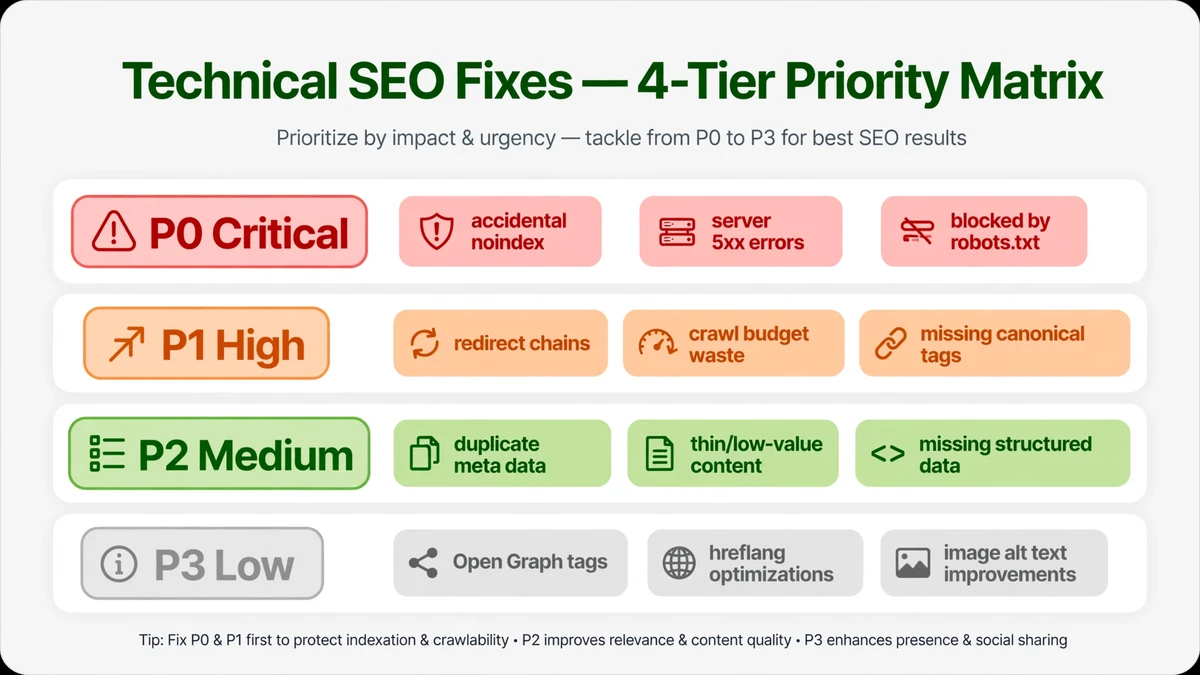
How to Prioritize Your Technical SEO Audit Checklist Findings
Once you’ve worked through the technical SEO audit checklist above, use this framework to decide what to fix first.
| Priority | What to check | Why |
|---|---|---|
| P0 — Critical | Accidental noindex, robots.txt blocks, hacked content, site down | These can zero out your traffic overnight |
| P1 — High | Indexation gaps, redirect chains, Core Web Vitals failures, missing sitemap | Directly suppress rankings across the site |
| P2 — Medium | Duplicate meta data, broken internal links, unoptimized images, thin schema | Drag on performance page by page |
| P3 — Low | Open Graph tags, 404 page polish, URL cosmetics | Worth doing, won’t move the needle alone |
Free Tools That Cover This Technical SEO Audit Checklist
These free tools cover every check in the technical SEO audit checklist — no paid subscriptions required.
| Tool | What it checks |
|---|---|
| Google Search Console | Indexation, crawl errors, Core Web Vitals, sitemaps, manual actions — checks 1–8 and much of 9–14 |
| PageSpeed Insights | Core Web Vitals with specific fixes per URL — checks 9–14 |
| Screaming Frog (free tier) | Crawls up to 500 URLs: redirects, broken links, meta data, canonicals — checks 6–8, 18–19, 21–23 |
| Google’s Rich Results Test | Validates structured data — check 21 |
| Your own phone | Mobile usability — checks 15–17. No tool replaces actually tapping through the site. |
Ready to talk about your SEO?
If this technical SEO audit checklist surfaced problems you’re not sure how to fix — or you’re not sure how deep they go — that’s exactly what our audits are for.
Contact the KKeyQik team and tell us what you found. We’ll reply honestly with which issues matter for your site and what fixing them properly takes.
Further reading: our complete guide to SEO services — what’s included, how engagements are structured, and how to choose an agency.
About the KKeyQik Team
KKeyQik is a digital marketing agency helping small businesses grow with SEO, social media marketing, PPC (Google Ads and Meta Ads), web development, video editing, and graphic design. The KKeyQik Team publishes practical, no-fluff guides for business owners who want marketing that pays for itself.
Frequently Asked Questions
A content audit judges the words on the page — depth, intent match, freshness. A technical audit inspects everything behind the scenes: whether search engines can crawl, index, and render the site, plus speed, mobile usability, structured data, and security. Think of it as the engine inspection; the content audit is the road test.
Uncrawlable or unindexable pages — if Google cannot reach a page, nothing else matters. After that, slow mobile load times are the most common ceiling we see. Run the crawlability checks first, then speed, then everything else.
Start with the P0 checks: accidental noindex tags, robots.txt blocks, hacked content, and whether the site is down or unreachable. These can zero out traffic overnight, so rule them out before touching anything else.
For most of the checklist they are not — Search Console, PageSpeed Insights, and a crawler's free tier cover the majority of checks. Paid platforms start paying off on large or complex sites, where crawl-scale data and historical tracking save real hours.
Google PageSpeed Insights gives per-URL Core Web Vitals with specific fixes, and Search Console shows them site-wide. Test the homepage, a service page, and a blog post separately — templates differ, and each has its own performance profile.
Watch for early warnings between audits: pages dropping out of the index, sudden ranking slides, or Search Console coverage errors. A single settings change can block crawlers silently, which is why the formal re-audit runs quarterly or after any redesign, migration, or platform change.
Crawl budget is the number of pages Google will crawl on your site in a given time. Large sites must guard it carefully; small sites mostly need to avoid wasting it — every internal 404 and every extra redirect hop spends budget your real pages need.
Yes — include a self-referencing canonical on each page. Parameter-driven URLs from filters, tracking, or sessions can create accidental duplicates at any time, and canonicals tell Google which version is the preferred one before your own pages compete against each other.
Because resizing a desktop browser is not the same as using a phone. Tap targets, menus, forms, and popups behave differently by touch, and Google indexes the mobile version of your site. If the mobile version hides content the desktop shows, that content effectively does not exist for Google.
A proper 404 status code first — not a disguised success page that confuses crawlers. Then help the visitor: a search box, links to popular pages, and no dead ends. A helpful 404 keeps people on your site instead of bouncing back to search results.