


Updated: September 2026 · By the KKeyQik Team
When someone nearby searches for what you do, Google doesn’t show them your website first — it shows them the map pack. Those three business listings with ratings, hours, and a call button win the majority of local clicks, and they’re powered by your Google Business Profile. This is our local SEO for small business playbook: claim and optimize your profile, lock down your business information everywhere, and build the review engine that actually moves rankings. (For where local fits among SEO services generally, see our guide to SEO services.)
Local SEO is the practice of making your business visible in location-based searches — the map pack, “near me” queries, and city-specific results. For small businesses serving a geographic area, it’s the highest-ROI form of SEO: less competition than national keywords, searchers with immediate buying intent, and a free listing (your Google Business Profile) at the center of it all.
Local SEO for Small Business: Key Takeaways
- Your Google Business Profile is your most important local SEO asset — more impactful than your website for map-pack rankings.
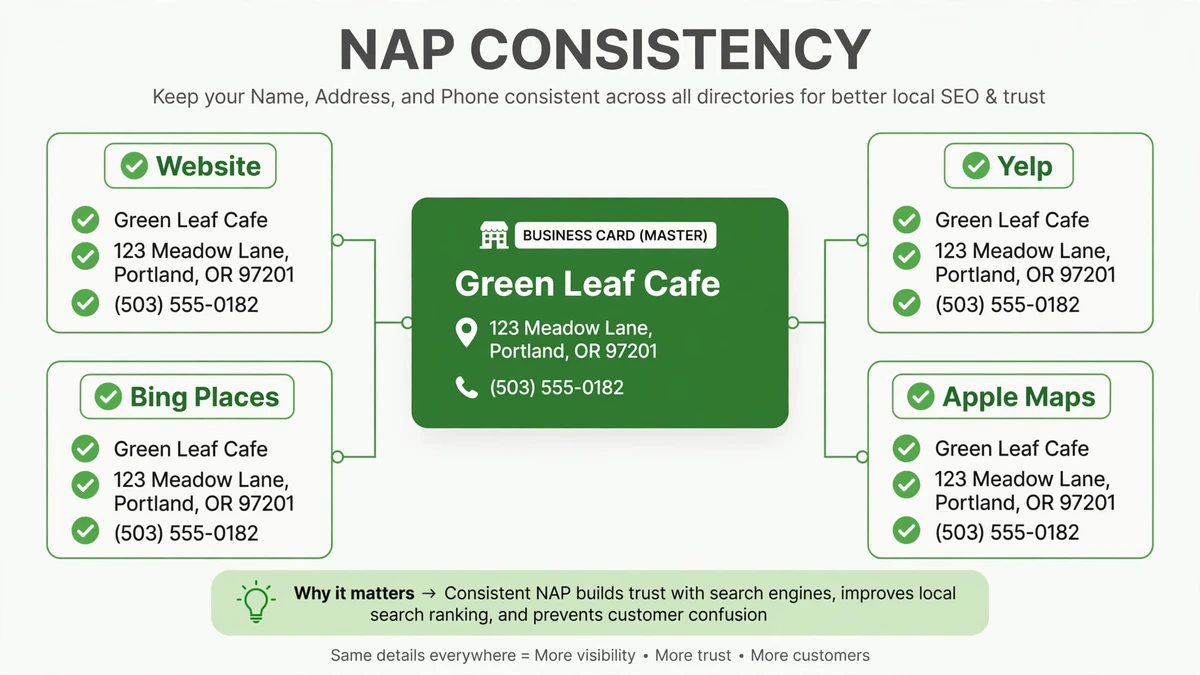
- NAP consistency (Name, Address, Phone) across the web is non-negotiable: mismatched listings confuse Google and suppress your rankings.
- Reviews are a ranking factor and a conversion factor — build a systematic process for earning them, not a hope.
- Local SEO for small business is won with completeness and activity: a fully filled profile, regular posts and photos, and steady review flow beat a neglected profile every time.
- This is a weeks-not-months game compared to traditional SEO — most businesses see map-pack movement within 1–3 months of proper setup.
Step 1: Claim and Verify Your Google Business Profile
Every local SEO for small business plan starts with ownership — claim the listing before you optimize it.
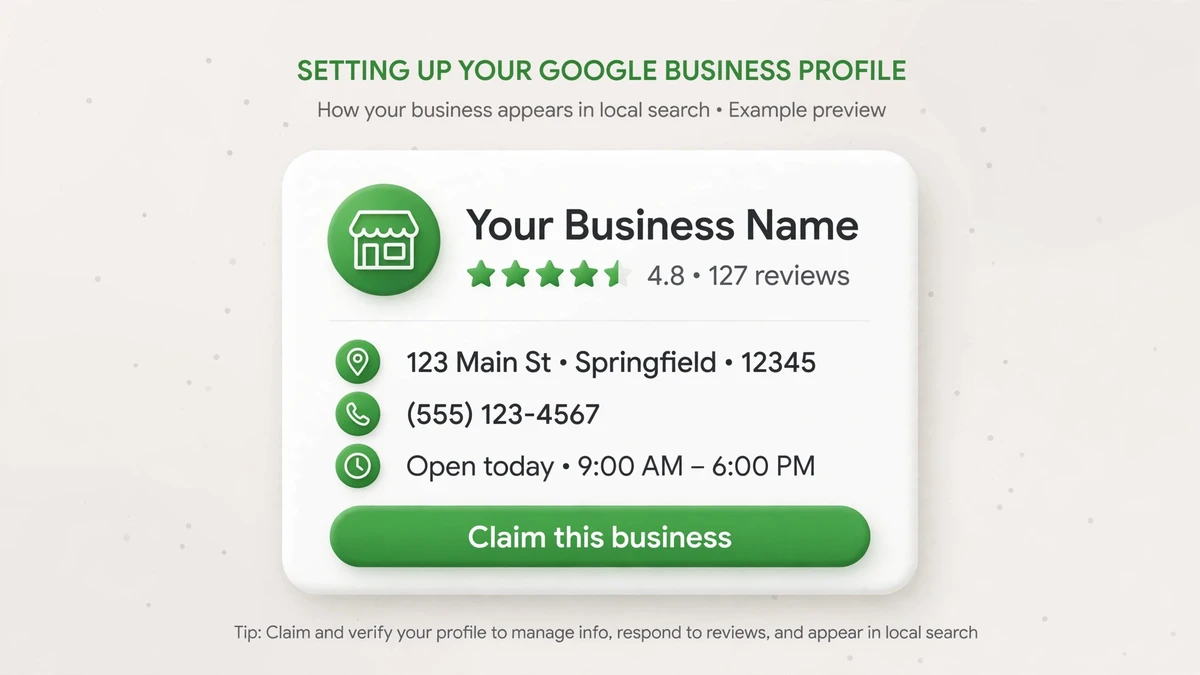
- Search for your business on Google Maps. If a listing exists but you don’t control it, click “Claim this business.” If none exists, create one at Google Business Profile.
- Complete verification — usually by video, phone, or postcard depending on business type. Unverified listings have limited visibility; this step is mandatory.
- Choose the most specific primary category available (e.g., “Plumber,” not “Contractor”). Categories are the strongest relevance signal you control — get this right before anything else.
- Add secondary categories for every distinct service you offer. Each one opens another set of searches you can appear for.
Step 2: Complete Every Field
A half-empty profile ranks like a half-open store — and in local SEO for small business, completeness is a ranking factor. Fill in:
- Business name — your real-world name, exactly as it appears on your storefront and legal documents. No keyword stuffing (“Best Plumber Austin 24/7” gets listings suspended).
- Address and service areas — list every area you serve. Service-area businesses: hide your address if customers don’t visit you.
- Hours — including special hours for holidays. “Hours may differ” on a holiday weekend costs you the exact customers searching hardest.
- Phone number — a local number that actually gets answered during business hours.
- Website link and appointment/booking link if you take bookings online.
- Business description — 750 characters describing what you do, for whom, and where. Write for humans first; work in your services and city naturally.
- Attributes — women-owned, veteran-owned, wheelchair accessible, etc. These filter into searches more than most businesses realize.
Step 3: Photos and Posts
Photos and posts are the activity signals of local SEO for small business — they show Google (and customers) that you’re open and operating.
- Upload at least 10 high-quality photos: exterior (so customers recognize you), interior, team at work, and finished jobs. Businesses with photos get measurably more calls and direction requests than those without.
- Add new photos monthly. Fresh photos signal an active, operating business — to Google and to customers.
- Publish Google Business posts weekly: offers, events, new services, seasonal reminders. Posts expire after 7 days for events — set a recurring reminder, not a memory.
- Upload a 30-second intro video if you can. Video is underused on profiles, which is exactly why it stands out.
Step 4: Lock Down NAP Consistency
| Where | What to check |
|---|---|
| Your website (footer + contact page) | Name, address, phone match your GBP exactly — down to suite numbers and abbreviations |
| Core directories | Yelp, Bing Places, Apple Maps, Facebook — claim and align every listing |
| Industry directories | Whatever your trade uses (Avvo, Houzz, Angi, etc.) — consistent NAP plus complete profiles |
| Data aggregators | Neustar, Data Axle, Foursquare feed hundreds of smaller directories — fix it at the source |
The test: search your business name plus your city. Every result on page one should show identical name, address, and phone. In local SEO for small business, each mismatch is a small vote of confusion against your rankings.
Step 5: Build the Review Engine
Reviews are the fuel of local SEO for small business — here’s how to build a systematic engine for earning them.
- Ask every happy customer — systematically, not when you remember. The businesses with 200 reviews don’t have happier customers; they have a process.
- Make it frictionless: a direct review link (from your GBP dashboard) sent by text right after the job, while satisfaction is highest.
- Respond to every review — positive and negative — within 48 hours. Responses are public and prospects read them; a thoughtful reply to a bad review converts more skeptics than ten five-star ratings.
- Never buy reviews, never review-gate (only soliciting happy customers through selective filtering). Both violate policy and both get caught eventually — the listing suspension isn’t worth it.
Review-generation scripts that work — short, specific, human:
- Text after a completed job: “Hi [name], this is [you] from [business]. Glad we could help today — would you mind leaving us a quick Google review? It takes 30 seconds: [link]. Thank you!”
- In-person ask: “If you were happy with the work, a Google review is the single biggest help to our business. Can I text you the link?”
Step 6: Local Content and Links
Content and links round out local SEO for small business, proving relevance beyond your profile.
- Create one page per core service + city you target — genuinely useful pages, not doorway templates. A plumber serving three towns needs real, distinct service pages, not find-replace clones.
- Earn local links: chamber of commerce, local sponsorships, neighborhood associations, local press. A handful of real local links outweighs dozens of generic directory submissions.
- Embed a Google Map on your contact page and mark up your address with LocalBusiness schema.
How Long Does Local SEO for Small Business Take?
| Timeline | What to expect |
|---|---|
| Week 1–2 | Profile claimed, verified, fully completed; NAP audit underway |
| Month 1–2 | First map-pack appearances for low-competition terms; review engine running |
| Month 2–3 | Steady map-pack presence for primary terms if competition is moderate |
| Month 3–6 | Compounding: reviews, posts, and local links stack into durable rankings |
That’s the typical pace of local SEO for small business — faster than traditional SEO because the map pack rewards completeness over authority.
Ready to talk about your SEO?
Local SEO for small business is the rare marketing channel where doing the basics properly puts you ahead of most competitors — because most competitors never do the basics. Contact the KKeyQik team and tell us where your business is and what the map pack looks like for your services. We’ll reply honestly with what’s holding your local visibility back.
Further reading: our complete guide to SEO services — what’s included, how engagements are structured, and how to choose an agency.
About the KKeyQik Team
KKeyQik is a digital marketing agency helping small businesses grow with SEO — including local SEO for small business — social media marketing, PPC (Google Ads and Meta Ads), web development, video editing, and graphic design. The KKeyQik Team publishes practical, no-fluff guides for business owners who want marketing that pays for itself.
Frequently Asked Questions
First check the basics: is the profile claimed and verified, is the primary category the most specific option available, and is the address or service area set correctly. Most no-show cases trace back to one of these three. If all three are correct and the listing still does not appear after a few weeks, review completeness — empty profiles with no photos or reviews rarely get shown.
Mismatched business information is the usual culprit — the name and address on the listing must match what Google can verify through other sources. For video verification, have your storefront signage, business documents, and work equipment ready to show. If verification keeps failing, double-check that the category and business type match how you actually operate.
You can add one primary category plus several secondary ones — use the primary for your core service and secondaries for each distinct service you offer. Categories are one of the strongest relevance signals you control, so choose the most specific option available rather than a broad one. Review them yearly, since Google adds new categories over time.
Update the address on your Google Business Profile first, then your website footer and contact page, then core directories like Yelp and Apple Maps. A move is when NAP mismatches are most likely to appear, so search for your business name plus your old city and fix any listing still showing the previous address.
Respond within 48 hours, publicly, with a calm and specific reply — acknowledge the issue, explain what you are doing about it, and invite the reviewer to continue the conversation offline. Prospects read your replies to bad reviews closely, and a thoughtful response converts more skeptics than ten five-star ratings. Never argue, and never offer incentives for review changes.
No — asking openly for reviews is fine; what violates policy is buying reviews or filtering who gets asked through selective funnels. Ask every customer the same way, such as a text with a direct review link right after the job. The key is keeping the process open and identical for every customer.
A suspension usually follows a guideline violation like a keyword-stuffed business name, a fake address, or suspicious review activity. The fix is to correct the violation first, then submit a reinstatement request through Google's support process with documentation of your real business. Prevention is simpler: use your real-world name exactly as it appears on your storefront.
Sudden drops usually trace to a concrete cause: a guideline violation, a competitor surge, a category change, or a wave of new reviews for a rival. Check your profile for warnings, compare your review velocity and completeness against the businesses now outranking you, and fix the gap you find. Slow, steady declines more often mean competitors simply outworked you on reviews and activity.
Yes — profile visitors often browse photos before calling, especially for service businesses where they want to see real work. Upload exterior shots so customers recognize you, plus team-at-work and finished-job photos. Keep adding new ones monthly so the profile reflects how the business looks today, not three years ago.
No — if customers never visit you, hide the street address and list only the areas you serve. Google still shows the profile to nearby searchers through the map pack and the call button. The important setup choice is selecting the service-area business type correctly when creating the profile.