


Updated: September 2026 · By the KKeyQik Team
When your website feels sluggish, visitors leave — and search engines notice. Core Web Vitals page speed metrics are Google’s official way of measuring how fast, responsive, and stable your pages feel to real visitors. They are not obscure technical trivia. They are part of how Google evaluates page experience, which means they influence where your site ranks — and, just as importantly, whether visitors stay long enough to become customers.
In this guide, we explain Core Web Vitals in plain English: what each metric measures, what Google considers a good score, how to check your own site, and the practical steps you can take to make your pages faster. No jargon walls, no developer degree required.
Key Takeaways
- Core Web Vitals are Google’s three page-experience metrics: LCP (loading speed), INP (responsiveness), and CLS (visual stability).
- Good thresholds are: LCP of 2.5 seconds or less, INP of 200 milliseconds or less, and CLS of 0.1 or less.
- You can check any page in Google PageSpeed Insights, and Search Console’s Core Web Vitals report shows how your whole site performs.
- The most common slowdowns on small business sites are oversized images, too many plugins, underpowered hosting, and render-blocking scripts.
- Fix the big wins first — images, hosting, and caching — before spending effort on anything else.
- Many speed fixes are owner-friendly; persistent structural problems need a developer.
What Core Web Vitals Are and Why Page Speed Matters
Think of Core Web Vitals as Google’s report card for how your pages feel to visitors. They measure three things: how quickly the main content loads, how quickly the page responds when someone clicks or taps, and whether the layout stays put while everything loads. Google folds these signals into its page-experience evaluation, which means pages that score well have a ranking advantage over pages that feel slow and janky.
But rankings are only half the story. A slow page bleeds business. Visitors who wait for a page to load, or who try to tap a button that jumps around as ads and images pop in, tend to give up and go elsewhere. Every extra moment of friction is a chance for a potential customer to hit the back button. For a small business, where every inquiry counts, a fast and stable site is not a nice-to-have — it is a revenue lever.
Because Google publishes exactly what counts as good, you can test, fix, and retest until your numbers land where they should.
The Three Metrics, Explained Simply
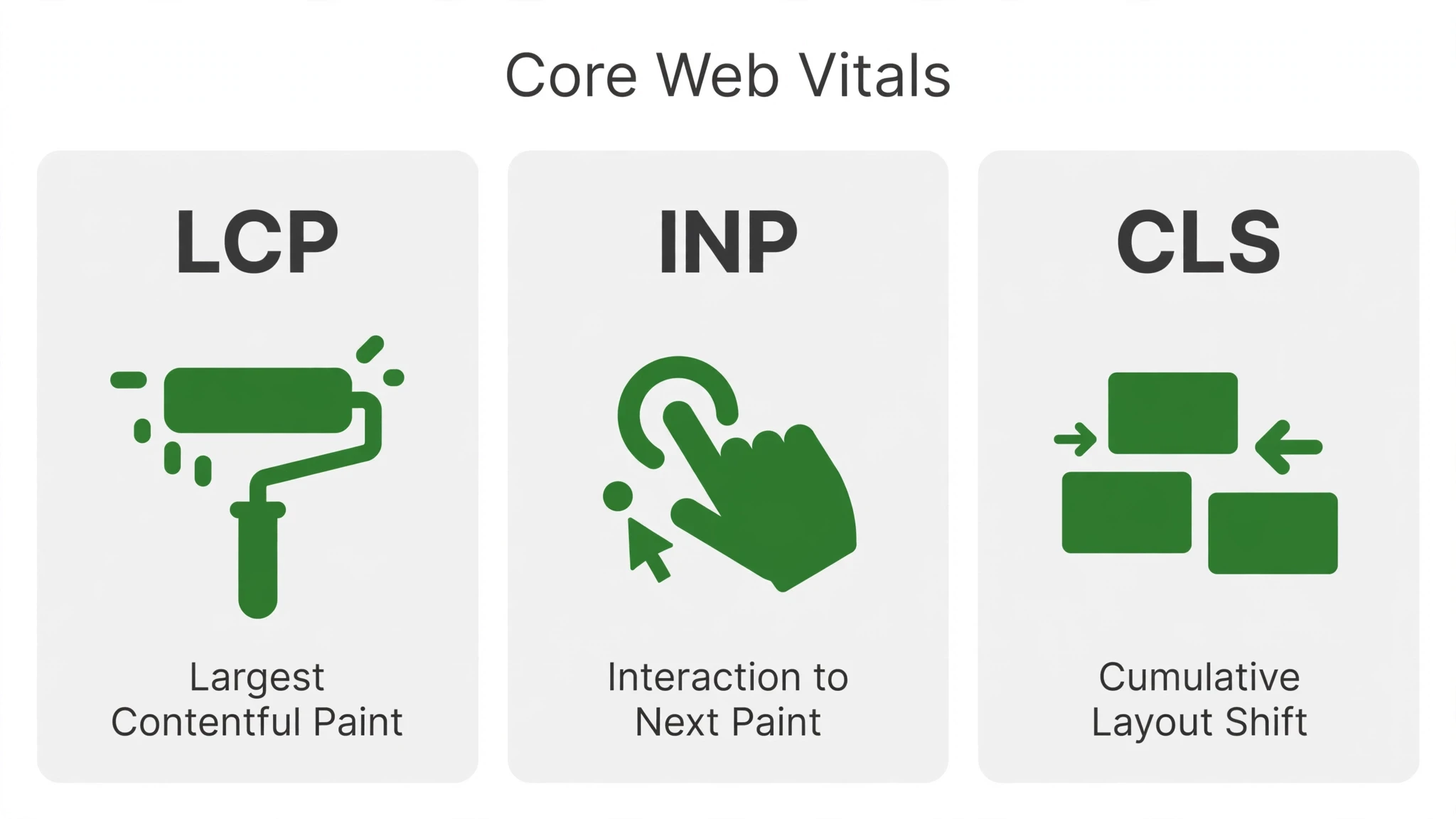
There are three Core Web Vitals. Each one captures a different moment in how a visitor experiences your page.
1. LCP — Largest Contentful Paint: How Fast the Main Content Loads
LCP measures how long it takes for the largest visible piece of content to appear — usually the hero image, the headline block, or the main banner on your page. It answers the question: how long until the visitor can see what this page is about? If your LCP is slow, visitors stare at a half-empty page wondering whether something is broken.
What Google considers good: LCP of 2.5 seconds or less. Between 2.5 and 4 seconds needs improvement. Above 4 seconds is poor.
The biggest drivers of slow LCP are oversized hero images, slow server response times, and resources that delay rendering. Shrinking a single massive hero image can move this metric more than almost any other change on a typical small business site.
2. INP — Interaction to Next Paint: How Responsive the Page Feels
INP measures how quickly your page reacts when a visitor interacts with it — clicking a menu, tapping a button, filling out a form. It answers the question: when I click, does something happen right away? A page can load quickly and still feel sluggish if it ignores taps and clicks.
What Google considers good: INP of 200 milliseconds or less. Between 200 and 500 milliseconds needs improvement. Above 500 milliseconds is poor.
Slow INP is usually caused by heavy JavaScript — chat widgets, sliders, animation libraries, and third-party embeds that hog the browser’s attention. The fix is reducing or deferring scripts so the page stays responsive while it loads.
3. CLS — Cumulative Layout Shift: Visual Stability
CLS measures how much the layout moves around while the page loads. You have felt this: you are about to tap a button and the page suddenly shifts, so you tap an ad or a wrong link instead. CLS answers the question: does the page stay where I expect it to be? Layout shifts are one of the fastest ways to destroy trust on a small business site.
What Google considers good: CLS of 0.1 or less. Between 0.1 and 0.25 needs improvement. Above 0.25 is poor.
Layout shifts are almost always caused by images, ads, and embeds that load without reserved space. The fix is simple in concept: tell the browser how much space each element needs before it loads, so nothing moves when it arrives.
How to Check Your Own Site
Google gives you two straightforward ways to see how your pages perform.
Google PageSpeed Insights
PageSpeed Insights tests a single page at a time. Enter your URL, and within a minute you get scores for LCP, INP, and CLS on both mobile and desktop, along with a list of specific issues and suggested fixes. The mobile score is the one to watch — most of your visitors arrive on phones, and Google evaluates your site primarily on its mobile experience.
Run it on your homepage, your main service pages, and your contact page. Do not chase a perfect score of 100; aim for all three Core Web Vitals in the green “good” range. That is the threshold that matters.
Search Console’s Core Web Vitals Report
If you have Google Search Console connected to your site, its Core Web Vitals report shows how your whole site performs across real visitors — not a single test, but actual field data. It groups pages by good, needs improvement, and poor, so you can see which pages need attention first.
Field data is what Google uses in its evaluation, so this report shows your site the way Google actually sees it.
The Usual Culprits That Slow Small Business Sites
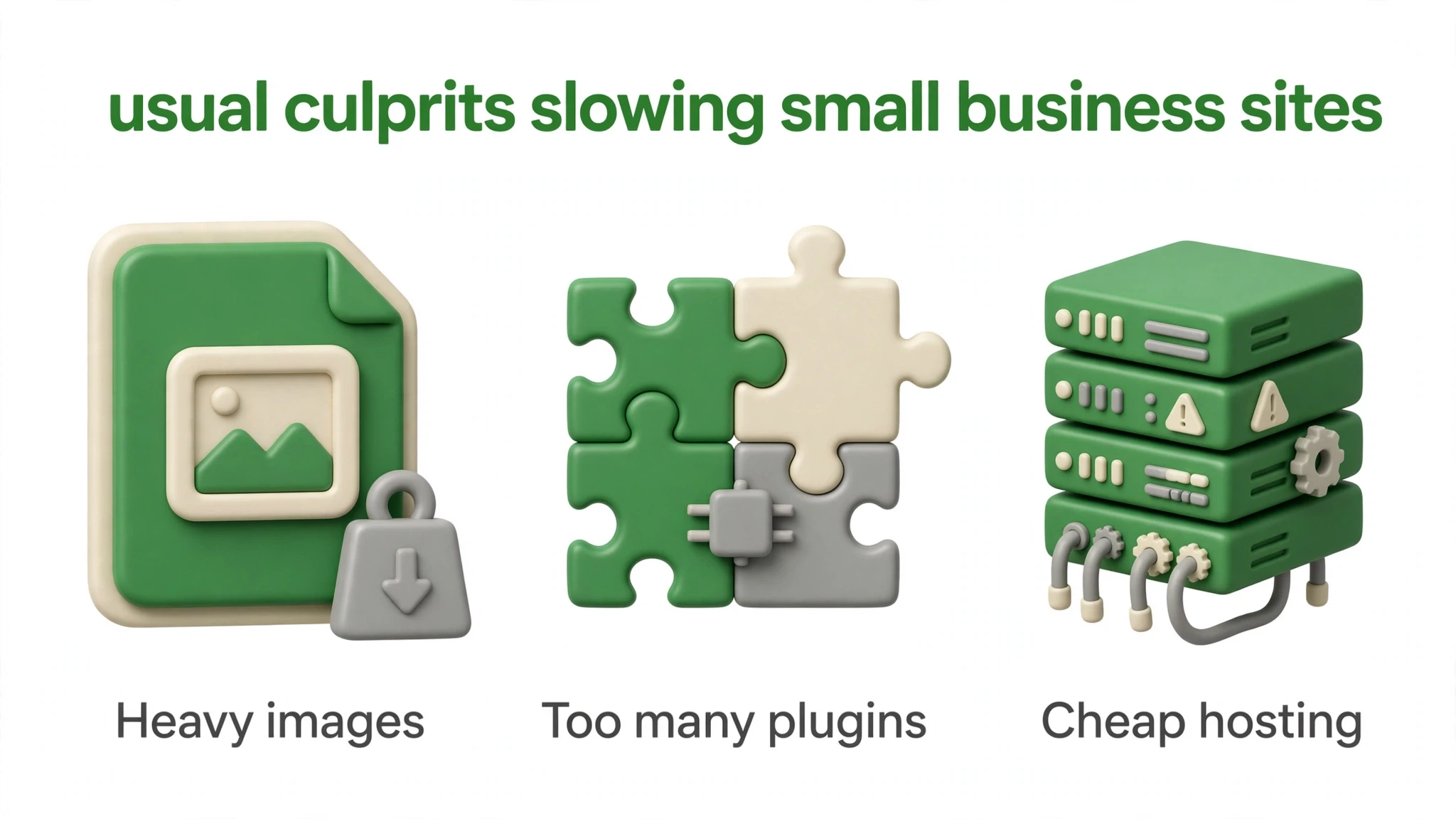
After looking at plenty of small business websites, we see the same handful of problems again and again. Here is what slows them down, what each problem does, and what fixing it looks like.
| Culprit | What It Does | The Fix |
|---|---|---|
| Oversized images | Full-size photos straight from a camera or stock site can be megabytes each, forcing visitors to download far more data than their screen needs. This is the number one LCP killer. | Resize images to the dimensions they actually display at and compress them before uploading. |
| Too many plugins | Each plugin loads its own code, styles, and sometimes external calls. Stack up enough of them and your page is running a marathon before the visitor sees anything. | Review every plugin and remove anything you are not actively using. Keep one tool per job — one form plugin, one SEO plugin, one caching plugin — and delete the rest. |
| Underpowered hosting | Cheap shared hosting means your site shares a server with hundreds of others. When the server is slow to respond, everything downstream is slow too, no matter how well your pages are built. | Move to hosting with solid performance and server-level caching. Hosting is the foundation your entire site stands on; a slow foundation caps everything else. |
| Render-blocking scripts | JavaScript and CSS files that load in the head of your page can force the browser to wait before showing anything. Chat widgets, sliders, and trackers are common offenders. | Defer or delay non-essential scripts so the visible content loads first. Anything a visitor does not interact with in the first few seconds can wait. |
| Unoptimized video | Video backgrounds and embedded players are heavy. A homepage hero video that autoplays can single-handedly wreck your LCP. | Use a lightweight poster image instead of autoplaying video, lazy-load embedded players, and never autoplay full video above the fold. |
| Web fonts gone wild | Loading half a dozen font families and weights adds round-trips to every page load, and slow font loading can cause visible text shifting (a CLS hit). | Limit yourself to one or two font families, preload the most important one, and use a system fallback so text renders immediately. |
An Improvement Sequence in Priority Order
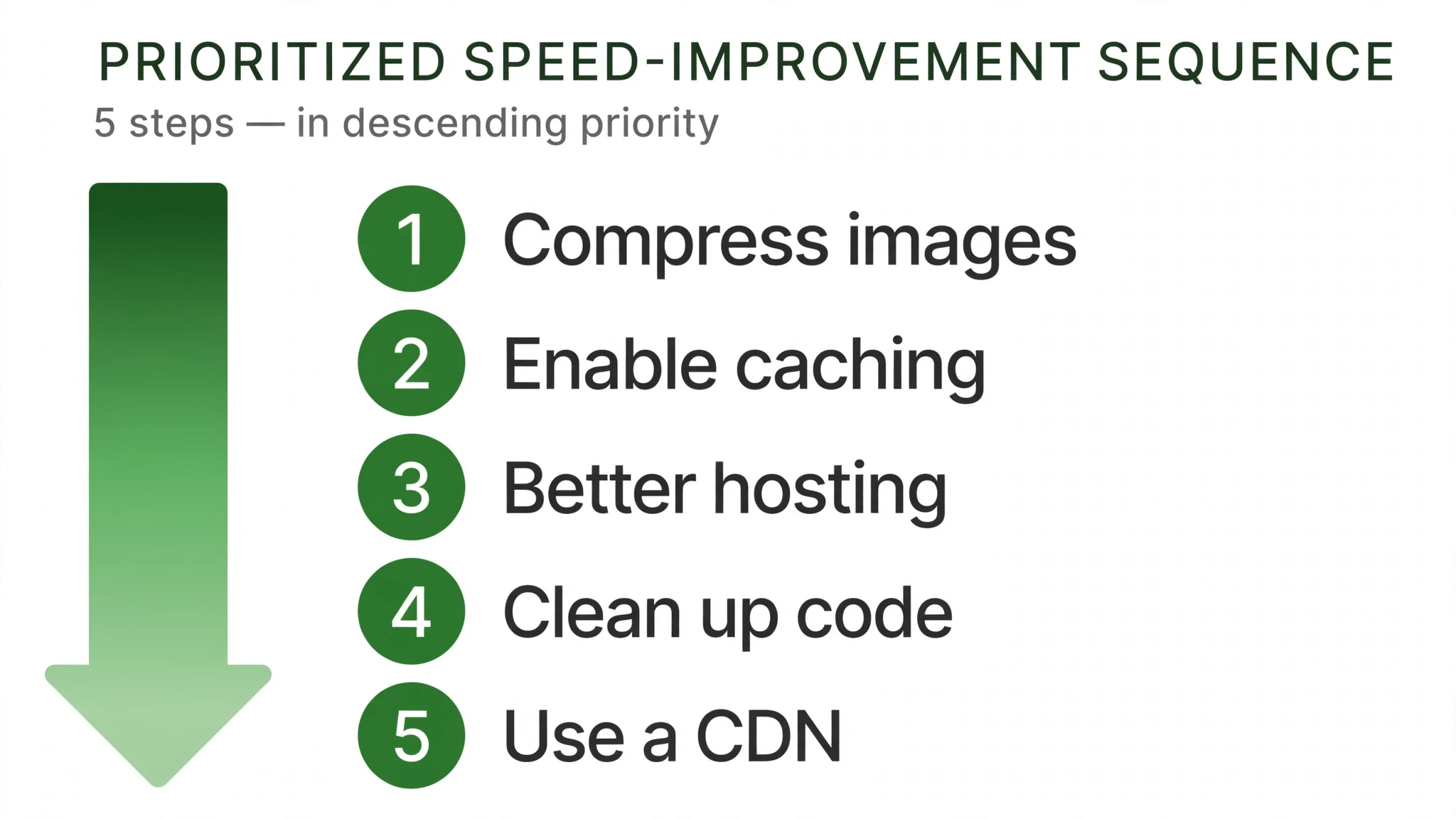
Do not try to fix everything at once. Work through these steps in order — each one builds on the last, and the first few deliver most of the gains.
- Measure first. Run your homepage and key service pages through PageSpeed Insights and note which metric is failing. You cannot fix what you have not measured, and the failing metric tells you where to start.
- Compress and resize your images. This is the single biggest win on most small business sites. Shrink images to their display dimensions and compress them before they ever touch your server.
- Trim your plugins. Remove every plugin you are not actively using. Then test the site again — fewer plugins means less code loading on every page.
- Set up caching. A good caching setup serves repeat visitors a ready-made copy of your pages instead of rebuilding them each time. This improves response times across the board.
- Defer non-essential scripts: delay chat widgets, sliders, and trackers until after the main content loads. If the INP score is the problem, this is usually why.
- Fix layout shifts: give images, embeds, and ad slots fixed dimensions or reserved space so the layout never moves as content loads. This is the main lever for CLS.
- Review your hosting: if everything above is done and your server response time is still the bottleneck, the hosting plan is the ceiling. Moving up a tier is often the fix.
- Retest and repeat: run PageSpeed Insights again and compare. Then check the Search Console Core Web Vitals report over the coming weeks to confirm real visitors are feeling the improvement.
What You Can Fix Yourself vs. When You Need a Developer
A surprising amount of speed work is owner-friendly. Compressing images, deleting unused plugins, setting up caching, and reviewing your scripts are tasks a careful site owner can handle with a good guide and a backup of the site first. If your failing metric is LCP and the culprit is oversized images, you may be able to fix it in an afternoon.
It is time to bring in a developer when the problems are structural. Signs you need professional help: your theme’s code itself is bloated or outdated, render-blocking resources are baked into the theme and cannot be deferred through settings, your INP problems come from complex JavaScript you did not write, or you have done all the owner-level fixes and your scores are still poor. Database and server-level optimization, custom code changes, and theme rebuilds are developer work — and getting them wrong can take your site down, so they are worth doing properly.
The simplest test: if you have compressed the images, trimmed the plugins, set up caching, deferred the scripts, and retested — and your numbers are still in the red — the remaining problems are in the code, not the content. That is the point where a developer earns their keep.
This article is part of our guide to web design and development services for small business.
Core Web Vitals and the Rest of Your SEO
It helps to put Core Web Vitals in context: they are one input to rankings, not the whole game. A site with perfect Core Web Vitals but thin content and no local relevance will still lose to a slightly slower competitor with genuinely useful pages. Google has said as much — page experience signals matter, but relevance and quality matter more. Treat Core Web Vitals as the multiplier on top of good content, not a substitute for it.
That said, the multiplier is real. When two pages answer the same query equally well, the faster, more stable one tends to win the click and keep the visitor. And unlike content, Core Web Vitals improvements are usually one-time engineering work: fix the image pipeline, stabilize the layout, clean up the scripts, and the gains persist. For a small business, that makes Core Web Vitals one of the highest-leverage technical investments available — a few focused fixes that keep paying off every time someone searches.
Make Your Site Faster and Easier to Find
Speed is one of those rare things that helps everything at once: better rankings, happier visitors, and more inquiries. We build fast, stable, search-friendly websites for small businesses — and we can measure your current site’s Core Web Vitals and fix what is holding it back. Start on our contact page and tell us what your site needs.
Frequently Asked Questions
Not exactly — page speed is one part of the picture, while Core Web Vitals measure how the page feels to a real visitor: how fast the main content appears, how quickly it responds to taps, and whether the layout stays put. A page can load quickly on paper and still feel broken if buttons jump around while it renders. Think of page speed as the stopwatch and Core Web Vitals as the visitor's actual experience. Google evaluates the experience, not just the stopwatch.
Google’s thresholds: LCP of 2.5 seconds or less, INP of 200 milliseconds or less, and CLS of 0.1 or less. Hitting all three puts your pages in the ‘good’ range. These are the numbers to benchmark every improvement against.
Google folds these signals into its page-experience evaluation, so pages that score well have a ranking advantage over pages that feel slow and janky. They are one ranking input among many, not the whole game. But rankings are only half the story — slow pages also bleed business directly.
Mobile first — most of your visitors arrive on phones, and Google evaluates your site primarily on its mobile experience. Run your homepage, main service pages, and contact page through a page-speed testing tool on a mobile setting. Desktop scores are a useful second check, but a page that passes on desktop and fails on mobile is still failing where it counts. Fix for the phone and desktop usually follows.
They can hurt the experience that feeds rankings — oversized images are the most common reason pages feel slow, especially the hero image at the top. Resize images to the dimensions they actually display at and compress them before uploading. One page with a dozen full-size photos forces phones to download far more data than the screen needs. Fewer, lighter images is the simplest speed win most small business sites have.
Fix the big wins first — images, hosting, and caching — before spending effort on anything else. Compress and properly size images, make sure your hosting can handle your traffic, and get caching in place. The post’s improvement sequence ranks these by impact per effort.
Usually yes, with one precaution: back up the site first, then deactivate a plugin and check that key pages still work before deleting it. Unused plugins still load code on every page, so removing them is one of the simplest owner-level speed wins. Keep one tool per job — one form plugin, one SEO plugin, one caching plugin — and clear out the rest. If a plugin's purpose is unclear, ask your developer before removing it rather than guessing.
LCP measures how fast the main content appears — the loading experience. INP measures how quickly the page responds when someone interacts — the responsiveness experience. CLS measures whether things jump around while loading — the stability experience. A page needs all three to actually feel fast.
Yes. Visitors who wait for a page to load, or who try to tap a button that jumps around as images pop in, tend to give up and go elsewhere. Every extra moment of friction is a chance lost. Speed is a revenue issue first and a rankings issue second.
On its own, no — speed is a multiplier on good content, not a substitute for it. A fast page with thin content will still lose to a slightly slower page that answers the searcher's question better. But when two pages answer a query equally well, the faster and more stable one tends to win the click and keep the visitor. Fix the content first, then make the experience fast — in that order.