

Updated: September 2026 · By the KKeyQik Team
Video is no longer a nice-to-have in social media — it’s the format every platform’s algorithm favors, and the gap between businesses that post video and those that don’t keeps widening. But “post more video” is useless advice without specifics. These are the seven video formats actually earning reach for small businesses in 2026: what each one is, how long it should run, and the hook formula that makes people stop scrolling. (For the full content system these formats plug into, see our guide to social media marketing services.)
Video editing for social media is the process of turning raw footage into short, platform-native videos — cut for vertical viewing, captioned for silent watching, hooked in the first two seconds, and paced to hold attention to the end. Good editing isn’t about effects; it’s about retention. Every cut should answer one question: why should the viewer keep watching?
Key takeaways
- You don’t need seven formats — pick two or three and master them. Consistency in a few formats beats dabbling in all of them.
- The hook is 80% of the video: the first two seconds decide everything. Write the hook before you shoot anything.
- Caption everything. Most social video is watched muted — uncaptioned video is invisible to a huge share of your audience.
- Vertical 9:16, always. Horizontal video on a vertical feed is a surrender.
- One shoot, many videos: batch filming and smart editing turn a single afternoon into a month of content.
- Video editing for social media rewards consistency over gear — start simple, publish weekly, improve monthly.
Video Editing for Social Media: 7 Formats Getting Reach in 2026

These seven video editing for social media formats are what actually earn reach for small businesses right now — not in theory, but in feeds:
- The Talking-Head Tip (15–30 seconds). You, to camera, one useful tip. Hook formula: “Stop doing [common mistake] — do this instead.” Film five in one sitting; this is the highest-ROI video editing for social media format per minute of effort.
- The Before/After (10–20 seconds). The most powerful format for any visual trade — renovations, detailing, landscaping, makeovers, repairs. Hook formula: show the “after” first for one second, then “here’s what it looked like this morning.” Reverse chronology outperforms chronological every time.
- The Process Clip (20–45 seconds). Hands at work, sped up 2–4x, with text overlays explaining each step. Hook formula: “Watch us [do the satisfying thing] in 30 seconds.” Process content earns saves because people bookmark techniques.
- The Myth-Buster (20–30 seconds). State the myth, pause, debunk it. Hook formula: “You’ve been told [myth] — it’s wrong, and here’s why.” Contrarian-but-true content drives comments, and comments drive reach.
- The Customer Story (30–60 seconds). A real customer, in their words, describing the problem and the outcome. Hook formula: open on the customer’s best one-line quote, then rewind to their story. Testimonial-style content converts warm audiences like nothing else.
- The Day-in-the-Life (45–90 seconds). Follow a real workday with quick cuts and captions. Hook formula: “POV: you’re a [trade] on a [busy/chaotic/satisfying] Tuesday.” Humanizing content builds the familiarity that turns followers into callers.
- The Reply Video (15–30 seconds). Answer a real comment or DM on camera. Hook formula: put the question on screen, then answer it directly. This format does double duty — it creates content and it trains your audience to comment, which feeds every future video.
Format Cheat Sheet
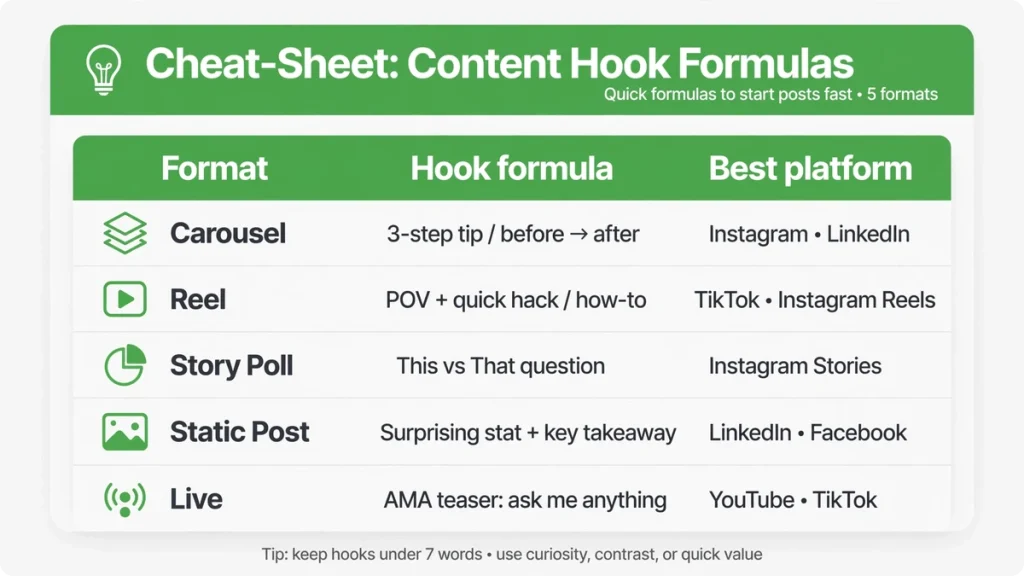
Use this video editing for social media cheat sheet to pick your starting formats:
| Format | Length | Best for | Shoot difficulty |
|---|---|---|---|
| Talking-head tip | 15–30 sec | Reach + authority | Easy — phone on a tripod |
| Before/after | 10–20 sec | Proof + shares | Easy — just remember to film “before” |
| Process clip | 20–45 sec | Saves + watch time | Medium — needs b-roll habit |
| Myth-buster | 20–30 sec | Comments + reach | Easy — same setup as talking head |
| Customer story | 30–60 sec | Conversion | Medium — needs willing customers |
| Day-in-the-life | 45–90 sec | Connection + follows | Medium — film throughout the day |
| Reply video | 15–30 sec | Engagement loop | Easy — question provides the script |
Video Formats for Instagram Reach: Which 3 to Master First
If Instagram is your main platform, you don’t need all seven — you need the three video formats for Instagram reach that do the heavy lifting: talking-head tips (authority and discovery), before/afters (proof and shares), and reply videos (engagement and community). Master these three and you cover the full funnel: strangers discover you through tips, prospects trust you through proof, and followers stick around through conversation. The other four formats are amplifiers — add them once the core three run on autopilot.
For video editing for social media on Instagram specifically, Reels are the priority — the algorithm still gives Reels the most non-follower distribution of any format. That means your editing choices should favor Reels: punchy hooks, fast pacing, and captions sized for the Reels viewer. Instagram’s Help Center documents current Reels best practices and is worth checking whenever features change.
Video Editing for Social Media: The Rules That Actually Matter
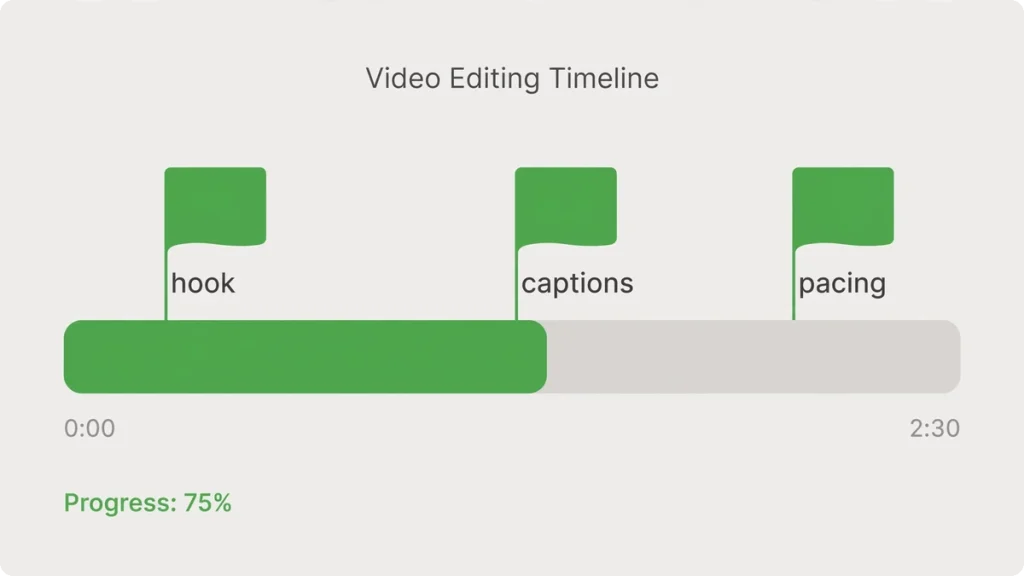
These video editing for social media rules matter more than any effect, transition, or template pack:
| Rule | Why |
|---|---|
| Hook in the first 2 seconds — no logos, no “hey guys” | Viewers decide instantly; intros are where videos die |
| Captions burned in, word-by-word or phrase-by-phrase | Silent viewing is the default, not the exception |
| Cut every pause, um, and dead second | Pacing is retention — tight videos outperform loose ones at any length |
| One idea per video | Two ideas means two half-watched videos instead of one finished one |
| End with the CTA on screen, not just spoken | “DM us QUOTE” as text converts the skimmers too |
Short Form Video Formats: The Editing Workflow That Saves Hours
Knowing the short form video formats is half the job; editing them efficiently is the other half. Here’s the workflow that keeps video editing for social media sustainable:
- Shoot in batches. Film 5–10 videos in one session — same location, same lighting, outfit changes between batches. Batching is the highest-leverage habit in short form video formats.
- Edit in passes. First pass: cut ruthlessly — remove every pause, um, and dead second. Second pass: add captions, burned in word-by-word. Third pass: add the hook as a text overlay on frame one and the CTA as on-screen text at the end.
- Template everything. Save your caption style, hook format, CTA card, and color grades as reusable templates. Most video editing for social media is repetitive — templates turn a 30-minute edit into a 10-minute one.
- Export for the platform. Vertical 9:16, high resolution, captions readable on a phone screen. The Meta Business Help Center documents current video specs and placements so your exports always fit the feed.
Video Content Ideas for Social Media When You’re Out of Ideas
Stuck? These video content ideas for social media come from your business, not your creativity:
- Film the FAQ. Every question a customer asks is a talking-head tip waiting to happen. If three people asked it this month, it’s a video.
- Film the process. Whatever you’re doing today, prop up the phone and capture it. Sped-up process clips are among the most saved social media video formats.
- Film the proof. Before-and-after of every job, no exceptions. The businesses with the best video libraries are just the ones that never forgot to film “before.”
- Film the opinion. One myth in your industry you’d debunk over coffee — that’s a myth-buster video.
- Film the people. Introduce a team member, show a real workday, celebrate a win. Humanizing content is the easiest video content idea for social media and the most skipped.
Keep a running list on your phone. That’s the real secret of video editing for social media: the ideas live in your workday, not in brainstorming sessions.
What You Actually Need to Start Editing
You need less than you think. A phone made in the last three years, decent natural light, and a free editing app cover 90% of video editing for social media. Don’t buy gear before you have a publishing habit — the businesses that quit video quit because of consistency, not camera quality.
When you’re ready to level up, add a tripod and a basic microphone — that’s the entire starter kit. The editing itself matters more than the tools: tight cuts, burned-in captions, and a hook in the first two seconds beat expensive production every time. Start with what you have; upgrade when your publishing habit — not your wishlist — demands it.
How We’d Start If We Were You
This is the video editing for social media starter plan we’d hand to any small business:
- Week 1: film five talking-head tips in one 30-minute session. Post three, bank two.
- Week 2: start the before/after habit — photograph or film every job’s “before” state, no exceptions.
- Week 3: post your first reply video answering your most-asked question.
- Week 4: review which format earned the most saves and shares — double down on that one next month.
Ready to talk about your social media?
Knowing the formats is half the battle — the other half is shooting and editing consistently, which is where most businesses stall. Contact the KKeyQik team to book a discovery call: tell us about your business and your current video efforts, and we’ll talk through what a workable video editing for social media system could look like for you.
Further reading: our complete guide to social media marketing services — what’s included, how engagements are structured, and how to choose an agency.
About the KKeyQik Team
KKeyQik is a digital marketing agency helping small businesses grow with SEO, social media marketing, PPC (Google Ads and Meta Ads), web development, video editing, and graphic design. The KKeyQik Team publishes practical, no-fluff guides for business owners who want marketing that pays for itself.
Frequently Asked Questions
Bank a few finished videos during lighter weeks so busy periods don't break your posting rhythm. Simple formats like reply videos can also be filmed in minutes on your phone between jobs — the goal is keeping the habit alive, not keeping every week identical.
The hook decides everything — viewers decide whether to keep watching within about two seconds, and slow intros like logos or greetings are where most videos die. Write the hook before you shoot, and open with the payoff, the myth, or the mistake — never a greeting.
Yes — most social video is watched muted, so uncaptioned videos are effectively invisible to a large share of your audience. Burn in word-by-word or phrase-by-phrase captions so the video works with or without sound.
Batch filming is the answer: film several short videos in one sitting, and use editing to cut one shoot into many platform-native pieces. A single afternoon of filming can become a month of content when each clip is captioned, hooked, and formatted for vertical feeds.
For feed-first platforms, no — vertical 9:16 is the format the algorithms favor and what viewers expect. Horizontal video on a vertical feed looks out of place and underperforms; shoot or crop vertical-first.
A process clip shows hands at work on one task, sped up, with text overlays explaining each step — it's educational and earns saves. A day-in-the-life follows your whole workday with quick cuts — it's humanizing and builds familiarity. Use process clips to prove skill, day-in-the-life to build connection.
Film the before every single time — it's the shot most businesses forget — and open with the after for one second before rewinding to the starting state. Reverse chronology outperforms chronological order because viewers instantly see the payoff and stay to learn how it happened.
State the myth, pause, then debunk it with a real reason — the hook formula is You've been told [myth] — it's wrong, and here's why. Contrarian-but-true content drives comments, and comments drive reach; just make sure the myth you're busting is real and the correction is genuinely useful.
Open on the customer's best one-line quote, then rewind to their story in their own words — real customers describing the problem and the outcome. Testimonial-style content converts warm audiences best when it sounds like a person, not a script; keep editing light and let the quote do the work.
A short on-camera answer to a real comment or DM, with the question shown on screen. It does double duty — it creates content and trains your audience to comment, which feeds the algorithm for every future video you post.