

Updated: September 2026 · By the KKeyQik Team
Every prospect asks some version of the same question: “But how does it actually work?” A great product demo answers it in 90 seconds — showing, not telling, exactly what buying gets them. It’s the hardest-working video on most small business websites: it shortens sales calls, kills objections before they’re raised, and converts page visitors who would never have booked a call. (Demos are one of the six core video types in our guide to video marketing services for small business.) If the demo lives on your website, follow Google’s video best practices so search engines can find, index, and feature it.
Every extra demo video you publish — for a new feature, a new use case, a new audience — multiplies that asset.
A demo video is a short video that shows a product or service in action, walking the viewer through what it does, how it works, and what outcome to expect. Great demos follow a fixed anatomy — hook, problem, reveal, how-it-works, proof, and call to action — because buyers decide in a predictable sequence: first “do I care,” then “does it work,” then “can I trust it,” then “what do I do next.” Skip a step and the conversion leaks out at exactly that point.
Key takeaways
- A converting demo follows six beats in order: hook, problem, reveal, how-it-works, proof, call to action. The order is the strategy — rearrange it and conversions drop.
- Keep it between 60 and 120 seconds. Every extra 30 seconds costs you viewers; say it shorter, not smaller.
- Show the outcome first, the process second. Buyers care about the “after” — the mechanics only matter once they want the result.
- Service businesses need demos too: a walkthrough of your process, filmed on a real job, is a demo.
- One demo, many placements: homepage, service pages, sales emails, proposals, and ads. Film once, deploy everywhere.
The 6-Beat Anatomy
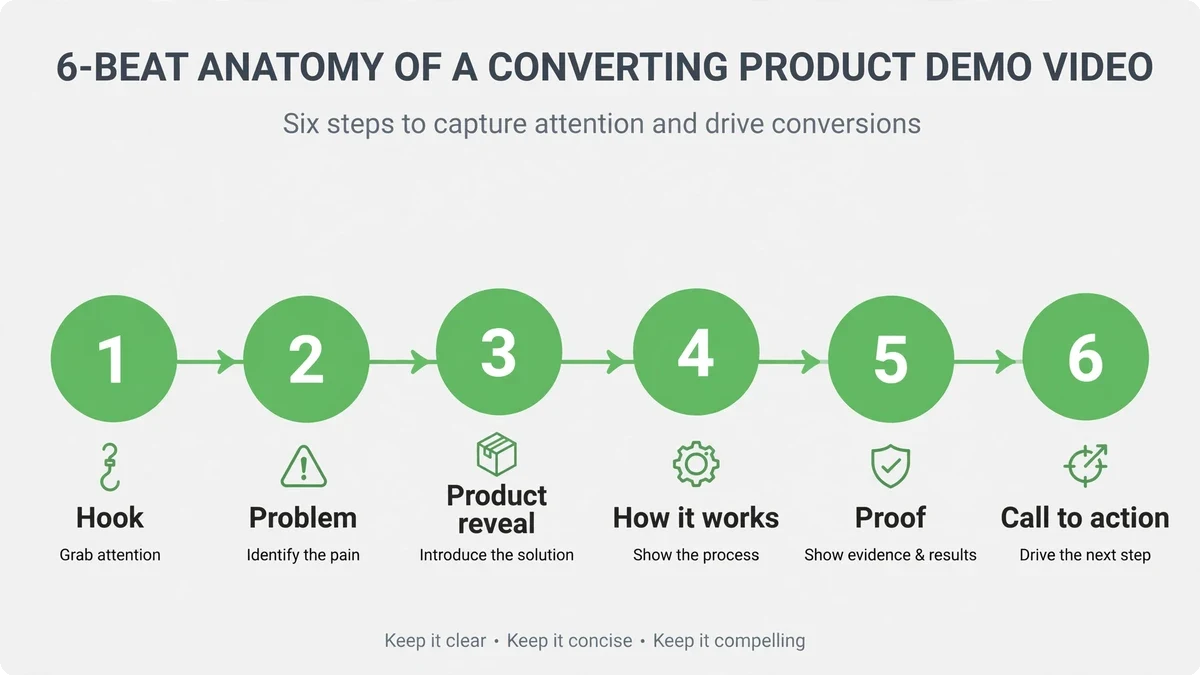
| Beat | Time | Job | Example line |
|---|---|---|---|
| 1. Hook | 0–5 sec | Stop the scroll / earn the click | “Here’s what 20 minutes with our team looks like.” |
| 2. Problem | 5–20 sec | Name the pain so the viewer thinks “that’s me” | “Most homeowners don’t realize their gutters are the problem until the basement floods.” |
| 3. Reveal | 20–35 sec | Introduce the product/service as the answer | “This is our full gutter guard install — start to finish.” |
| 4. How it works | 35–75 sec | Show the process in 3–4 clear steps | “Three steps: measure, fit, seal. Here’s each one.” |
| 5. Proof | 75–95 sec | Borrow trust — results, numbers-free outcomes, a customer line | “The Johnsons haven’t cleaned a gutter since.” |
| 6. Call to action | 95–110 sec | One clear next step, on screen and spoken | “Book your inspection — link below.” |
Notice the proportions: the problem gets real time, the mechanics get the most, and the pitch gets seconds. Demos that convert are generous with understanding and stingy with selling. The viewer should feel taught, not pitched — the call to action then feels like the natural next step rather than an interruption.
Why “Show the Outcome First” Changes Everything
Most demos open with the product. Wrong move. Buyers don’t want products — they want outcomes, and they’ll only sit through the “how” if they already want the “what.” Open on the finished result: the clean gutter, the organized books, the finished kitchen. Then rewind to show how it happened.
This is the before/after principle applied to demos, and it works for the same reason movie trailers show the best scenes first. The outcome creates desire; the process creates belief; the proof removes risk. Desire first, always. A demo that opens with “here’s our dashboard” is asking the viewer to care about a dashboard. A demo that opens with “here’s a business owner who closes her books in ten minutes” is showing them a future they want.
Demos for Service Businesses
“But I don’t have a product to demo” is the most common objection, and it misunderstands what a demo is. A demo shows the thing working. For a service business, the thing is your process — and your process is deeply interesting to someone about to hand you money for it.
Service demo formats that convert:
- The job walkthrough: film a real job start to finish, narrate the steps, show the result. A landscaper’s three-minute transformation beats any brochure.
- The consultation preview: show what the first call or visit looks like. Prospects fear the unknown — showing them the process removes the fear.
- The before/during/after: the most persuasive structure in service marketing. Film the “before” every time, without exception.
- The “what we check” video: for inspectors, auditors, consultants — walk through your checklist on camera. Expertise made visible is expertise believed.
The production bar here is honesty, not Hollywood. Real job sites, real staff, real customers (with permission) outperform staged shoots because the viewer is evaluating trustworthiness, not cinematography. A slightly shaky clip of an actual transformation beats a studio-perfect animation of a hypothetical one.
Length: The 60–120 Second Rule
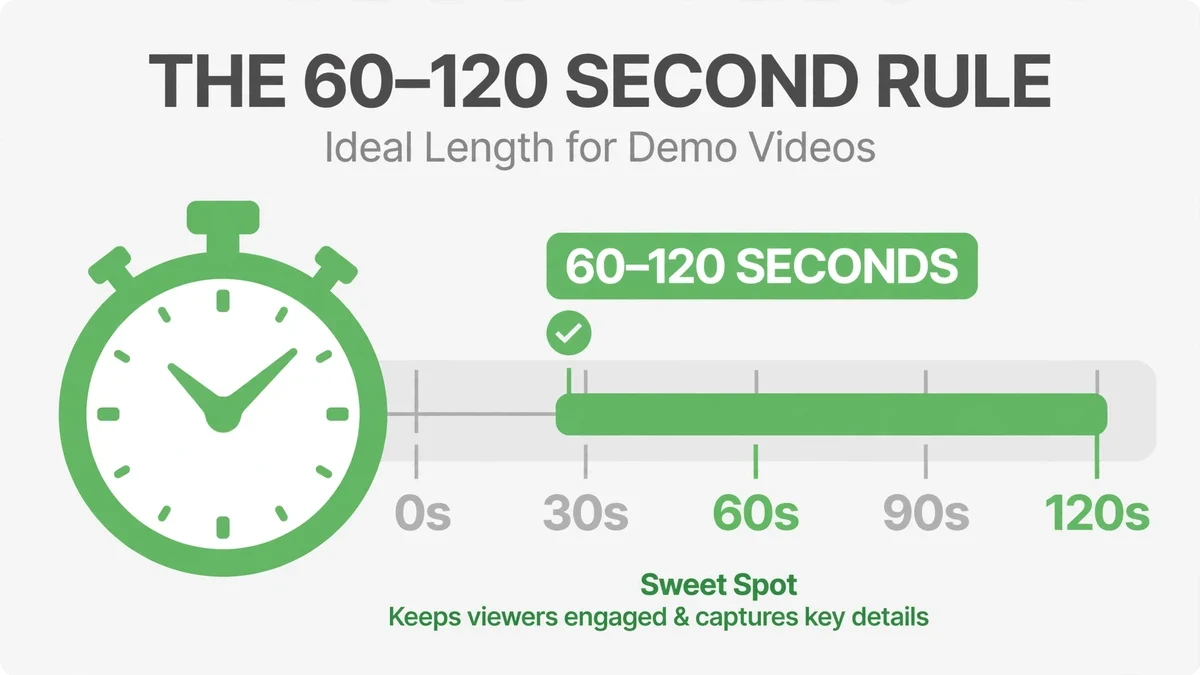
Data and experience converge here: demos between one and two minutes hold attention and convert; beyond two minutes, drop-off accelerates hard. This isn’t about attention spans being broken — it’s about respect. A prospect will give you 90 focused seconds. They will not give you four minutes of maybe-relevant footage. A strong demo video earns its place on your homepage, your pricing page, and your sales team’s follow-up emails.
The discipline this forces is healthy: if you can’t explain it in 90 seconds, you don’t understand your own offer well enough yet. Cut features, not clarity. One product, one use case, one outcome per video. Need to show three use cases? That’s three videos — which is better anyway, because each one can live on the page where that specific buyer lands.
5 Demo Mistakes That Kill Conversions
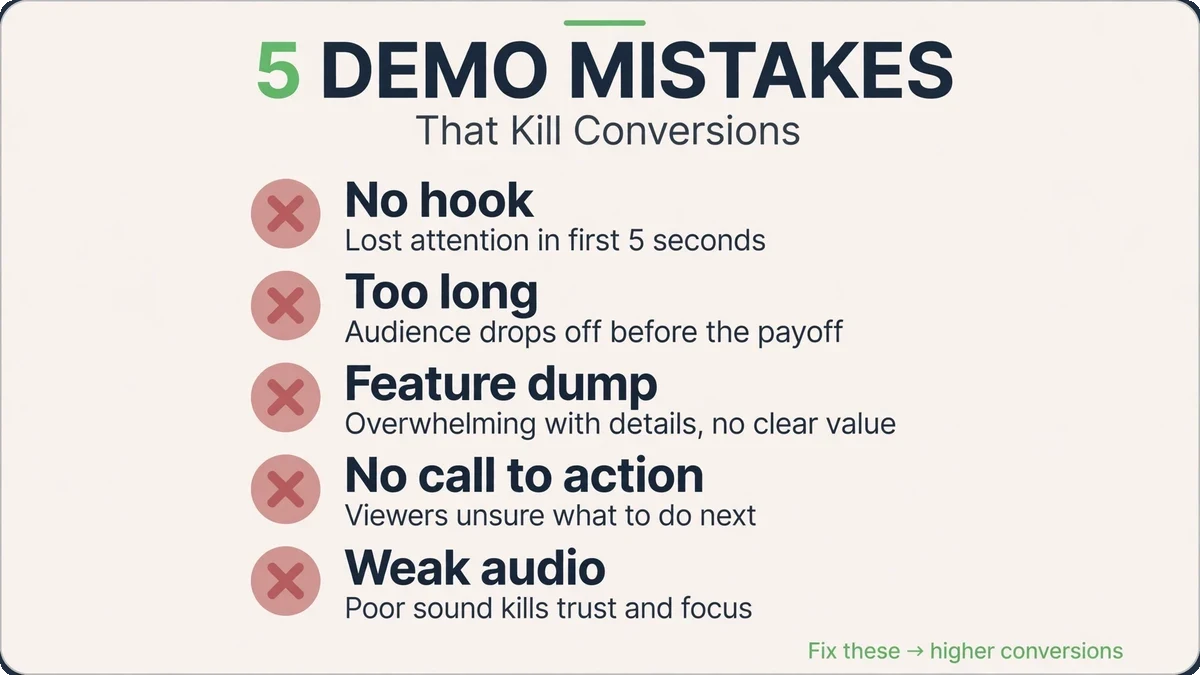
| Mistake | What happens | Fix |
|---|---|---|
| Opening with the company intro | Viewers leave before the product appears | Logo at the end. The first frame is the hook. |
| Feature tour with no problem | “Cool” without “I need this” — no urgency, no conversion | Beat 2 (problem) before beat 3 (reveal), always |
| Stock footage instead of the real thing | Viewers sense the generic and trust drops | Film your actual product, process, or job site |
| No proof beat | The demo feels like a claim, not evidence | One customer line, one result, one review screenshot |
| Three different CTAs | Choice paralysis — the viewer does none of them | One CTA, spoken and on screen: the single next step |
Where to Deploy Your Demo
A demo’s ROI multiplies with every placement. The same 90 seconds should work in at least five places: your homepage hero or product section, the relevant service or product page, sales follow-up emails (“thought this 90-second walkthrough might help”), proposals and quotes as a link, and as the creative backbone of retargeting ads. Prospects who watched your demo and didn’t convert are the warmest audience you’ll ever advertise to. For the platform-specific requirements, check YouTube’s Help Center before you upload anywhere. Watch where viewers drop off in your demo video analytics; the timestamp tells you exactly which beat to tighten.
Two placement details that matter: put the demo above the fold on the page it serves — buried videos don’t convert — and make sure it plays muted-friendly with captions, since a large share of page visitors won’t unmute. The thumbnail matters too: a frame showing the outcome, with three to five words of text, outperforms a logo or a talking head.
Updating Your Demo Video: When to Re-Shoot
A demo video isn’t a monument — it’s a living asset, and it goes stale. The most obvious trigger is a product change: if the interface, the process, or the offer in your demo video no longer matches reality, every new viewer is being misled, and that erodes exactly the trust the demo was built to create. Watch your demo video analytics for a second signal: a sudden spike in drop-off at a specific timestamp usually means something on screen stopped making sense.
You don’t always need a full re-shoot. Often the fix is surgical: swap the outcome shot, re-record the voiceover for one beat, or update the on-screen text and CTA. Keep your project files and scripts organized so a refresh takes an afternoon, not a week. When the product has genuinely evolved — new workflow, new positioning, new ideal customer — that’s when a full new demo video earns its keep. Version your demos (v1, v2) and keep the old ones unlisted rather than deleted, so existing links and embeds don’t break.
Put demo review on a quarterly calendar. Once a quarter, watch your demo video end-to-end as a prospect would and ask three questions: is everything on screen still true, does the pacing still hold attention, and does the CTA still point where you want buyers to go? Fifteen minutes of review per quarter keeps your hardest-working sales asset accurate — and accuracy is what makes a demo video convert in the first place.
Ready for a demo that sells while you sleep?
A great demo is the closest thing to cloning your best salesperson. If your prospects keep asking “how does it work,” that’s not a nuisance — it’s a script waiting to be filmed. Contact the KKeyQik team and tell us what you sell and what your prospects ask. We’ll map the six beats for your offer and produce a demo built to convert — scripted, filmed, edited, and placed where it earns.
Further reading: our complete guide to video marketing services for small business — the six video types, distribution, and how to measure ROI.
About the KKeyQik Team
KKeyQik is a digital marketing agency helping small businesses grow with SEO, social media marketing, PPC (Google Ads and Meta Ads), web development, video editing, and graphic design. The KKeyQik Team publishes practical, no-fluff guides for business owners who want marketing that drives measurable growth.
Want to put this to work for your business? KKeyQik plans and delivers video production and editing for small businesses, with an in-house team available 24/7. See our video production service or get a quote within 24 hours.
Frequently Asked Questions
The hook — the outcome or the exact promise the viewer clicked for, in their own words. Something like 'Here's what 20 minutes with our team looks like' earns the next 85 seconds; a logo or company intro loses them. The first frame is the audition for the rest of the video.
Anchor the demo on the outcome: show the organized books, the finished kitchen, the clean gutter — the 'after' your customer wants. Then rewind to show how it happened in three to four clear steps. Buyers only care about the 'how' once they want the 'what,' so desire comes before mechanics.
Yes, if it answers the four buyer questions in order: why should I care, does it work, can I trust it, and what do I do next. That is why the six-beat anatomy exists — it makes the video self-contained so visitors can arrive cold and leave convinced. Pair it with a short headline and one CTA on the page and nothing else is needed.
Film at a real job with real staff and ask customers for permission after the job is done well — satisfaction is your best leverage. Keep the ask small: one testimonial line or a quick walkthrough, not a full interview. A genuine thirty-second clip from a happy customer outperforms a polished staged shoot.
Film once and deploy everywhere: your homepage, product or service pages, sales follow-up emails, proposals, and ads. A strong demo earns its place on your highest-traffic pages and in your sales team's toolkit. Need to show three use cases? Make three videos — each one can then live on the page where that specific buyer lands.
Opening with the company intro. Viewers leave before the product appears, so the logo goes at the end and the first frame is the hook. The second classic mistake is a feature tour with no problem named first — 'cool' without 'I need this' doesn't convert, because the viewer never hears their own pain described.
Borrowed trust: results, outcomes, or a single customer line. Something like 'The Johnsons haven't cleaned a gutter since' does more work than a paragraph of claims, because it shows a real result without hype. Notice the proportions of the anatomy — the problem gets real time, the mechanics get the most, and the pitch gets seconds, because demos that convert are generous with understanding and stingy with selling.
It shouldn't. Keep one product, one use case, and one outcome per video, and make separate videos for separate buyers. That's better for conversion anyway, because each video can live on the page where that specific buyer lands instead of asking one video to do three jobs.
A demo answers 'but how does it actually work?' before it's ever asked, killing objections in advance. Showing the process removes the fear of the unknown — prospects understand what happens after they say yes. The result is sales calls that start with informed questions instead of basic ones.
One clear next step, stated on screen and spoken aloud — call, book, or request, whichever is your primary conversion. The CTA should feel like the natural next step after a generous explanation, not an interruption. Everything in the video builds toward that single action, so don't dilute it with three competing buttons.