

Updated: September 2026 · By the KKeyQik Team
Starting video marketing feels overwhelming because everyone shows you the finish line — the polished channel, the viral clips, the “content machine” — and nobody shows you week one. So here’s week one, and the month after it: the exact sequence we’d run if we were starting video marketing for a small business from zero tomorrow. (For the full breakdown of what professional help covers, see our guide to video marketing services for small business.)
Starting video marketing for small business means picking one business goal, choosing the video format that serves it, and publishing consistently for 90 days before judging anything. The businesses that fail at video don’t fail at filming — they fail at starting with five goals, three platforms, and no plan, then quitting in week four because “video doesn’t work.” It works. Random video doesn’t. If short-form is your format, Meta’s Business Help Center documents the current Reels specs and best practices. Writing the goal down is what turns random filming into a video marketing plan you can actually judge.
Key takeaways
- Start with one goal and one format — not a channel strategy. A single demo video on your homepage can outperform months of social posts.
- Your phone is enough camera for the first 90 days. Audio quality matters ten times more than video quality — fix the microphone before anything else.
- Script the hook before you shoot. The first two seconds decide whether anyone watches; write that line on paper first, every time.
- Batch filming beats daily filming: one afternoon a month produces a month of short videos.
- Judge nothing before 90 days and 20+ videos. Early data is noise; the pattern emerges around month three.
Step 1: Pick One Goal
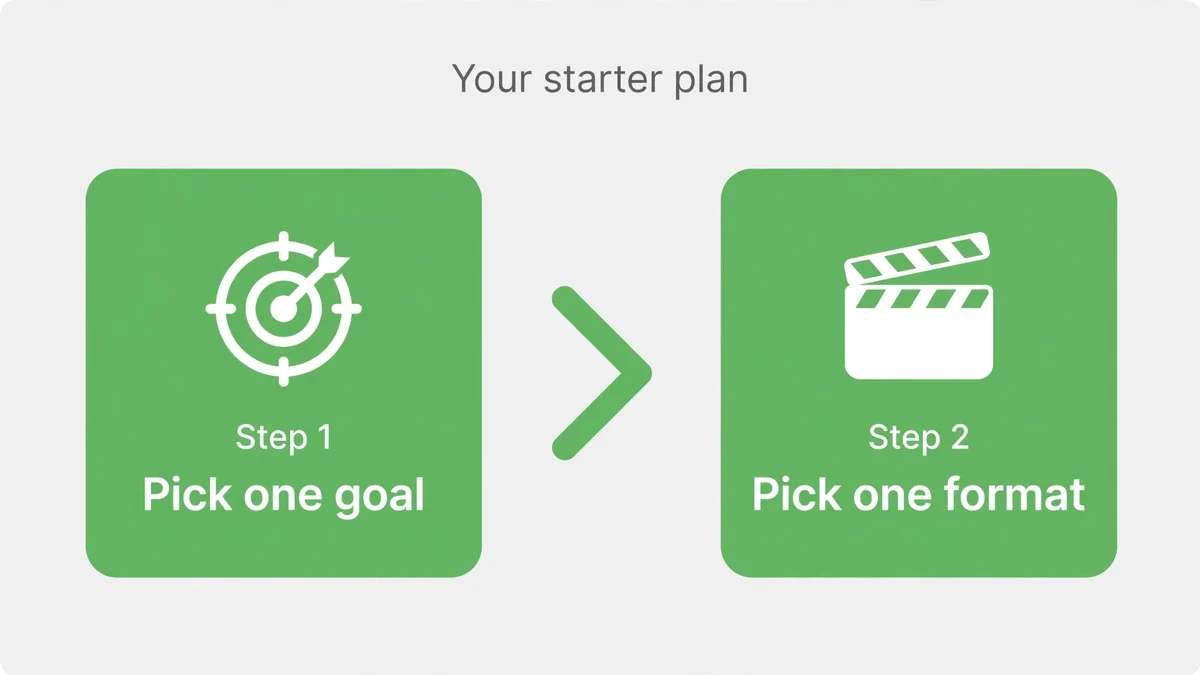
Video can do many jobs — attract strangers, build trust, answer objections, close sales, keep customers. Your first videos should do exactly one. The goal determines the format, the platform, and what “working” looks like. Trying to make one video do everything produces videos that do nothing.
| If your goal is… | Start with this format | Success looks like |
|---|---|---|
| More inquiries from your website | A 60–90 second demo or service walkthrough on your homepage | Higher conversion rate on that page |
| More local visibility and trust | Founder talking-head clips answering customer questions | Profile visits, follows, and “I saw your video” mentions |
| Shorter sales conversations | An educational video that answers your top 3 objections | Prospects arriving pre-sold, fewer basic questions |
| Staying top-of-mind | Weekly short-form clips (tips, behind-the-scenes, before/afters) | Consistent reach and repeat engagement |
| Ranking in search | Keyword-targeted how-to videos on YouTube, embedded on your site | Search traffic and inquiries mentioning the video |
Be honest about which row is yours. Most small businesses should start with row one or two — the fastest path to revenue — and add the rest once the system is running. Starting with “ranking in search” is fine too, but know it’s the slowest payoff of the five. Pick the goal that keeps you motivated through the awkward first month.
Step 2: Choose Your First Format (Just One)
Decision paralysis kills more video plans than bad cameras do. So here’s the default answer: if you sell services, film a founder talking-head video answering your single most-asked customer question. If you sell products, film a 60-second demo showing the product solving its main problem. That’s it. One video, one question, one job.
Why these two: they’re fast to make (an afternoon, not a production), they directly serve revenue (questions and demos are what prospects need), and they’re reusable everywhere — website, social, email, sales follow-ups. The fancy formats can wait. Your first video’s job is to exist and to teach you the workflow.
Step 3: Get the Minimum Viable Setup
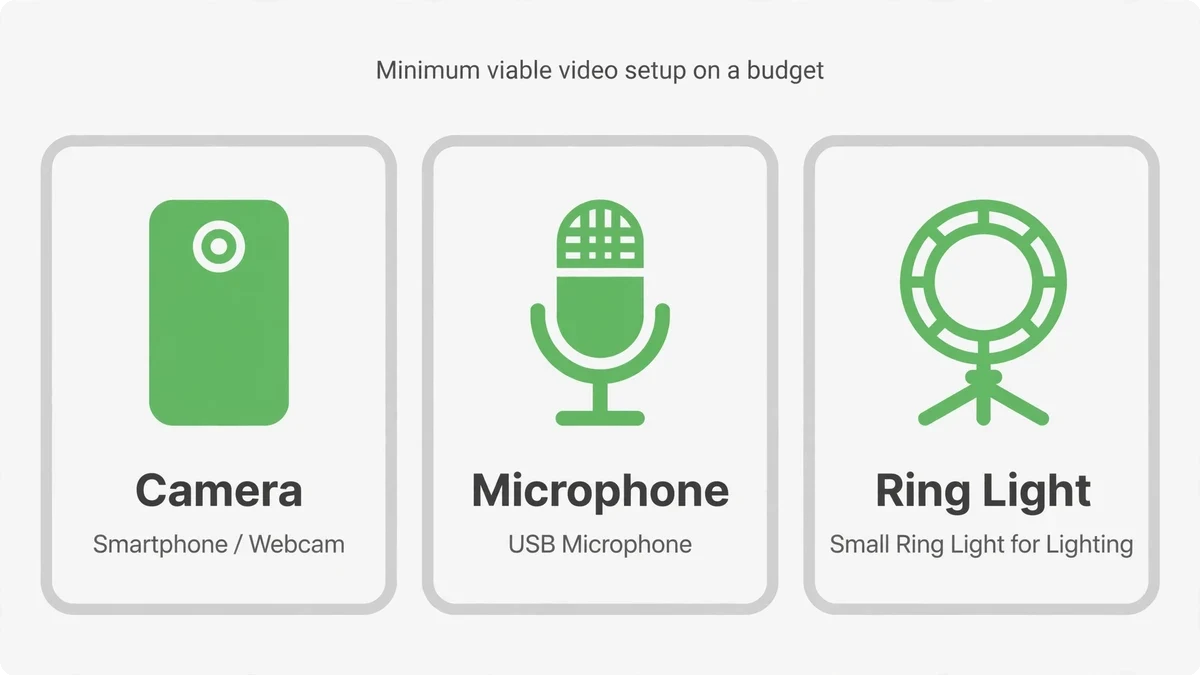
You need less equipment than you think and more audio quality than you expect. Viewers forgive shaky phone footage; they do not forgive bad audio. They just leave, without telling you why your videos “don’t work.”
| Tier | What you need | When to upgrade |
|---|---|---|
| Day one (under a hundred dollars) | Your phone, a small tripod, and a clip-on lavalier microphone | Start here — this is enough for 90 days |
| Level two | Add a simple LED light panel and a basic backdrop or tidy corner | When you’re publishing weekly and want a consistent look |
| Level three | Dedicated camera, wireless mics, proper lighting kit | When video is a proven channel and production is the bottleneck |
Filming environment matters more than gear: face a window for free flattering light, film in a quiet room (turn off the AC and the fridge hum — microphones hear everything), and keep the background simple and relevant — your actual workspace beats a fake backdrop every time. Customers trust real environments.
Step 4: Script the Hook, Bullet the Rest
Here’s the scripting method that works for non-performers: write the first line word-for-word, and bullet-point everything after it. The hook needs precision — it’s the only line where every word counts. The rest should sound like you talking, not you reading, and bullet points keep it natural.
Hook formulas that work for small businesses:
- The mistake callout: “Stop doing [common mistake] — do this instead.”
- The direct question: “Wondering why your [problem] keeps happening?”
- The bold claim: “This one change cut our clients’ [problem] in half.”
- The curiosity gap: “The thing nobody tells you about [your service]…”
Then structure the body simply: make the point, prove it with one specific example, and end with one clear next step. Total planning time per short video: fifteen minutes. The founders who “don’t have time for video” usually don’t have a scripting method — with one, a month of content takes a single focused afternoon.
Step 5: Film in Batches
Batch filming is the entire secret to consistency. Setting up lights, mic, and camera once to film ten videos takes barely longer than filming one — and it removes the daily “should I film today?” decision that kills momentum. One filming day a month, ten to fifteen clips, and you’re done.
Batch day rules: film the hooks three times each (you’ll thank yourself in editing), keep water nearby, change your shirt halfway through so the month’s videos don’t all look identical, and stop when your energy drops — tired filming reads on camera. Two focused hours beats four drained ones.
Step 6: Edit for Retention, Not Beauty
Editing is where amateur video becomes watchable, and the rules are simple: cut every pause, “um,” and dead second — pacing is retention. Burn captions into every video — most social video is watched muted, and uncaptioned video is invisible to a huge share of your audience. Open on the hook with no logo animation, no “hey guys,” no intro. End with the call to action as on-screen text, not just spoken.
You can learn basic mobile editing in a weekend, and for talking-head clips it’s genuinely enough to start. The upgrade point comes when editing eats hours you should spend running your business — that’s the signal to hand post-production to someone else while you keep filming. Many of our clients land exactly there: they film, we handle everything after.
Step 7: Publish, Then Leave It Alone for 90 Days
Publish on a schedule you can sustain — three short videos a week beats seven for two weeks then silence. Post natively to each platform rather than cross-posting watermarks. And then, critically: don’t judge for 90 days. Early numbers are noise. The algorithm is still learning who to show you to, you’re still learning what resonates, and one video’s flop means nothing. YouTube’s creator guidance covers the upload and discovery basics worth knowing before your first publish. Ninety days of consistent publishing gives your video marketing enough data to separate what resonates from what doesn’t.
What to track from day one (in a simple spreadsheet): video topic, hook used, views, watch-through rate, and any inquiries that mention video. After 20+ videos, patterns emerge — certain topics, hooks, or formats clearly outperform. Month four’s content plan is built from that data, not from opinions. That’s when video stops being an experiment and starts being a channel.
The 30-Day Starter Calendar
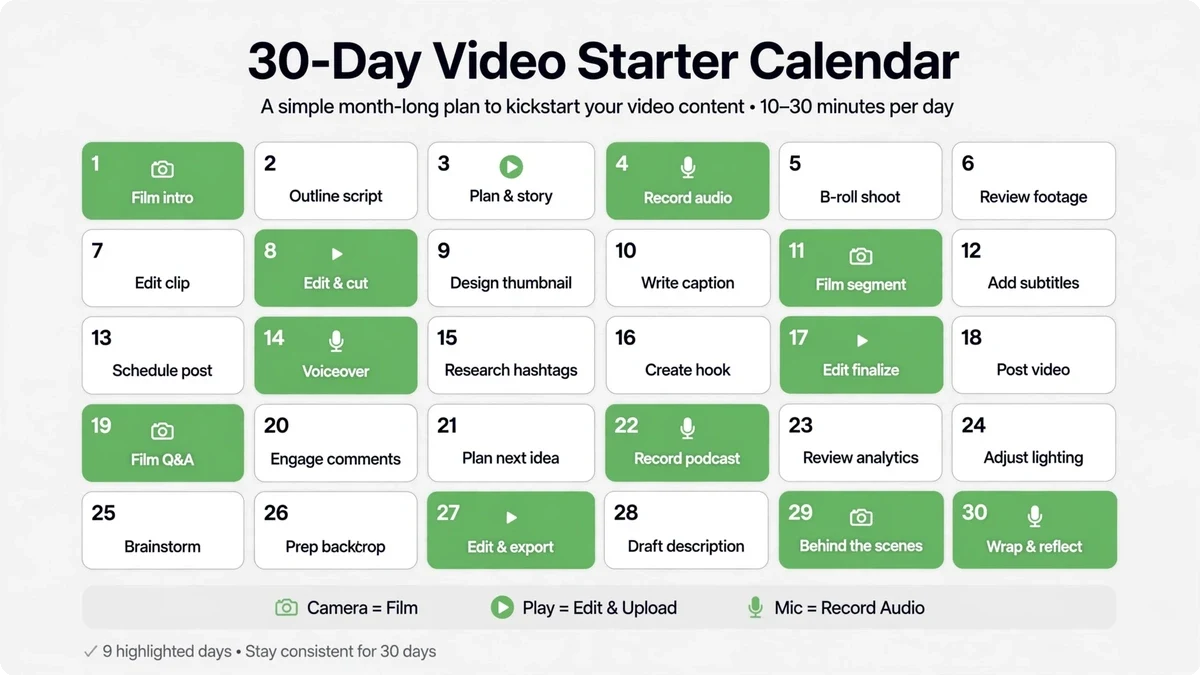
- Days 1–3: Pick your goal from the table above. Write down your ten most-asked customer questions.
- Days 4–7: Order the minimum setup (phone tripod + lavalier mic). Scout your filming spot by the window.
- Days 8–10: Script hooks for your first five videos — first lines word-for-word, bodies as bullets.
- Days 11–12: First batch filming day. Five videos, hooks filmed three times each.
- Days 13–20: Edit (or outsource the edit), add captions, publish the first three.
- Days 21–30: Publish the remaining two, start your tracking sheet, and script month two’s batch from what you’ve learned.
What to Measure After 90 Days of Video Marketing
Ninety days in, resist the urge to judge your video marketing by view counts alone. Views are a vanity metric unless they’re attached to the goal you picked in Step 1. If your goal was leads, the number that matters is how many viewers took the next step: profile visits, link clicks, DMs, or contact-form submissions that mention a video. Add a simple “how did you hear about us” field to your contact form and you’ll be surprised how often video marketing shows up in the answers. Treat the calendar as your first video marketing sprint, not a forever commitment — you’ll refine it once the data comes in.
Watch time tells you more than views ever will. A video with 400 views and 70% average watch time is working; a video with 4,000 views and 12% watch time is being clicked and abandoned. Your video marketing platform analytics already show this — check which videos hold people past the first ten seconds and make more of those. Saves and shares are the other signal worth tracking: they mean someone found the video valuable enough to keep or pass on, which is the closest thing to a referral your video marketing can earn.
After 90 days you’ll usually see one of two patterns. Either one format is clearly pulling ahead — double down on it and give it a bigger share of your video marketing calendar. Or nothing has moved, which almost always means the goal or the format was wrong, not that video marketing “doesn’t work” for your business. Revisit Step 1 and Step 2 with your data in hand, adjust, and run the next 90 days. That’s the whole game: measure against the goal, keep what works, fix what doesn’t.
Ready to start with a real plan?
Starting is simple, but starting right — the goal, the formats, the hooks, the distribution — is where most businesses stall for months. Contact the KKeyQik team and tell us your goal and your market. We’ll map your first 90 days of video: what to film, in what order, and what each video should earn. Whether you film it yourself or hand us the whole system, you’ll start with a plan instead of a guess.
Further reading: our complete guide to video marketing services for small business — what’s included, how engagements are structured, and how to measure ROI.
About the KKeyQik Team
KKeyQik is a digital marketing agency helping small businesses grow with SEO, social media marketing, PPC (Google Ads and Meta Ads), web development, video editing, and graphic design. The KKeyQik Team publishes practical, no-fluff guides for business owners who want marketing that drives measurable growth.
Frequently Asked Questions
Pick one business goal. Video can attract strangers, build trust, answer objections, close sales, or keep customers — but your first videos should do exactly one of those jobs. The goal determines the format, the platform, and what 'working' looks like, and trying to make one video do everything produces videos that do nothing.
If you sell services, film a founder talking-head video answering your single most-asked customer question. If you sell products, film a 60-second demo showing the product solving its main problem. Both are fast to make, directly serve revenue, and are reusable everywhere — your website, social media, email, and sales follow-ups.
No. Your phone is enough camera for the first 90 days. What you should invest in first is audio — a basic clip-on microphone — because viewers forgive shaky phone footage but leave quietly when the audio is bad. Upgrade to lighting and then to a dedicated camera only once publishing weekly has proven video is a working channel for you.
Because viewers make no conscious decision about it — they simply leave. Shaky footage still communicates; muffled, echoing, or noisy audio communicates frustration, and the viewer never tells you that's why your videos 'don't work.' Fix the microphone before you touch anything else in your setup.
Use the hook-and-bullets method: write the first line word-for-word, and bullet-point everything after it. The hook needs precision because the first two seconds decide whether anyone keeps watching; the rest should sound like you talking, not reading. This keeps delivery natural and planning time to about fifteen minutes per short video.
Batch filming means setting up your lights, mic, and camera once and filming a whole set of videos in a single session — one afternoon a month can produce a month of short videos. It works because it removes the daily 'should I film today?' decision that kills momentum. Setup costs the same whether you film one video or ten, so batching is the entire secret to consistency.
Not before 90 days and 20 or more published videos. Early data is noise — a few good or bad posts tell you nothing about the pattern. The businesses that fail at video almost never fail at filming; they fail at starting with five goals, three platforms, and no plan, then quitting in week four because 'video doesn't work.'
A 60–90 second demo or service walkthrough on your homepage, or founder clips answering customer questions — both drive inquiries and conversion quickly. Ranking in search with keyword-targeted YouTube videos is a perfectly good goal too, but it's the slowest payoff of the options. Pick the goal that keeps you motivated through the awkward first month.
Less than most owners fear. With a hook-first scripting method, planning takes about fifteen minutes per short video, and a single focused filming afternoon covers a month of content. The founders who 'don't have time for video' usually don't have a scripting method — with one, the whole workflow becomes manageable.
Face a window for free, flattering light, film in a quiet room (turn off the AC and anything that hums — microphones hear everything), and keep the background simple and relevant. Your actual workspace beats a fake backdrop every time, because customers trust real environments. Phone, small tripod, and a clip-on mic are all you need to start.