

Updated: September 2026 · By the KKeyQik Team
Web design for local businesses is the practice of building a website that convinces nearby visitors you are real, reachable, and ready to help — so they call, book, or request a quote instead of clicking back to the search results. A local business website is not a brochure for a national brand. It is a neighborhood storefront that has to earn trust in seconds, make contacting you effortless, and prove you serve the visitor’s area before they lose patience. Get those three things right, and your site stops being a digital business card and starts behaving like a lead machine. That transformation is the whole promise of web design for local business.
Take a plumbing company in Austin as an example. Its typical visitor is not researching industry trends — they have a leaking water heater and want to know three things fast: can this company fix my problem, do they serve my neighborhood, and how do I reach them right now? In web design for local business, every design decision should be judged against that visitor.
Key Takeaways
- Local business websites win on proof, proximity, and contact speed — not on visual flair.
- Every local site needs service-area messaging on the homepage, individual service pages, a reviews page, and a contact page with map and hours.
- Reviews, real team photos, and local credentials are the trust signals that move local visitors to act.
- Keep your name, address, and phone number identical everywhere — your site, your Google Business Profile, and every directory.
- Tap-to-call buttons, quote request forms, and online booking turn a good-looking site into a lead machine.
How Local Business Websites Differ From National Ones
A national brand’s website exists to build awareness and manage reputation. A local business website exists to get the phone ringing. That single difference should reshape almost everything about the design. It is the founding insight of web design for local business.
National sites can afford to be cinematic — full-screen video, clever navigation, brand storytelling. A local site earns its keep with clarity and convenience. The header should show your phone number on every page, the headline should say what you do and where you do it, and calls to action should use verbs like “Call Now” and “Get a Quote” rather than vague labels like “Learn More.”
Design for local businesses also means designing for mobile first. Most local searches happen on phones, often in the moment — a homeowner looking for an electrician, a parent finding a pediatric dentist. If your phone number is not tappable, your hours are hard to find, or your quote form is painful on a small screen, the design is failing at its one job.
The Pages Every Local Site Needs
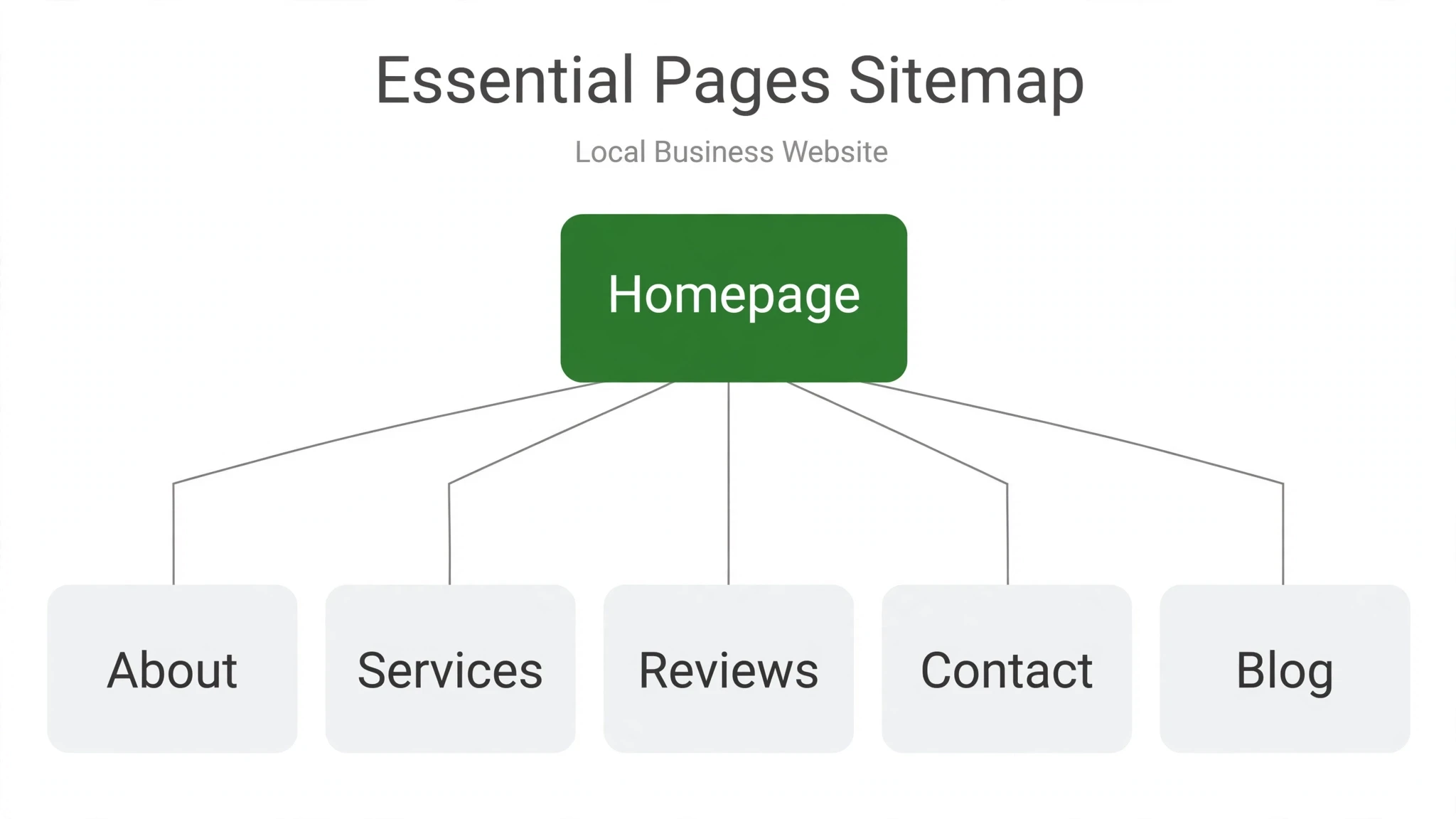
We see the same gaps on local business websites again and again. Some sites have five pages that say almost nothing; others bury essential information so deep that visitors never find it. Here is the core page set that covers nearly every local business, from a dental practice to a landscaping company.
Homepage: What You Do, Where You Do It, How to Reach You
Your homepage has about five seconds to answer the three questions that matter: what service you provide, which areas you serve, and how to contact you. State all three above the fold. Name your service area explicitly — “Serving Austin and the surrounding suburbs” — rather than assuming visitors know.
Individual Service Pages
One page per service, not one page listing all of them. A page dedicated to “Emergency Plumbing Repair” can speak directly to urgent problems, list what the visit includes, and carry its own call to action. A combined “Services” page forces visitors to hunt for what they need and tells search engines very little about any one service. Individual pages also let you tailor trust signals — testimonials about that specific service, photos of real work, credentials relevant to the job.
About Page: Real People, Real Place
Local customers hire people, not logos. Your About page should show the humans behind the business: real photos of the owner and team, how the business started, and why it serves the community it does. Stock photos of handshakes actively undermine this page.
Reviews Page
A dedicated reviews page concentrates social proof where visitors look for it, and it gives you a link to share when you ask satisfied customers for a review. Feature detailed reviews with names, and link to your Google Business Profile review page so visitors can read all of them and leave their own.
Contact Page: Map, Hours, and Every Way to Reach You
The contact page should be the most boringly complete page on your site: full street address, phone number, email, a map showing your location, your hours of operation, and a short form. Note your hours plainly, including holiday or seasonal changes.
Trust Signals That Matter Locally
Local visitors decide with a different checklist than national buyers: “Is this business legitimate, and will they take care of me?” The trust signals that answer that question are reviews, real photos, local credentials, and visible community involvement. These are the trust signals web design for local business prioritizes above visual flair.
Customer reviews are the heaviest single trust signal on a local website. Display them prominently — near calls to action, not buried on a page nobody visits. A handful of specific, recent reviews beats a long list of vague ones.
Real photos of real people and real work separate legitimate businesses from anonymous listings. Team photos, storefront or vehicle shots, and before-and-after photos of actual jobs build familiarity that stock imagery destroys.
Local credentials matter too: licenses, certifications, years serving the area, and visible community involvement — sponsoring a youth league or a neighborhood event tells visitors you are invested in the area, not just extracting revenue from it.
NAP Consistency: Name, Address, Phone
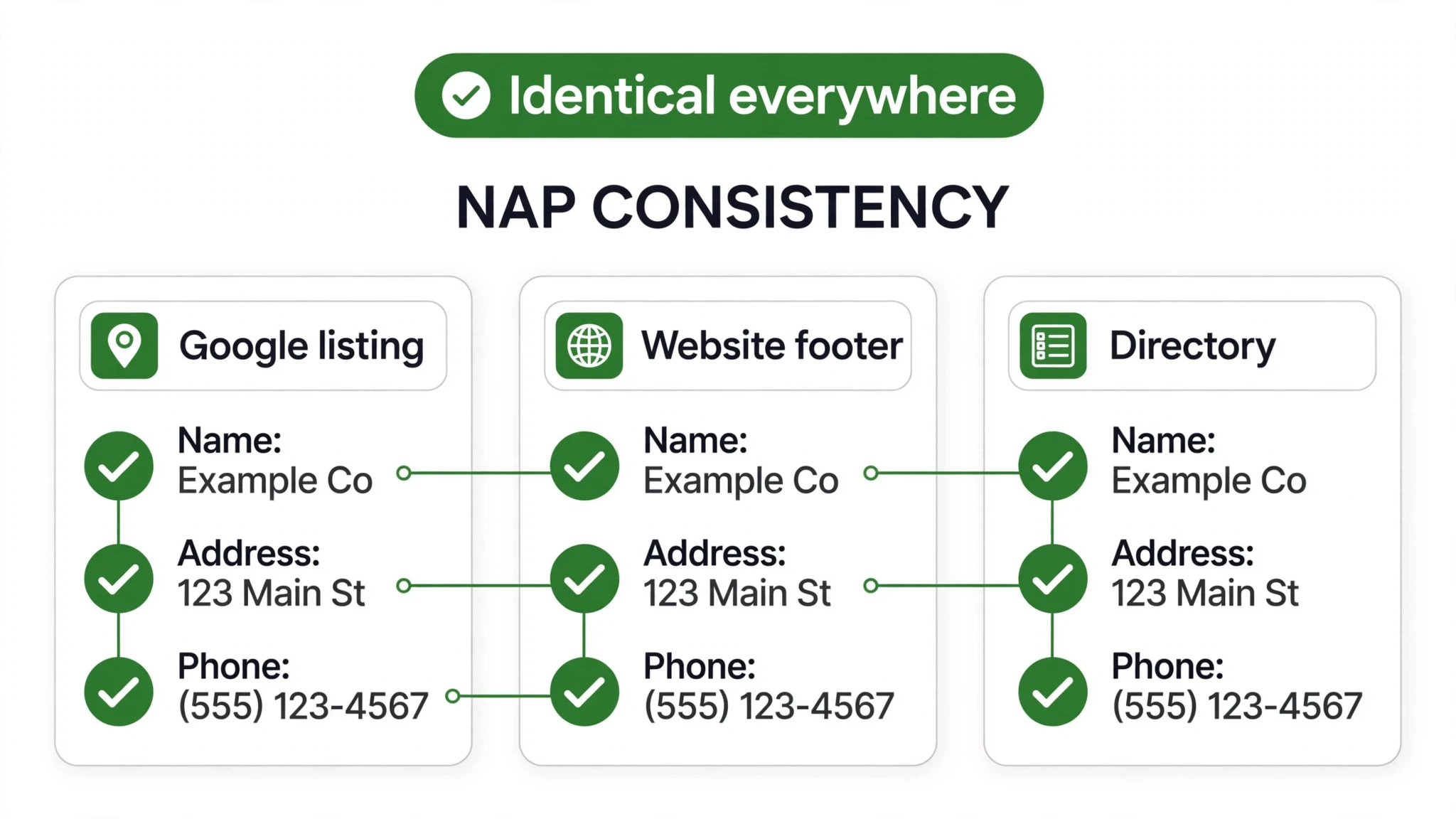
Your business name, address, and phone number should be identical everywhere they appear online — your website, your Google Business Profile, and every directory or listing site. This is not a design nicety; it is a foundational piece of local visibility. When search engines see the same details everywhere, they gain confidence about which business is which and where it operates. When the details disagree — “Street” on your site, “St.” in a directory, a different suite number on a review platform — that confidence drops, and your local visibility can suffer.
Most inconsistencies come from neglect rather than intention. Decide on one canonical version of your name, address, and phone number, put it in the footer of every page of your website, then work through your listings and directories to match them. It is unglamorous work, and it matters more than most redesigns.
Local SEO Basics Baked Into the Design
Good local SEO is mostly good local information architecture. If your site clearly states what you do, where you do it, and who you are, search engines can do their job. Here is what to build in from the start. Build these in from the start and your web design for local business foundation is solid.
Location and Service-Area Pages Done Right
If you serve multiple towns or neighborhoods, dedicated pages for each area can help the right visitors find you — but only if each page is genuinely useful. A strong area page describes the specific services available there, includes testimonials from customers in that town, and notes coverage boundaries honestly. Thin pages that swap out only the city name are a poor experience and do nothing for visibility. One genuinely useful area page outperforms five cookie-cutter ones.
Align With Your Google Business Profile
Your Google Business Profile is often the first thing local searchers see — sometimes they never reach your website at all. Keep its hours, services, and categories accurate, add real photos, and make sure the information matches your website exactly. When the profile and the site tell the same story, visitors arrive pre-convinced. Consistency like this is a quiet superpower of web design for local business.
Schema Basics
Structured data (schema markup) helps search engines understand your business details: name, address, phone, hours, and services. Most small business sites need only the standard local business markup, applied to the homepage and contact page — a one-time technical task during the build.
Conversion Features That Turn Visitors Into Leads
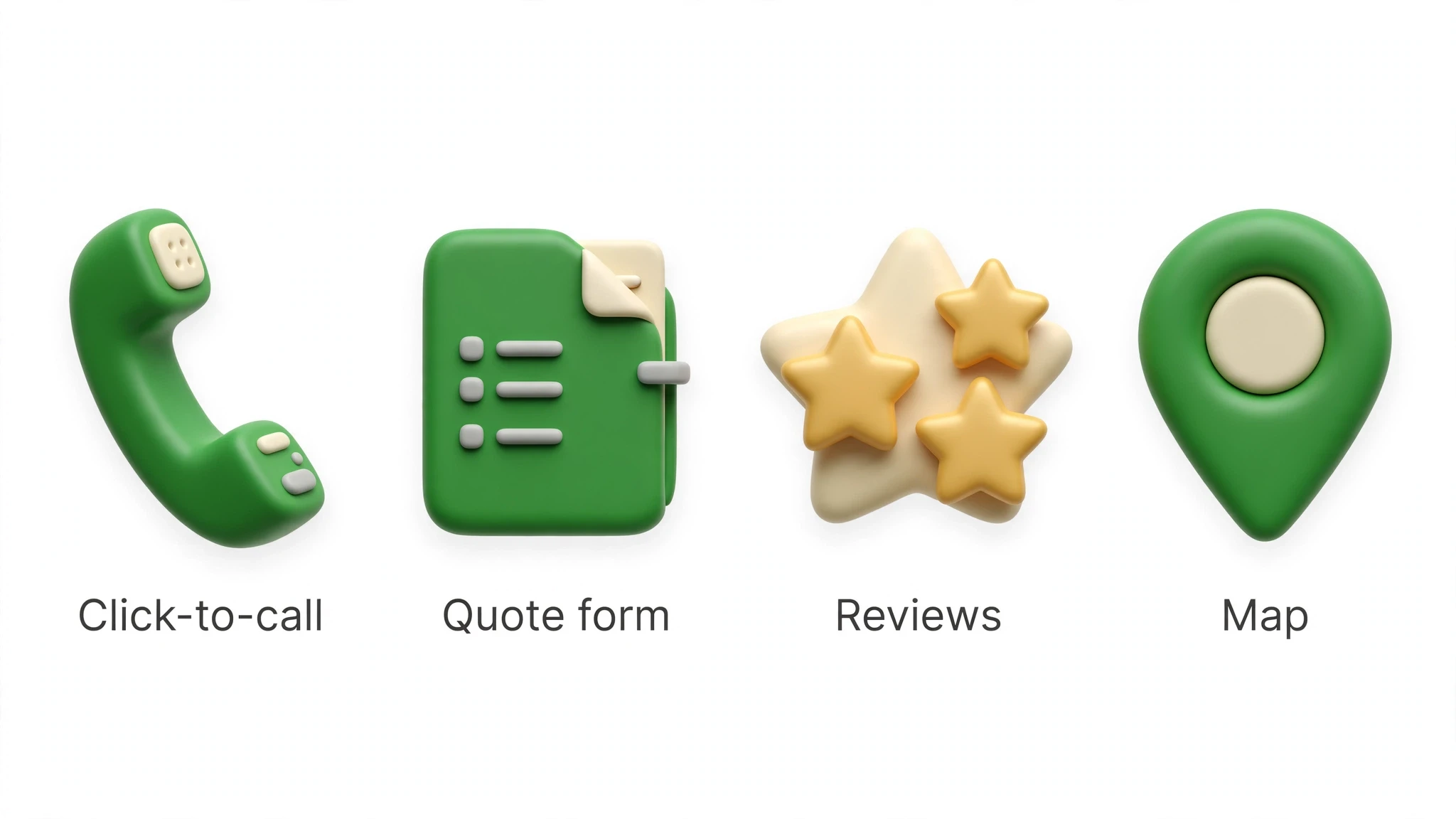
This is where a local website earns the “lead machine” label. Every feature below exists to shorten the distance between a visitor’s interest and their first contact with you. Shortening that distance is the core job of web design for local business.
Tap-to-call buttons are non-negotiable on mobile. A sticky call button visible while scrolling turns a good mobile experience into a great one — the visitor never has to hunt for your number. Pair it with your business hours so people know when to expect an answer.
Quote request forms capture the visitors who prefer typing to calling. Keep them short: name, phone or email, service needed, and one open field for details. Every extra required field shrinks completion rates. Route submissions somewhere they will actually be read, and set up a confirmation message that tells the visitor when to expect a reply.
Online booking integration fits businesses where the next step is an appointment — salons, clinics, auto shops, consultants. A booking widget showing real availability removes the back-and-forth of scheduling and captures leads outside business hours, when many local searches happen.
Click-to-text gives visitors a third path: no call, no form, just a message. For businesses serving younger or busy customers, a text option can capture inquiries that would otherwise bounce.
Where Local Trust Signals Belong on Your Site
| Trust Signal | Where It Belongs | What It Tells Visitors |
|---|---|---|
| Review stars and excerpts | Homepage hero area, near every call to action | Other locals trust this business |
| Real team photos | About page, service pages, footer | These are the actual people you’ll deal with |
| Photos of real work | Service pages, homepage gallery | They can do this job well |
| Licenses and certifications | About page, service pages, footer | They are qualified and legitimate |
| Service area list | Homepage, footer, area pages | They serve my neighborhood |
| Full reviews page | Reviews page, linked from the homepage | I can verify what customers say |
| Hours and address with map | Contact page, header or footer on every page | They are reachable and real |
Turning an Existing Site Into a Local Lead Machine: The Sequence
If your site is already live, you do not need to start over. Work through this sequence in order — each step builds on the last.
- Fix the fundamentals first. Make your phone number tappable on mobile, add your hours and service area to the homepage, and confirm your name, address, and phone number match across your site, your Google Business Profile, and your major listings.
- Rebuild the contact path. Add a sticky tap-to-call button on mobile, shorten your quote form to the essentials, and test it yourself on a phone. If reaching you takes more than a minute, simplify further.
- Add the missing pages. Split combined service listings into individual service pages, create a reviews page, and flesh out your About page with real photos and your real story.
- Layer in trust signals. Place review excerpts near calls to action, add photos of real work to service pages, and list your licenses and credentials where visitors will see them.
- Build out your service areas properly. Create a genuinely useful page for each town you serve — local testimonials, coverage details, real local content — not a copy-paste template.
- Add conversion options. Integrate online booking if appointments are your business, add click-to-text if your customers prefer messaging, and make sure every new channel is monitored and answered quickly.
- Keep it current. Update hours for holidays and seasons, refresh photos and reviews regularly, and revisit your service-area pages when your coverage changes.
This article is part of our guide to web design and development services for small business.
Web Design for Local Business: The 90-Day Rollout
You do not need to rebuild everything at once. Web design for local business works best as a 90-day rollout. Days 1–30: fix trust and contact. Get your NAP consistent everywhere, put click-to-call on every page, add real photos, and place reviews where visitors make decisions. This phase of web design for local business targets the visitors you already have — the ones who found you and are deciding whether to call.
Days 31–60: build the local pages. Create or strengthen service-area pages, add location signals to titles and headings, and embed the map where it helps. Days 61–90: sharpen conversion. Tighten the quote forms, add the project galleries and local proof, and test the whole journey on a phone. Each phase of web design for local business builds on the last, and by day 90 the site does something it never did before: it turns local searches into a predictable stream of inquiries.
Make Your Website Earn Its Keep
A local business website that proves trust, shows proximity, and makes contact effortless will outperform a prettier site that does none of those things. If your current site is not generating the inquiries your business deserves, we can help you turn it into one that does — reach out through our contact page and tell us about your site.
Frequently Asked Questions
You need new location content, not a new website. Add a genuinely useful page for the second area — real service details, local proof, and honest coverage boundaries — under the same site and brand. Keep your name, address, and phone consistent per location across your site, Google Business Profile, and directories. One strong site with genuinely useful pages per area is the safer investment.
Enough to answer real buyer questions — for most local businesses that means a homepage, one page per core service, an about page, a reviews page, and a contact page. More pages only help if each one is genuinely useful; thin filler pages do nothing for visitors or visibility. Start with the core set done well, then add location or specialty pages where you have real content for them. A compact site with substance serves visitors better than a sprawling site with filler.
A map, your hours, and every way to reach you — phone, form, and ideally online booking. The post treats the contact page as a conversion asset, not an afterthought. Make reaching you effortless and local visitors will actually do it.
Near the calls to action — beside the phone number, next to the quote form, and in the homepage hero area. A dedicated reviews page is still worth having as the full collection and as a link to share when asking customers for reviews. The mistake is burying proof on a page nobody visits while the decision points sit bare. Put the strongest, most specific review closest to the first form on the page.
Start by picking one canonical version of your name, address, and phone number, then update your website footer and Google Business Profile first. Next, work through the major directories and review sites to match them — inconsistencies like 'Street' versus 'St.' or an old suite number erode search engines' confidence in your listing. It is unglamorous work, but it matters more than most redesigns. Recheck quarterly, since directories sometimes revert to old data.
Each page should speak genuinely about the area it targets — real service details, local proof, and unique content — not cookie-cutter pages with swapped city names. The post warns against thin location pages. One honest, useful page per real service area beats dozens of empty ones.
Keep the business name, address, phone, hours, and service descriptions consistent between the profile and the site. Link the two clearly and make sure the site backs up every claim the profile makes. When they agree, Google trusts both more.
Offer both — some visitors want to talk now, others prefer typing, and forcing everyone down one path loses the other group. A sticky tap-to-call button covers mobile callers; a short quote form (name, phone or email, service needed, one open field) captures the rest. Route form submissions somewhere they will actually be read, with a confirmation that says when to expect a reply. Every extra required field shrinks completion, so keep it lean.
Yes — local SEO is designed in, not bolted on later. The designer should plan service-area messaging on the homepage, location-relevant headings, schema markup basics, and NAP consistency from the first wireframe. A beautiful site that hides your service area and buries your phone number will need expensive fixes after launch. Ask before hiring how local search factors into their build process.
The post lays out a 90-day rollout: fix the foundation and conversion features first, then trust signals and local SEO structure, then content expansion. Start with a plan, not a paint job. Phasing the work this way means the site starts earning before the full project is done.