

Updated: September 2026 · By the KKeyQik Team
Every business owner we talk to has had the same quiet thought while looking at their own website: something about it feels off, but is it actually time to start over? A website redesign checklist is a structured pass through your site’s performance, design, conversion paths, content, visibility, and business fit — every element that decides whether your website wins you work or quietly loses it. This checklist covers the 21 signs that matter most in 2026, grouped into six categories, so you can tell the difference between a site that needs a few focused fixes and one that is genuinely overdue for a rebuild.
Key Takeaways
- Website redesign decisions should start from evidence, not embarrassment: score your site against the 21 signs below before committing to anything.
- Performance and conversion problems outrank design complaints — an ugly site that converts beats a beautiful one that doesn’t.
- Most website redesigns fail because they start with the homepage visuals instead of the paths visitors take to become customers.
- A refresh is enough when the structure and platform are sound; a full rebuild is warranted when the foundation, mobile experience, or business model has changed.
- A proper website redesign fixes the conversion path first, the technical foundation second, and the visual polish last.
21 Signs Your Website Is Overdue for a Redesign
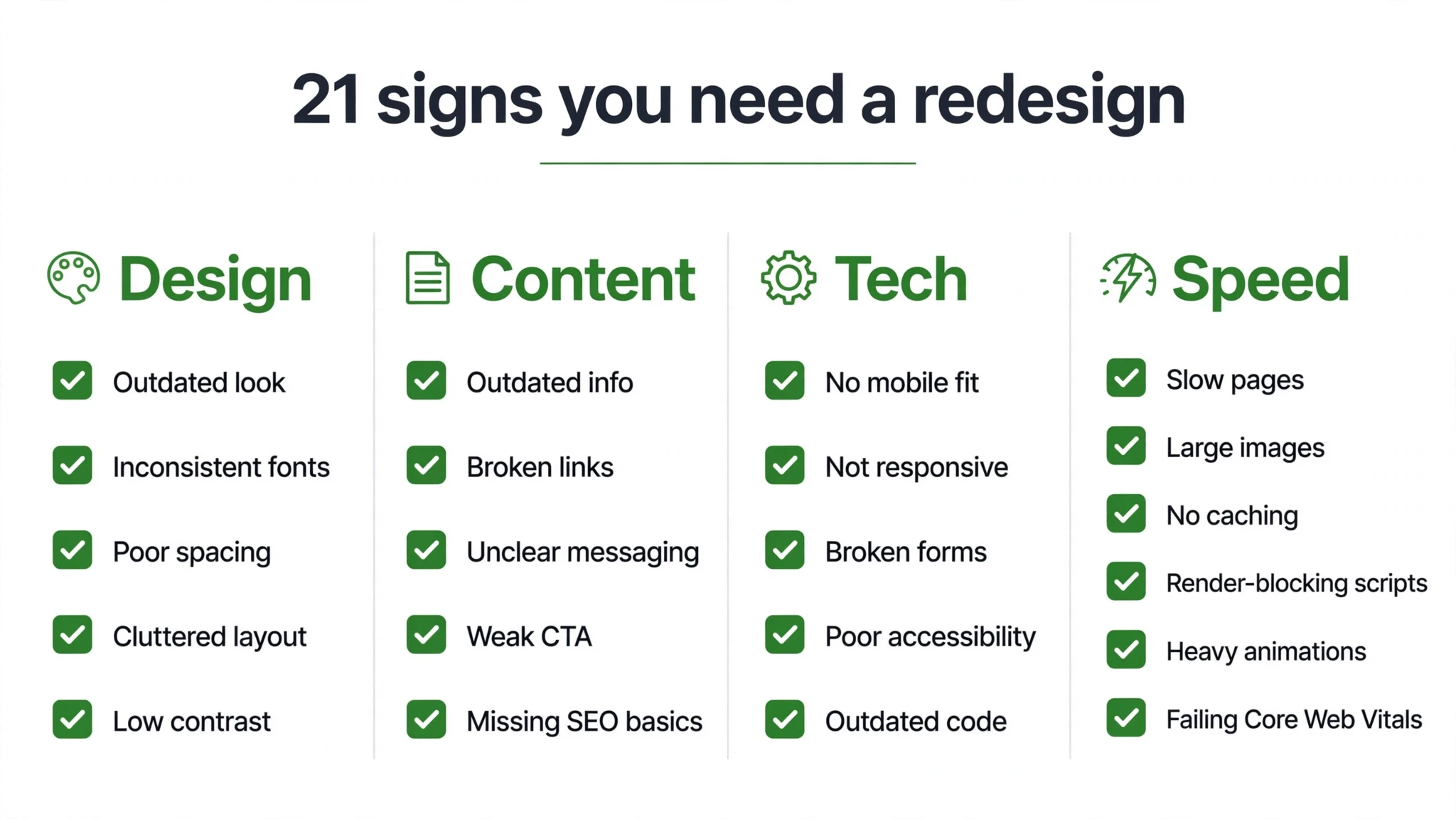
Walk through each category and count how many signs apply to your site. One or two in a category means maintenance; a cluster across several categories means it’s time.
Performance & Technical: The Foundation Is Cracking
- Pages take too long to load. Visitors judge speed before they judge anything else. If your key pages feel sluggish on a normal connection, every other improvement you make is fighting an uphill battle.
- Your site isn’t genuinely mobile-friendly. Shrinking a desktop layout onto a phone is not mobile-friendly. If text requires pinching to read or buttons are hard to tap, most of your visitors are having a bad experience right now.
- Broken links, missing images, or forms that never send. Dead ends tell visitors nobody is minding the shop. Worse, a contact form that silently fails means you may be losing inquiries you never knew existed.
- It’s built on an outdated platform or theme. When your site can’t be updated safely or can’t support features your business needs, you’re maintaining technical debt instead of growing. That’s a rebuild signal, not a maintenance task.
Design & Brand: The First Impression Works Against You
- It just looks dated. Old typography, cramped layouts, and design trends from a decade ago make visitors wonder whether the business behind the site is still current.
- Branding is inconsistent across pages. Different logo versions, clashing color palettes, and mismatched fonts signal a business that hasn’t organized itself — even if it has.
- It’s stock-photo heavy. Generic handshake photos and smiling strangers don’t build trust. Real photos of your team, your work, and your customers do.
- It doesn’t reflect your current services. If you’ve added services, raised your standards, or shifted who you serve, and the site still describes the old version of the business, it’s actively mis-selling you.
Conversion: Visitors Don’t Become Customers
- There’s no clear call to action. When a visitor finishes reading a page, do they know exactly what to do next? If the answer is vague, the page is a dead end.
- The contact form is buried or missing on key pages. Every service page is a potential entry point. If reaching you requires hunting through the site, most visitors won’t bother.
- Key pages lose most visitors immediately. When people arrive from search or ads and leave within seconds, the page is failing its one job. Common culprits: slow loads, confusing headlines, and no visible next step.
- Your phone number or contact details are hard to find. Many small business customers want to call. If they can’t find how within a few seconds, they’ll find a competitor instead.
Content: The Message Has Gone Stale
- The copy is outdated. Old team members, discontinued services, past addresses, promises you’ve outgrown — stale details erode credibility with every visit.
- Service pages are thin. A few vague lines where buyers need substance. If your service pages don’t answer the obvious questions, visitors leave to find someone who will.
- There’s no proof anywhere. No reviews, no testimonials, no examples of work, no results described. Trust is the currency of a small business website, and proof is how you print it.
- The blog hasn’t been touched in a year or more. A dead blog is worse than no blog — it timestamps the neglect. Either commit to publishing or remove it.
Visibility: Google Barely Knows You Exist
- You’re not ranking for terms your customers actually search. If searching for what you do in your area doesn’t surface your site, your competitors are collecting the inquiries you should be getting.
- Local signals are missing or wrong. Incorrect business information, no consistent local presence, and pages that don’t speak to the markets you serve all make you invisible to nearby buyers.
- The basics search engines need are missing. Proper page titles, meta descriptions, and structured data help search engines understand and display your site. Without them, you’re competing with one hand tied behind your back.
Business Fit: The Site No Longer Fits the Company
- You’ve pivoted and the site hasn’t. New services, new market, new positioning — if the website still describes the business you used to run, every visitor is being sold the wrong thing.
- You avoid sending people to it. This is the most honest test there is. When you meet someone at an event and hesitate before sharing your URL, or when your own team never links to the site, you already know.
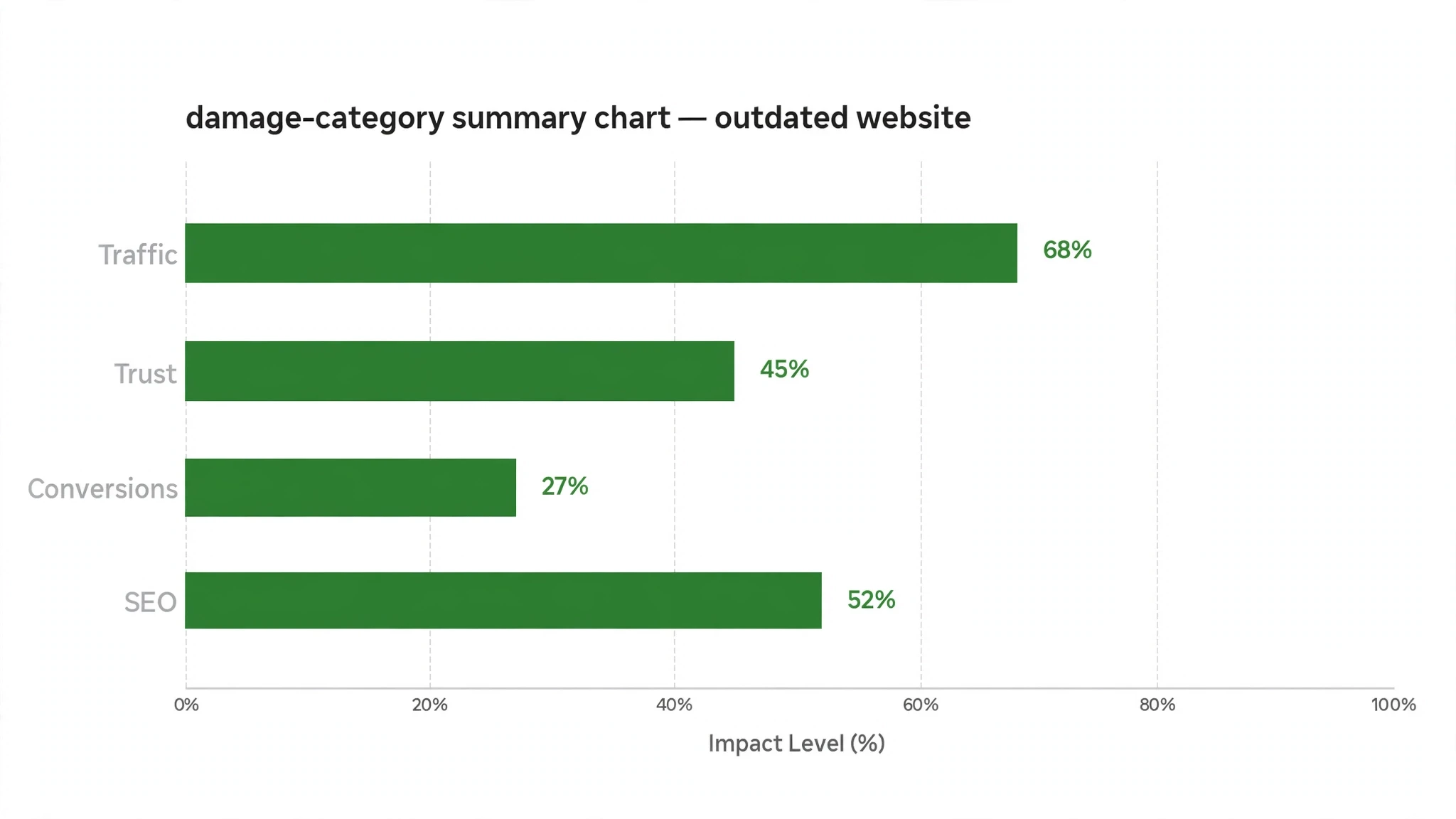
Where the Damage Lands: Category Summary
| Category | Signs | What it’s costing you |
|---|---|---|
| Performance & Technical | 1–4 | Visitors leave before they ever see your offer |
| Design & Brand | 5–8 | First impressions that undermine your credibility |
| Conversion | 9–12 | Traffic that never turns into inquiries |
| Content | 13–16 | Buyers who can’t tell why they should choose you |
| Visibility | 17–19 | Customers who never find you in the first place |
| Business Fit | 20–21 | A site working for a business that no longer exists |
What a Proper Redesign Fixes First
Most website redesign projects start with the homepage visuals and work backward. That’s why so many relaunches look better and perform the same. A proper website redesign fixes the conversion path first — the sequence that turns a visitor into an inquiry — and treats the visual layer as the final coat of paint, not the foundation. Here is the priority order we recommend:
- Conversion paths. Map every route a visitor takes to contact you: calls to action, contact forms, phone placement, service page flow. Fix these before anything else.
- Mobile experience. Rebuild the core pages around the phone screen, where most of your visitors actually are.
- Speed and technical health. Resolve load times, broken elements, and platform issues so the experience is reliable everywhere.
- Messaging and proof. Rewrite service pages to answer real buyer questions, and put reviews, testimonials, and work examples where decisions get made.
- Visibility foundations. Page titles, descriptions, local signals, and structured data — the basics that let search engines do their job.
- Brand and visual consistency. Now the design pass: cohesive typography, color, imagery, and real photography. Done last, it amplifies everything above it instead of masking the problems underneath.
Refresh or Full Rebuild: How to Decide
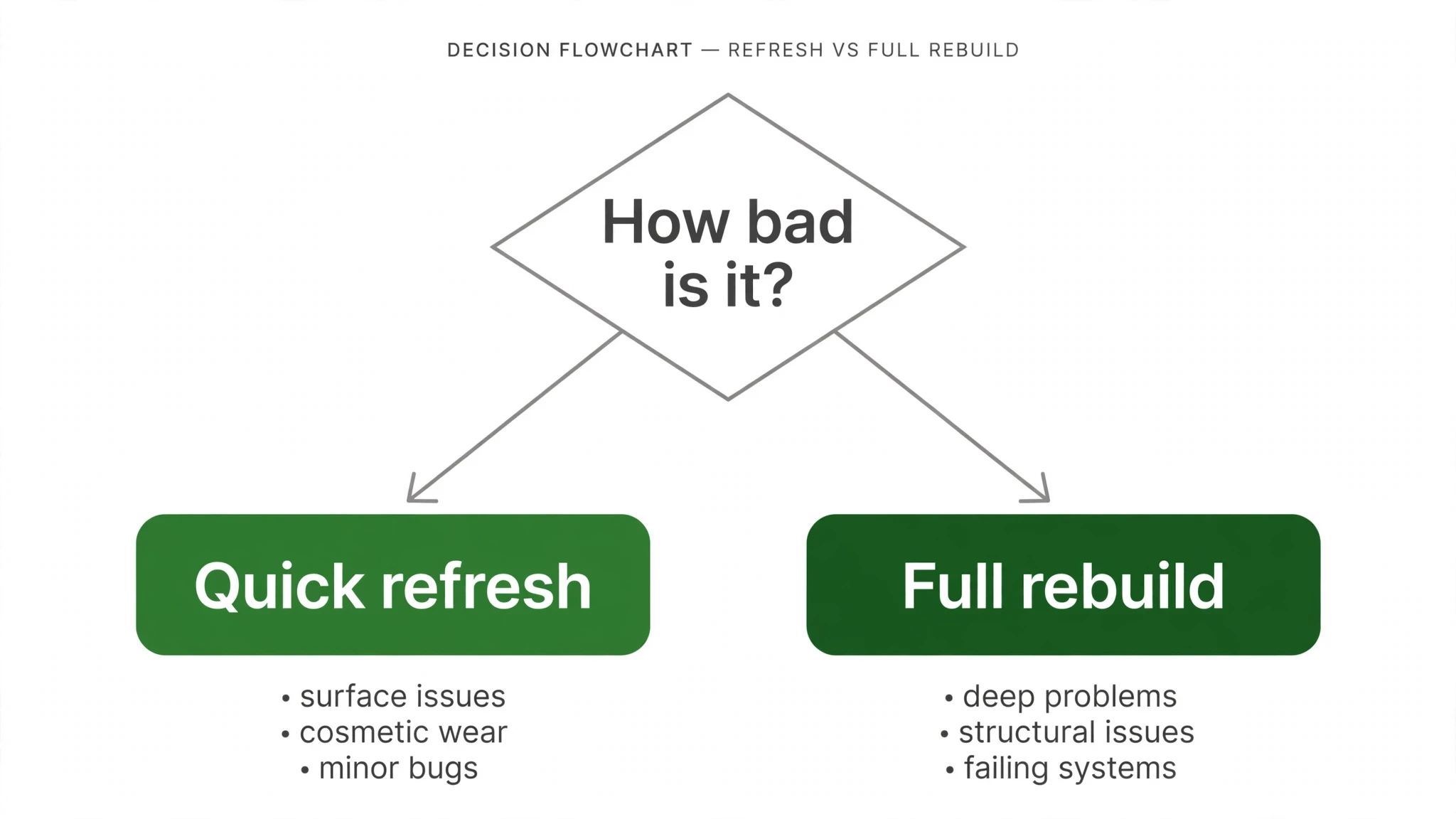
Not every struggling site needs to be torn down. Use this rule: choose a refresh when the platform is current, the site works well on mobile, and the problems are mostly visual or content-related — a design update, rewritten copy, and new photography will do it. Choose a rebuild when the platform is outdated, mobile is fundamentally broken, the site structure doesn’t match how customers buy, or the business has pivoted since the site was built. When in doubt, count your signs: if they cluster in Performance & Technical and Business Fit, rebuilding on a clean foundation is usually cheaper than patching a structure that fights you.
This article is part of our guide to web design and development services for small business.
How to Prioritize the 21 Signs: What a Website Redesign Fixes First
Seeing a dozen of the 21 signs on your own site can feel overwhelming, so here is how professionals sequence a website redesign. Phase one is always trust and first impressions: the outdated visuals, stock-photo overload, broken links, and mobile layout failures that make visitors leave within seconds. A website redesign that starts here recovers the traffic you are already getting before spending anything to attract more.
Phase two of a website redesign tackles conversion mechanics: the missing or buried calls to action, the seven-field contact form, the pages with no clear next step. These fixes are usually small in effort and large in payoff, because they act on visitors who have already decided they are interested. Phase three goes after findability — the thin pages, missing titles, and slow load times that keep search engines from sending you people in the first place. A website redesign sequenced this way funds itself in stages: each phase improves results, which justifies the next.
What should not come first in a website redesign? Cosmetic rebranding. New colors and a new logo on top of a broken structure just produce a prettier version of the same underperformance. The signs in this checklist are ordered by business impact for a reason: fix what loses customers first, what loses rankings second, and what merely looks dated last. Follow that order and your website redesign delivers visible wins within weeks, not months.
One more sequencing rule worth following: never start a website redesign during your peak season without a rollback plan. Migrate content carefully, keep URL structures stable where possible, and put proper redirects in place for anything that moves. The best website redesign is the one your regular customers barely notice — except that everything suddenly works better.
Start With a Plan, Not a Paint Job
If your site scored poorly on this checklist, the next step isn’t picking colors — it’s mapping what your website redesign needs to accomplish, in what order. Tell us what your site is (and isn’t) doing for your business through our contact page, and we’ll help you decide whether a refresh or a full rebuild is the right move.
Frequently Asked Questions
The post’s rule: one or two signs in a category means maintenance; a cluster across several categories means it is time. The 21 signs are grouped into six categories — performance, design, conversion, content, visibility, and business fit. Score your site against all 21 before committing to anything.
No. Most redesigns fail precisely because they start with homepage visuals instead of the paths visitors take to become customers. The post recommends fixing the conversion path first, the technical foundation second, and visual polish last. A beautiful site that does not convert is a failed redesign.
Slow-loading pages, a site that is not genuinely mobile-friendly, and broken links, missing images, or forms that never send. Visitors judge speed before they judge anything else, and dead ends tell visitors nobody is minding the shop. When the foundation is cracking, every other improvement fights an uphill battle.
A focused refresh usually takes a few weeks; a full rebuild often takes one to three months depending on page count and custom features. The biggest schedule risk is content — rewriting service pages and gathering photos almost always takes longer than the design itself. Start the content work before the design work and you avoid the most common delay. Ask any agency what they need from you in week one, not just what they deliver in week eight.
The conversion category covers signs like unclear calls to action, friction in contact or checkout steps, and visitors leaving without engaging. The post’s insight: performance and conversion problems outrank design complaints — an ugly site that converts beats a beautiful one that does not. Diagnose the path before you redesign the pixels.
Signs that the first impression works against you — an outdated look, branding that no longer matches the business, or visuals that quietly undermine trust. But the post cautions against redesigning from embarrassment: decisions should start from evidence, not embarrassment. Score the signs first.
The content category flags a message that has gone stale — outdated services, old team information, or copy that no longer reflects what the business actually offers. If a visitor reads about a business that does not exist anymore, trust collapses before they ever contact you. A content audit belongs in every redesign.
Falling or flat search visibility, pages Google never indexes, and competitors outranking you for your own services. The visibility category reminds you that a redesign is also an SEO event — how Google finds and understands the site must be part of the plan. A redesign that loses rankings is a step backward.
Signs the site no longer fits the company — you offer new services the site does not mention, target new markets the messaging ignores, or the business model itself has shifted. When the company outgrows the site, cosmetic fixes cannot close the gap. That is when a rebuild earns its budget.
Usually not — pausing cuts the traffic you need to test whether the new pages actually convert better. Instead, keep campaigns running and compare the new pages against the old ones on the metrics that matter: calls, form fills, and booked jobs. A redesign launched without live traffic is a guess; one tested against it is a measurement. Just make sure tracking and conversion goals are wired up before the new pages go live.