
Updated: October 2026 · By the KKeyQik Team
Your logo is often the first thing a customer sees from your business — on your storefront sign, your website header, your invoices, and your social profiles. It carries your name and your reputation in a space no bigger than a postage stamp. Getting logo design for small business right is not about chasing the trendiest style.
It is about a clear process, the right deliverables, and a mark that still works five years from now. This guide walks through exactly that: what makes a logo work, how the design process runs, what files you should receive, and which mistakes to avoid. For the bigger picture on how a logo fits alongside your other design assets, see our guide to graphic design services for small business.
Key Takeaways
- A good logo is simple, versatile, relevant, and timeless — it should work at any size, in one color, and still feel right years from now.
- The process has five clear stages: discovery, research and direction, concepts, refinement, and final delivery.
- You should receive vector master files, print-ready files, web-ready files, and one-color versions — not just a single image.
- Most projects include several variations: primary, secondary or stacked, an icon mark, and monochrome versions.
- Before you print anything, run a basic trademark search so you do not build on a mark someone else owns.
What Makes a Logo Work
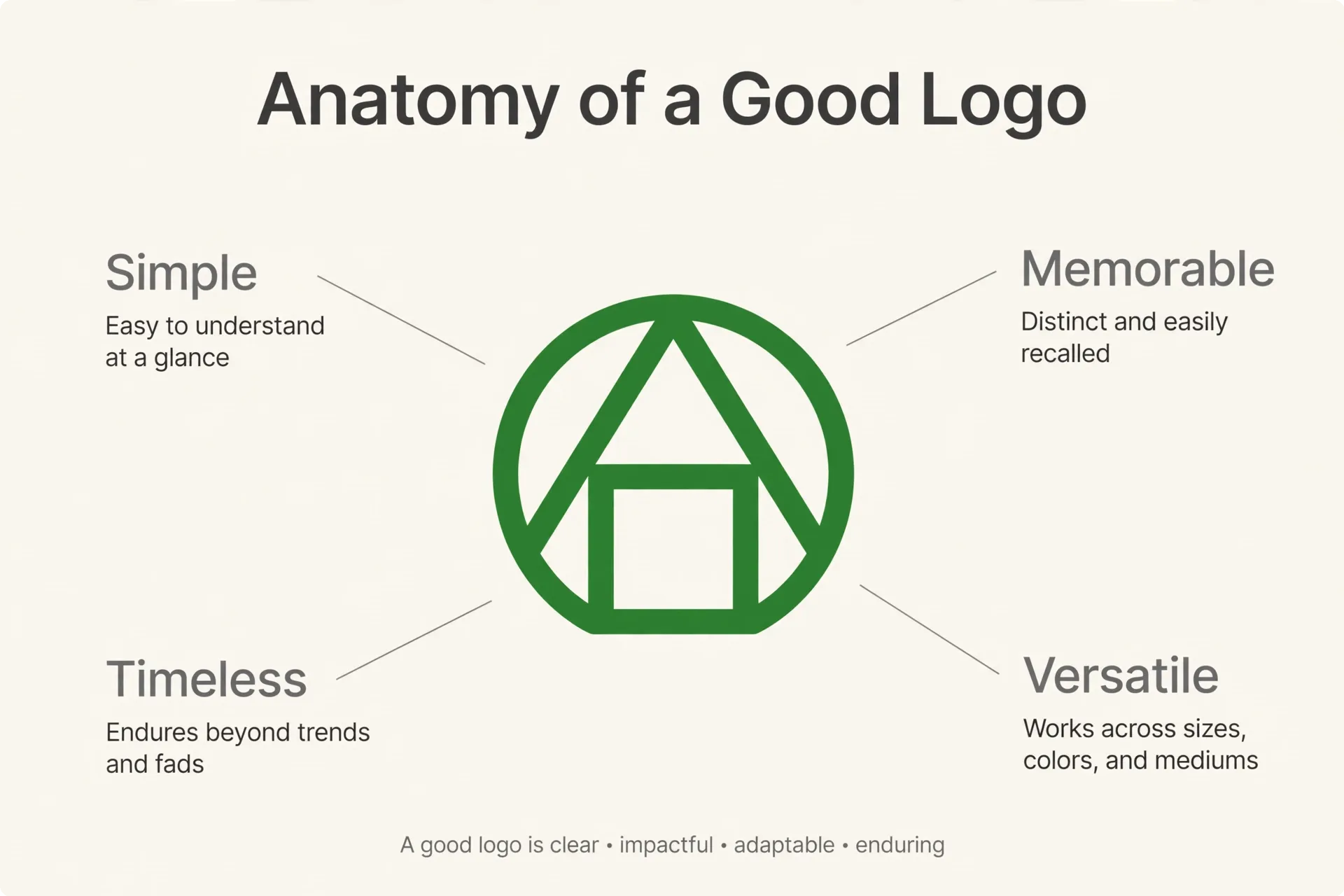
A logo has one job: identify your business instantly and be remembered. Four qualities separate logos that do that job from logos that just look nice on a screen.
Simplicity
The logos people remember are the ones they could sketch from memory. Simple shapes reproduce cleanly at every size, survive being faxed, embroidered, engraved, or stamped, and stay legible when a customer is scrolling fast. Every extra swirl, gradient, and tiny detail is a point where the mark can break down. When we design logo design for small business clients, the first test is always the same: does it still read clearly at the size of a fingernail?
Versatility
Your logo will live on light backgrounds and dark ones, on paper and on screens, horizontal website headers and square profile pictures. A versatile logo holds up across all of those settings without redesigning it each time. That is why professional projects deliver a family of versions rather than one file — it is the difference between a logo and a logo system.
Relevance
The mark should feel right for your industry and your customers without being a literal picture of what you sell. A coffee cup icon for a café is relevant but generic; a distinctive wordmark with careful lettering can say more. Relevance also means appropriate: a law firm and a skate shop should not look interchangeable, even if both logos are clean and simple.
Timelessness
First impressions matter, and research backs that up — the aesthetic-usability effect described by the Nielsen Norman Group shows that people judge products with attractive design as easier to use, and they tolerate minor flaws in things that look good. But chasing this year’s visual trend works against you. Gradients, drop shadows, and specific type styles cycle in and out of fashion quickly, and a dated logo quietly suggests a dated business. Aim for a mark that will look considered — not old, not flavor-of-the-month — in 2031.
Distinctiveness
Finally, the logo has to be yours. If your mark could be swapped with a competitor’s without a customer noticing, it is not doing its job. Distinctiveness rarely comes from a complicated symbol; it more often comes from one deliberate choice — an unusual letterform, a specific proportion, a symbol drawn in an unexpected way. During the research phase, your designer maps what everyone else in your category looks like specifically so your logo can avoid blending into that wall of sameness. When you review concepts, hold them up against competitor logos side by side. The one you can still pick out afterwards is the one customers will remember, too.
The Logo Design Process, Step by Step
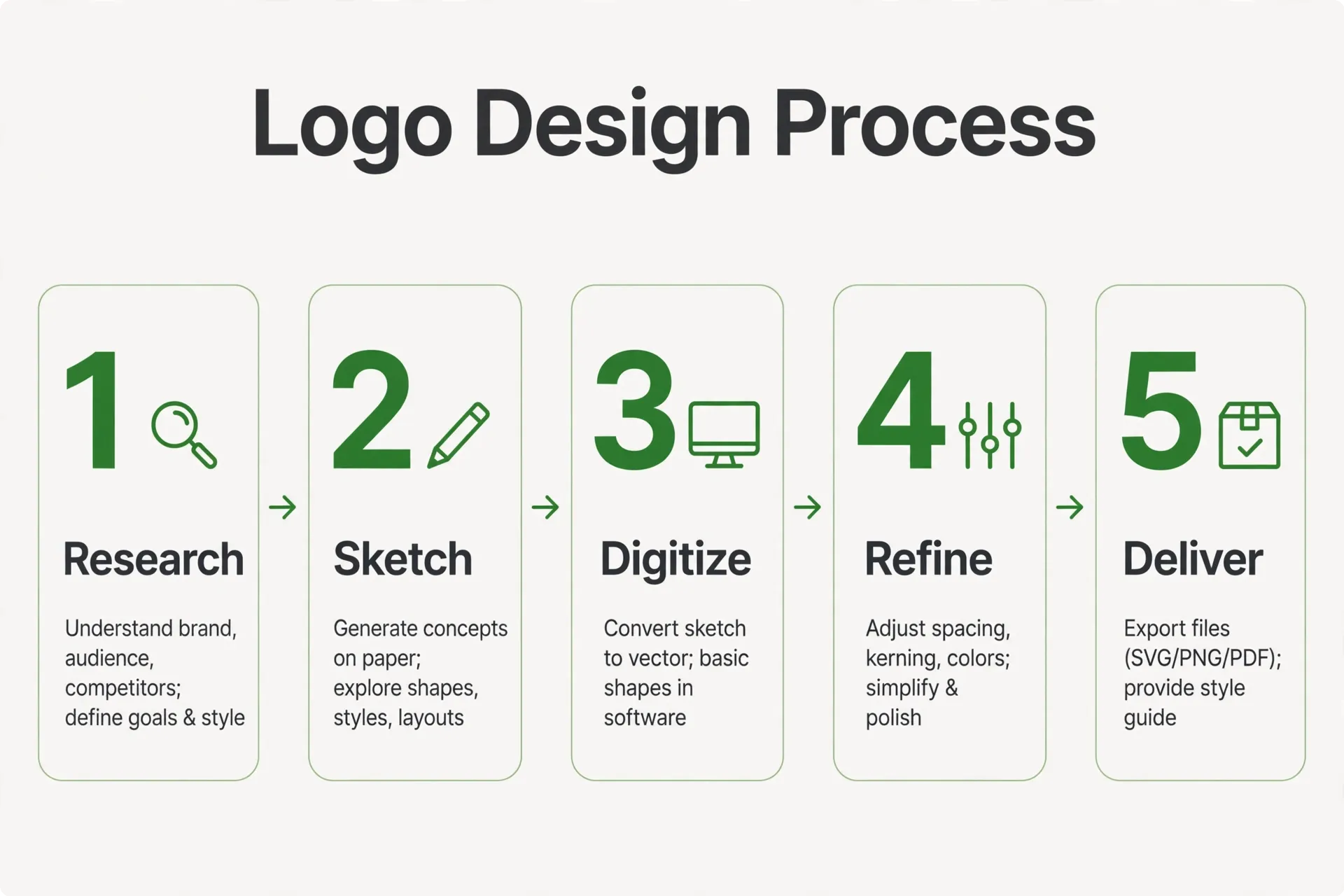
Every professional project follows the same broad sequence, whether the client is a two-person bakery or a growing logistics firm. Knowing the steps helps you give better input at the points where your input matters most.
- Discovery. We start by learning about your business: who you serve, what you sell, how you want to be perceived, and who you compete with for attention. You may fill out a short brief covering your audience, your values, and examples of styles you like or dislike. This stage exists because a logo that ignores your business model will miss, no matter how polished it is. The clearer you are here about what you are not, the sharper the result.
- Research and direction. Next, the designer studies your market: the visual landscape of your competitors, the conventions of your industry, and where there is room to look different without looking out of place. This usually produces two or three creative directions — distinct routes the project could take, described in words and reference imagery. You pick the direction that fits before any real design time is spent, which prevents expensive surprises later.
- Concepts. Within the chosen direction, the designer develops a set of initial logo concepts. These are genuine alternatives, not one idea in three colorways — expect different structures, lettering approaches, and symbol ideas. Concepts are usually shown in black and white first, because a logo that only works in one specific color is a weak logo. Your job at this stage is to judge the ideas against the brief, not your personal taste in isolation.
- Refinement. You choose one concept, and it gets developed: letter spacing is tuned, proportions are corrected, the symbol is redrawn cleanly, and color is introduced. This stage runs in revision rounds — you respond to each version with specific feedback (“the icon feels too playful for our clients” is useful; “make it pop” is not), and the design tightens each time. Most timelines are won or lost here, because slow or scattered feedback stretches this stage more than anything else.
- Final delivery. The approved logo is prepared as a complete file package: master vector files, print and web exports, color variations, and usually a simple usage guide. Everything is named and organized so your printer, your web developer, and your future self can find the right file without emailing the designer. We cover exactly what should be in that package in the deliverables section below.
One habit separates smooth projects from frustrating ones: consolidate your feedback. When several people on your side review the work, gather their comments, resolve any disagreements between yourselves, and send back one response per round through one decision-maker. Feedback that arrives as a stream of individual messages — sometimes contradicting each other — slows refinement down and blurs the direction. You can also help by judging each version against the original brief rather than personal preference. “This feels too informal for the clients we want” moves the design forward; “I just don’t like green” sends it in circles.
What You Should Receive: Deliverables
One of the most common problems in logo design for small business is a client receiving a single low-resolution file and nothing else. That one file will fail the first time you need a sign printed or a dark background used. A complete delivery covers four categories of files plus variations.
| File type | What it’s for | Typical formats |
|---|---|---|
| Vector master | The editable source of your logo. Scales to any size without losing quality; this is the file every other version is generated from. | AI, EPS, SVG, PDF |
| Print-ready | Signs, packaging, brochures, and anything sent to a printer. Uses CMYK color so what prints matches what was approved. | PDF, EPS |
| Web and raster | Websites, social profiles, email signatures, and documents. Uses RGB color and transparent or solid backgrounds. | PNG, JPG, SVG |
| Monochrome versions | Single-color printing, embroidery, stamps, watermarks, and fax-era jobs that still come up more than you’d expect. | EPS, PNG, SVG |
The vector master is the single most important item in the package. Raster files like PNG and JPG are made of pixels and turn blurry when enlarged; vector files are made of paths and stay sharp from a business card to a billboard. If a designer will only hand over a JPG, that is a red flag — you do not truly own a usable logo.
You should also receive the color values used in your logo (CMYK, RGB, and HEX codes), the names of the fonts used, and ideally a one-page usage sheet showing clear space, minimum size, and what not to do with the mark. Keep the full package backed up somewhere safe; recreating lost master files later means paying for design time all over again.
Treat the delivery like a handover inspection. Before you sign off, open the package and confirm every variation exists in vector form, the file names tell you what each file is without opening it, and the color codes are written down somewhere. Send the vector master to a printer or sign shop once, as a test, and ask them to confirm it is usable — they will tell you immediately if something is off, while it is still the designer’s job to fix it. Five minutes of checking at delivery saves real money and delay on your first big print run.
Logo Variations You Actually Need
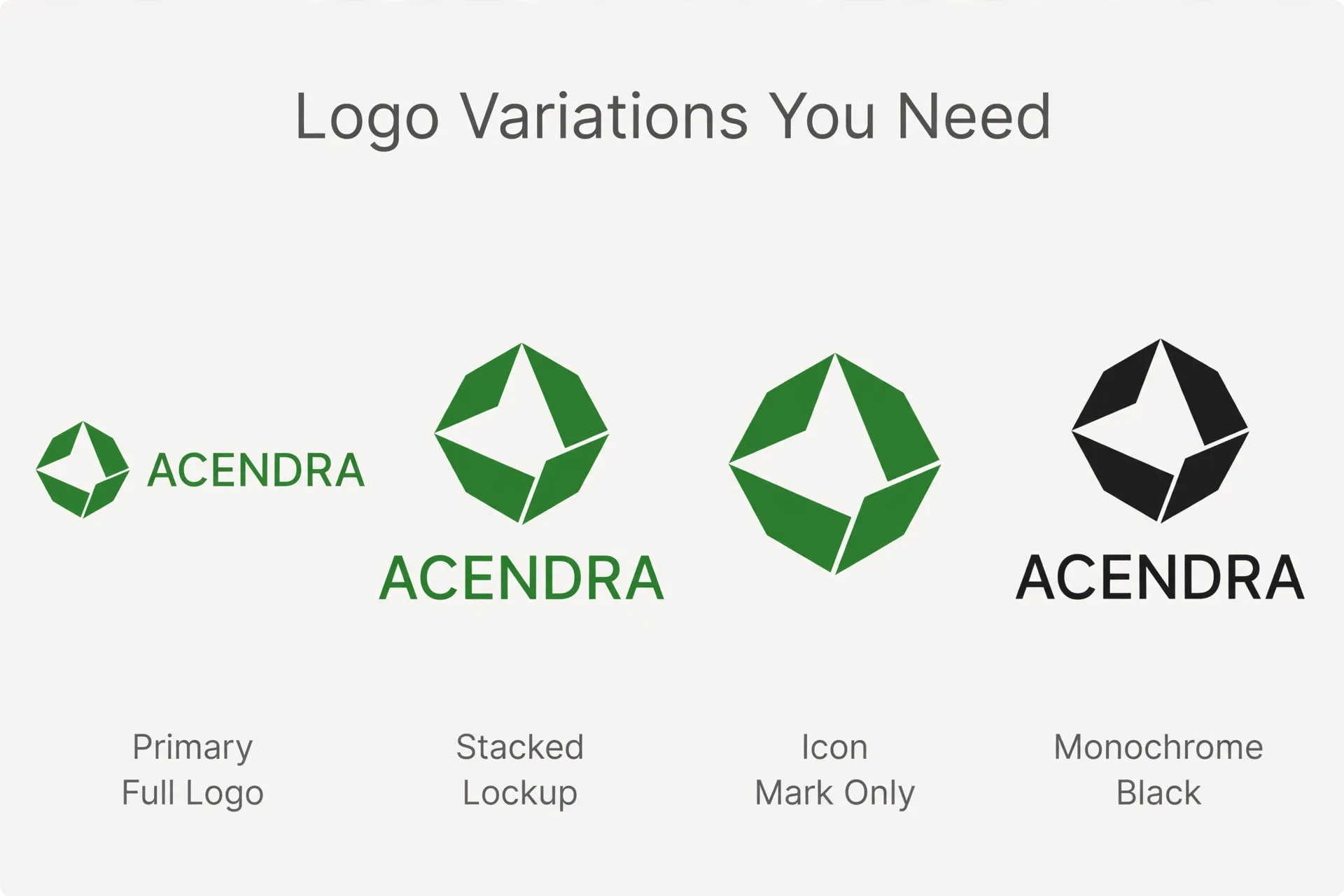
A single horizontal logo cannot cover every placement a business encounters. Professional deliveries include a small system of variations, all drawn from the same design so they feel like one identity.
Primary logo
The main version: your symbol and full business name in the standard arrangement, in full color. This is what goes on your website header, your storefront, and your main documents.
Secondary or stacked version
The same elements rearranged — often the name centered under the symbol — for square or vertical spaces like packaging fronts, social posts, and narrow signage where the horizontal version would shrink into illegibility.
Icon mark
The symbol on its own, with no text. This is your favicon, your app icon, your social profile picture, and the small watermark on photos. It has to be recognizable at tiny sizes, which is another reason the symbol must be simple.
One-color versions
Full black, full white, and single-color versions for situations where color printing is not available or not appropriate. The white version matters more than owners expect — it is the one that goes on dark website footers, photo overlays, and vehicle graphics.
When you approve final files, check that every variation is included in every file type. A common gap is receiving the primary logo as a vector but the icon mark only as a PNG; your printer will eventually ask for the one you do not have.
It also helps to test the system before sign-off. Place the icon mark at the size it will appear as a profile picture and check it reads instantly. Put the white version on a photograph and the black version on a plain document. These quick checks reveal spacing and weight problems that are invisible when each file is admired on its own, and they take minutes at the approval stage compared with rework after launch. A logo system that survives these everyday tests is the one worth approving.
Realistic Timelines
Owners often ask how long logo design for small business takes, and the honest answer is that the calendar is driven as much by feedback speed as by design speed. The phases below describe the typical sequencing rather than fixed delivery dates — treat them as a planning framework for your project.
Discovery and direction-setting come first and are usually the fastest phase, provided you can set aside time to answer questions about your business and review the proposed directions promptly. Concept development takes longer: this is where the designer explores and discards ideas, and rushing it tends to produce generic results. Expect the first concepts after the direction is approved, not before — designing without a direction wastes everyone’s effort.
Refinement is the variable phase. Two focused revision rounds with consolidated feedback from one decision-maker move quickly. Feedback that arrives piecemeal from several people, or that reopens the direction halfway through, can double this stage. A practical tip: gather everyone’s comments internally, resolve disagreements yourselves, and send one response per round. Your timeline will thank you.
Final delivery is mostly production work — building the file package, checking each export, and documenting colors and fonts. It is short compared with the creative phases but should not be skipped or rushed, because these files are what you will actually use for years. If you have a hard launch date — a shop opening, an event, a product release — tell your designer at the discovery stage so the schedule can be planned backward from it, with buffer for the refinement rounds.
Common Logo Mistakes
Making it too complicated
Thin lines, tiny text, and intricate illustrations disappear at small sizes and reproduce badly in stitching, engraving, and single-color printing. Zoom your logo down to the size of a postage stamp during approval; if you cannot read it, simplify it.
Chasing trends
The gradient-heavy, ultra-rounded, or deliberately retro look that is everywhere this year will date your business next year. Trends are fine for campaign graphics that live for a month. Your logo is a decade-long asset and should be designed like one.
Using the wrong file types
Stretching a small PNG across a banner, or printing from a screenshot, produces the blurry, unprofessional result that undermines the design investment. Always send vendors the vector master and let them export what they need.
Skipping placement checks
A logo approved only on a white screen may fail on your actual signage, your delivery van, or your dark menu board. Ask to see mockups of your real-world placements before final sign-off — it is much easier to adjust contrast now than after the sign is fabricated. Accessibility matters here too; the W3C guidance on minimum color contrast is a useful reference for making sure text in and around your logo stays readable for everyone.
Skipping the trademark check
The most expensive mistake is building your brand on a mark that resembles someone else’s registered trademark. Rebranding after signage, packaging, and vehicles are printed is painful. Before finalizing, search the U.S. Patent and Trademark Office database for similar marks in your industry, and consider having a trademark attorney review the results if your category is crowded. A design search on its own cannot confirm a mark is clear — only a legal review can properly assess risk — but skipping the search entirely is gambling with your brand.
Further Reading
- Graphic Design Services for Small Business (2026) — the full picture of how logos, collateral, and digital graphics work together.
- Brand Identity Design: What’s Included Beyond the Logo — what turns a logo into a complete brand identity.
- How to Choose a Graphic Design Agency: 7-Step Checklist (2026) — how to evaluate providers before you start a project.
Ready to Get Your Logo Right?
A logo built on a clear process, delivered with the right files and variations, and checked before it goes public will serve your business for years. If you are planning a new logo for your business and want a team that works this way, we would like to hear about your project. Reach us through our contact page and tell us where your business is headed — we will take it from there.
Frequently Asked Questions
Most professional projects present a small set of genuine alternatives within one agreed creative direction — different structures, lettering approaches, and symbol ideas rather than one design in several colors. You then choose one concept to refine. A huge pile of concepts usually signals a shallow process; what matters is that each option is a real, considered direction you could build a brand on.
You should receive a vector master file (AI, EPS, or SVG) that scales to any size without losing quality, print-ready files in CMYK for signage and brochures, web-ready PNG or JPG files with transparent backgrounds, and one-color black and white versions. Ask also for the color codes and font names used. If you only get a single JPG, you do not have a usable logo package.
Timelines depend heavily on how quickly you give feedback. The typical sequence is discovery, direction-setting, concept development, refinement rounds, and final file delivery. Focused feedback from one decision-maker keeps things moving; piecemeal comments from several people or late changes of direction are the most common cause of delays. If you have a firm launch date, tell your designer at the start so the schedule can be planned around it.
Refinement normally happens in a few structured rounds, with each round moving one approved concept closer to final. Rounds work best when you send consolidated feedback — what is not working and why — rather than many small requests. Endless revision usually means the direction was not settled early enough. Agreeing on a creative direction before concepts are designed keeps the number of rounds small and productive.
A trademark protects your logo as a brand identifier and gives you stronger grounds to stop others using a confusingly similar mark. Before finalizing a design, it is sensible to search the U.S. Patent and Trademark Office database for similar registered marks in your field. A designer can help you search, but only a trademark attorney can properly assess legal risk and handle an application for registration.
A logo is one element — the symbol and name treatment that identifies your business. A brand identity is the wider system around it: the color palette, typography, imagery style, layout rules, and tone that make everything you publish look like it comes from the same company. A strong logo without an identity system gets applied inconsistently; the system is what turns a single mark into a recognizable brand.
A refresh keeps your recognizable core but updates execution — cleaner lines, modernized lettering, better color — and suits businesses whose name and reputation are assets. A full redesign changes the mark substantially and makes sense after a merger, a shift in what you sell, or when the old logo has real problems like illegibility or a trademark conflict. If customers know your current mark, change carefully; recognition is hard to rebuild.
Plan on four: the primary full-color logo for most uses, a stacked or secondary version for square and vertical spaces, the icon mark alone for profile pictures and favicons, and one-color versions in black and white for single-color printing and dark backgrounds. Make sure each variation is supplied in vector format as well as web formats, so you are never stuck enlarging a small image file.
Color can make a weak shape look appealing. Showing concepts in black and white proves the structure works on its own — readable at small sizes, clear in a single color, and recognizable without decoration. It also keeps the conversation focused on the idea rather than color preferences. Color is added during refinement, once the strongest concept has been chosen and its proportions are working properly.
Template-based logos are built from shared elements, so other businesses may use near-identical marks, and you often receive limited file types with unclear usage rights. That can work as a temporary placeholder, but it risks trademark conflicts and usually forces a redesign as you grow. A custom process gives you an original mark, a complete file package, and variations designed for your real-world uses.