
Updated: October 2026 · By the KKeyQik Team
Graphic design services for small business are professional design services that plan and produce the visual materials a company uses to communicate — logos, brand identity, printed collateral, packaging, and social media graphics. A design service takes your goals, turns them into clear, consistent visuals, and delivers finished files you can print, post, and reuse with confidence.
Most small businesses come to design with one specific job in mind. A new company needs a logo. A growing retailer needs packaging. A consultant needs a credible brochure and a set of social media graphics. Each job feels separate, but your customers experience them as one thing: your brand. When the logo, the flyer, the invoice header, and the social post all look like they came from different companies, buyers notice, and trust is harder to earn.
This guide explains how graphic design services for small business work in practice: what an engagement typically includes, the main types of projects, the process we follow, how in-house, freelance, and agency options compare, how to spot a poor fit early, and how to tell whether your design is paying its way. It is written for owners and small teams who buy design work a few times a year and want each project to build on the last one rather than starting from scratch.
Key Takeaways
- Graphic design services for small business cover logo, brand identity, print collateral, packaging, and digital graphics — and they are strongest when planned as one consistent system.
- The lasting value sits in master files and simple brand guidelines: assets you can reuse and a look that any future project can follow.
- A defined process — discovery, research, concepts, refinement, delivery, and support — keeps timelines predictable and cuts down revision cycles.
- Choose between in-house, freelance, and agency support based on continuity, skill range, and how much time you can commit to managing the work.
- Judge design on business signals: clearer materials, better-fit inquiries, faster asset production, and fewer one-off fixes.
What’s Included in Graphic Design Services
When owners ask us what graphic design services for small business include, the honest answer is that the scope follows your goals — but most engagements draw from the same five areas. Brand identity work sets the foundation: a logo, a color palette, typography, and basic rules for using them well. Print collateral covers the materials you hand out, mail, or display, such as flyers, brochures, business cards, menus, and signage. Digital and social graphics include social posts, ad creative, email headers, and web banners. Packaging covers everything a product needs to sit on a shelf or arrive by mail looking intentional. Web graphics tie your site and campaign visuals together so your pages and your ads match.
A typical engagement includes more than the artwork itself. It starts with a short discovery phase, where we learn what the piece has to accomplish and who it has to persuade. Concepts follow, then refinement rounds where we adjust layout, type, and color with your feedback. Delivery means finished files in the formats your printer, platform, or developer actually needs — plus the editable source files, so you are never locked out of your own materials. A short style reference or brand guideline document keeps future projects consistent even when a different person produces them, and any fonts or stock imagery used along the way should be licensed for your use, with that confirmed in writing.
Good design also has to be readable. Work that looks sharp on a designer’s screen but fails on contrast or type size loses readers quickly. Accessibility standards such as the Web Content Accessibility Guidelines set a minimum contrast ratio of 4.5:1 for normal text so content stays legible for more people; the W3C’s guidance on contrast minimums explains how that threshold works. We treat checks like these as part of normal production rather than an extra.
What You Receive: Common Deliverable File Types
| Format | Used for | Why it matters |
|---|---|---|
| SVG | Logos and icons on the web | Scales cleanly at any size and stays small in file size |
| AI / EPS | Logo masters and printer handoff | Fully editable vector files that your printer or another designer can work with |
| PNG | Web, social media, presentations | Supports transparency, so logos can sit over photos or color |
| JPG | Photos and general web images | Widely compatible and quick to load when exported properly |
| Print-ready PDF | Flyers, brochures, packaging | Locks in fonts, color, and bleed so the printed piece matches the proof |
| Brand guideline PDF | Your whole team | Records colors, type, and usage rules so future work stays consistent |
If a designer can only hand you a JPG of your logo, that limitation will surface later — the first time you need it on a sign, a vehicle, or a large banner. It is worth agreeing on the full file set before work begins, not after the final invoice stage of the project. The table above is a reasonable baseline to compare against when you review what any provider plans to deliver.
Types of Graphic Design Services
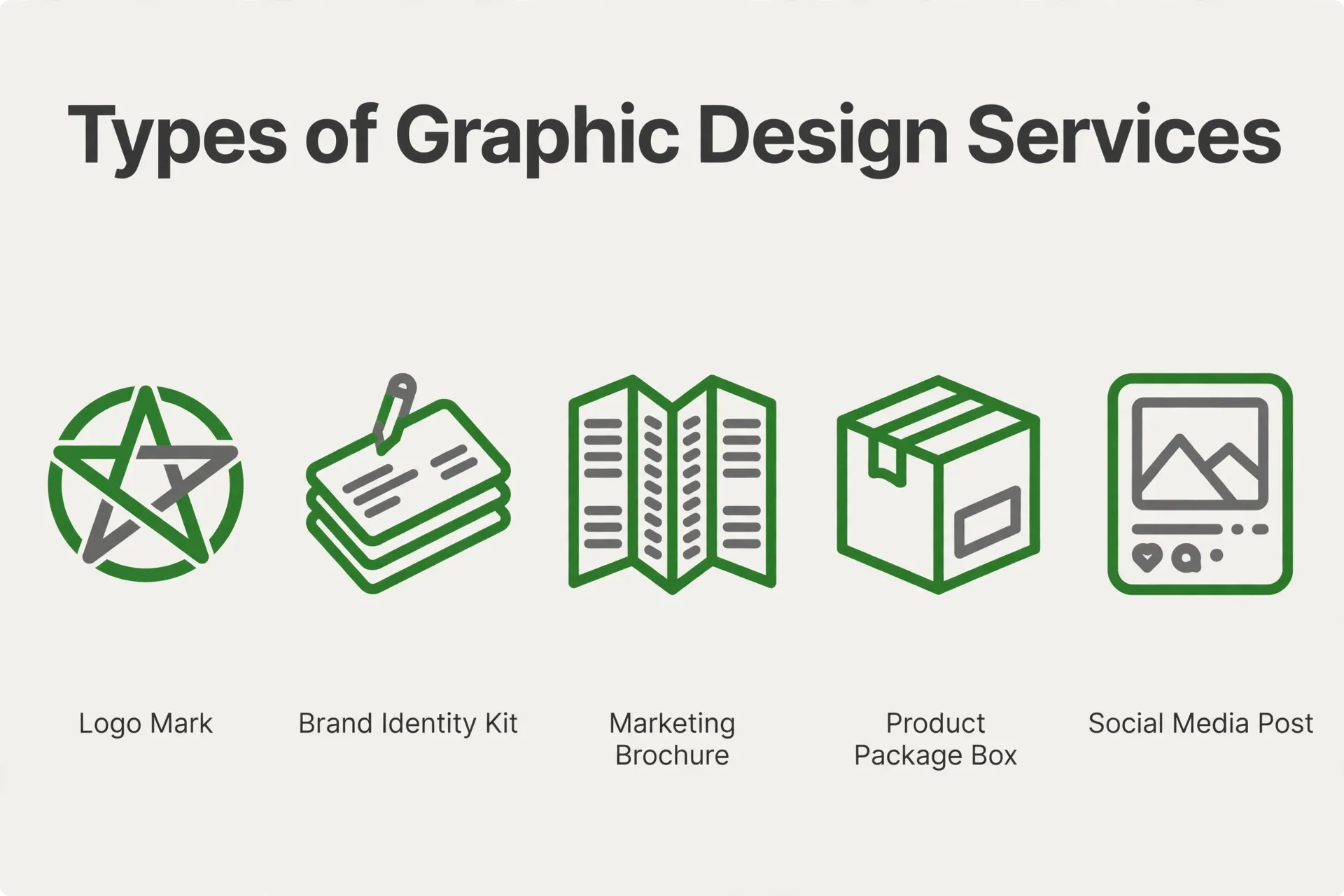
Most projects fall into one of five categories. Many small businesses use several of them over the course of a year, and the categories work better together than apart: the logo establishes the identity, the identity shapes the collateral, and the collateral style carries into social graphics and packaging. Below is what each service covers, what you receive from it, and where to read in more depth.
Logo Design
A logo is the mark your business is recognized by, and it has to work at the size of a business card and the size of a storefront sign. A proper logo project starts with questions about your customers, your name, and where the mark will appear — not with a screen full of clip-art variations. From there, we develop a small number of distinct concept directions, refine the strongest one, and finalize details like spacing, color versions, and minimum sizes. The deliverables normally include a primary logo, a stacked or secondary version, an icon or simplified mark, and one-color versions for stamps, embroidery, or fax-era paperwork that still exists in more offices than anyone admits.
One step owners often skip: before you commit to a final mark, check that it does not conflict with existing trademarks in your market. The U.S. Patent and Trademark Office explains how trademark searching and registration work in the United States. A logo you cannot protect is a problem you want to find early, while changing direction is still straightforward. Our separate guide walks through the full logo design for small business process, deliverables, and timelines in detail.
Brand Identity Design
A logo on its own does not tell the next designer which blue to use, which typeface pairs with it, or how much white space your materials should have. A brand identity answers those questions. It usually includes a defined color palette with values for print and screen, one or two typefaces with clear roles, guidance on photography or illustration style, layout habits such as margins and alignment, and simple examples of the identity applied to real materials. The result is usually captured in a brand guideline document your team and future suppliers can follow.
Identity work makes the most sense once your materials start multiplying — when a second location opens, a team member starts making their own flyers, or your social posts drift away from your printed pieces. It turns every later project into a shorter, more consistent job, because the core decisions are already made. We cover what a complete identity package contains in our guide to brand identity design services.
Marketing Collateral Design
Collateral is the working material of sales and marketing: flyers, brochures, sell sheets, proposals, pitch decks, event graphics, menus, and point-of-sale pieces. Good collateral design starts from how people actually read. Nielsen Norman Group’s research on the F-shaped pattern for reading web content shows that readers scan in a predictable pattern, taking in headings and opening words far more than body text. Print readers behave similarly. The practical lesson is the same everywhere: one clear message per piece, a headline that carries the point, and an obvious next step for the reader.
The other discipline in collateral work is production. A brochure that cannot be printed cleanly, or a deck that breaks when a colleague opens it, wastes the design effort behind it. We build collateral as print-ready or presentation-ready files with the right bleed, resolution, and formats from the start. Our guide to marketing collateral design breaks down the main formats and how to brief them well.
Packaging Design
Packaging has to do three jobs at once: protect the product, explain it quickly, and earn attention next to everything else on the shelf or in a search result. A packaging project covers the structure or dieline you will print on, the front panel that carries your brand and product name, and the information panels that cover instructions, ingredients, and required labeling. For food products in the United States, that labeling follows rules administered by the FDA, whose food labeling and nutrition guidance sets out what must appear and how. Getting a designer involved before dielines and label requirements are fixed prevents serious rework at the print stage.
Packaging also rewards consistency. When your box, your label, your insert card, and your product photos all share the same visual system, repeat buyers learn to spot you quickly. We walk through the full journey in our guide to packaging design for small business, from first concepts to shelf-ready files.
Digital & Social Media Graphics
Digital graphics cover the visuals your marketing runs on every week: social media posts, ad creative, email headers, web banners, and presentation templates. Two things make this category different from print. First, every platform publishes its own size and format requirements, and they change often enough that guessing wastes work — Sprout Social maintains a current social media image sizes guide that we check when setting up templates. Second, most digital graphics are seen on a phone, at a glance, which makes contrast, type size, and a single clear message per image even more important. The W3C’s introduction to web accessibility is a useful baseline for keeping those graphics legible to more of your audience.
The efficient way to handle recurring graphics is a template system: a set of approved layouts in your brand style that you or your team can update with new text and photos without starting over each time. Campaigns then look consistent whether they were made by us, by you, or by a new hire. Our guide to social media graphic design covers the sizes, formats, and template approach in more detail.
Our Graphic Design Process, Step by Step
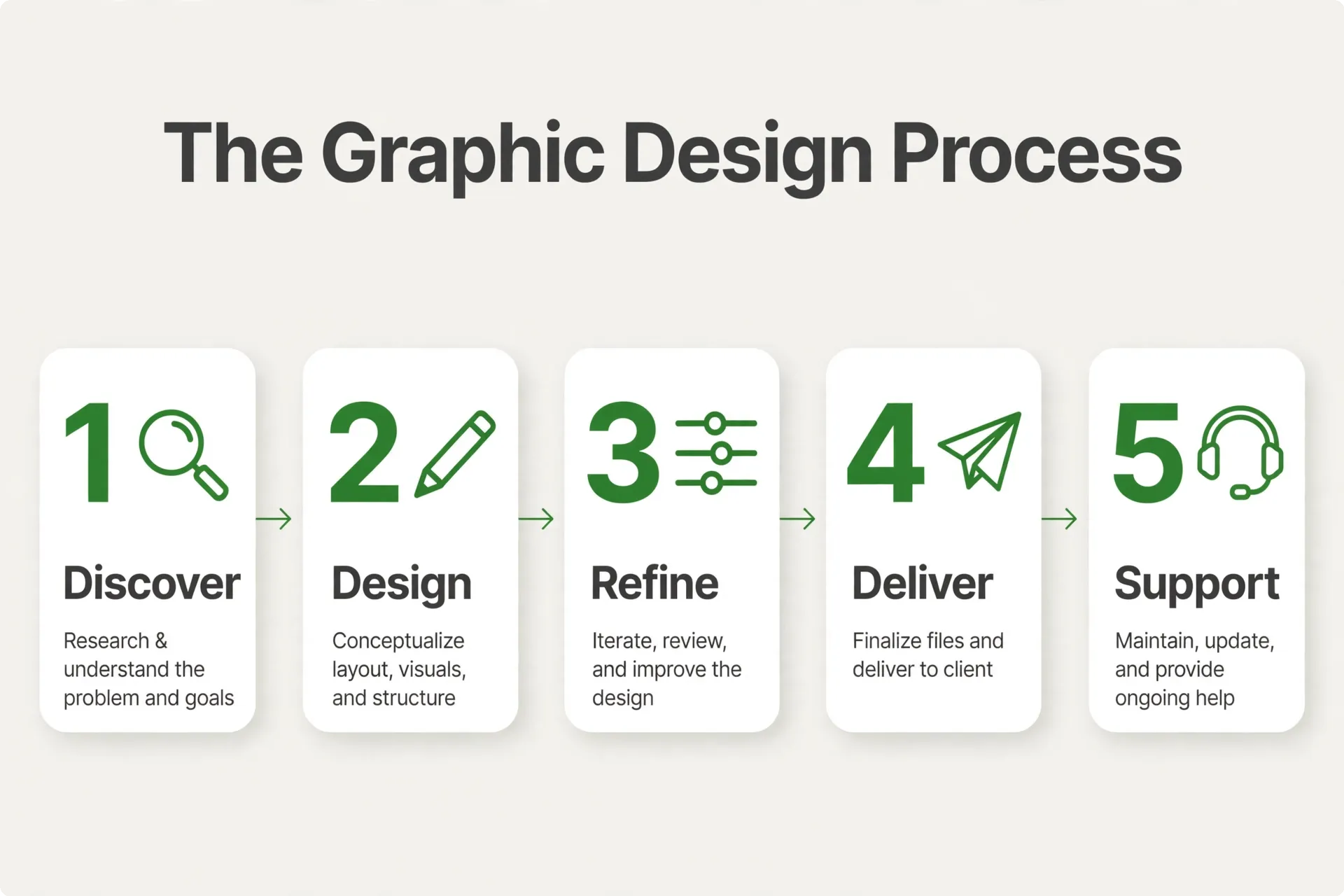
Design projects go wrong in predictable ways: vague briefs, too many opinions arriving too late, and feedback that restarts the project instead of refining it. A defined process protects both sides from that. Here is the sequence we run on design projects, whether the job is a single flyer or a full identity.
Step 1: Discovery
Every project starts with the business goal, not the artwork. We ask what the piece has to accomplish, who it is for, where it will be used, and what constraints apply — a printer’s specifications, a platform’s formats, a deadline tied to an event or a launch. We also collect your existing materials: current logo files, brand colors if you have them, photos, and examples of work you like or want to move away from. This step is short, but it decides how smooth everything after it will be.
Step 2: Research
Next we look outward. We review what your customers see from other businesses in your market, note what is working and what looks dated, and check any technical requirements the final piece has to meet, from packaging labeling rules to platform image sizes. Research also means identifying the practical risks early — a name that may be hard to protect as a trademark, a photo style you cannot sustain, a format your printer dislikes. Findings from this step shape the concept work that follows.
Step 3: Concepts
With the brief and research in hand, we develop a small number of distinct concept directions — genuinely different answers to the same brief, not one idea in three colorways. Each concept is presented with a short rationale: why this direction, who it speaks to, and how it would extend across your other materials. Seeing fewer, stronger options makes the decision easier, and the rationale gives you something concrete to react to beyond personal taste.
Step 4: Refinement
You choose a direction, and we refine it: typography, color, spacing, imagery, and the details that separate a draft from a finished piece. Feedback works well when it is gathered in one place and tied to the goal — “our customers are older; the type feels too small” is actionable in a way that “make it pop” is not. Refinement rounds are where the design gets tested against real content and real sizes, so surprises at the print or posting stage are rare.
Step 5: Delivery
Delivery is a package, not a single file. You receive the finished artwork in every format agreed at the start — print-ready files for your printer, web and social formats for your platforms, editable source files, and one-color or reversed versions where they apply. If the project included identity work, the brand guideline document comes with it. We walk through the files so you know what each one is for, and we note anything licensed, such as fonts or stock imagery, so there are no questions later.
Step 6: Ongoing Support
Most design needs do not end at delivery. New products need labels in the same system, seasonal campaigns need fresh versions of your templates, and a growing team needs materials the founder used to make personally. Ongoing support means those jobs start from your established files and guidelines instead of from a blank page, which keeps them faster and keeps your brand coherent as the volume of work grows.
In-House vs Freelancer vs Agency
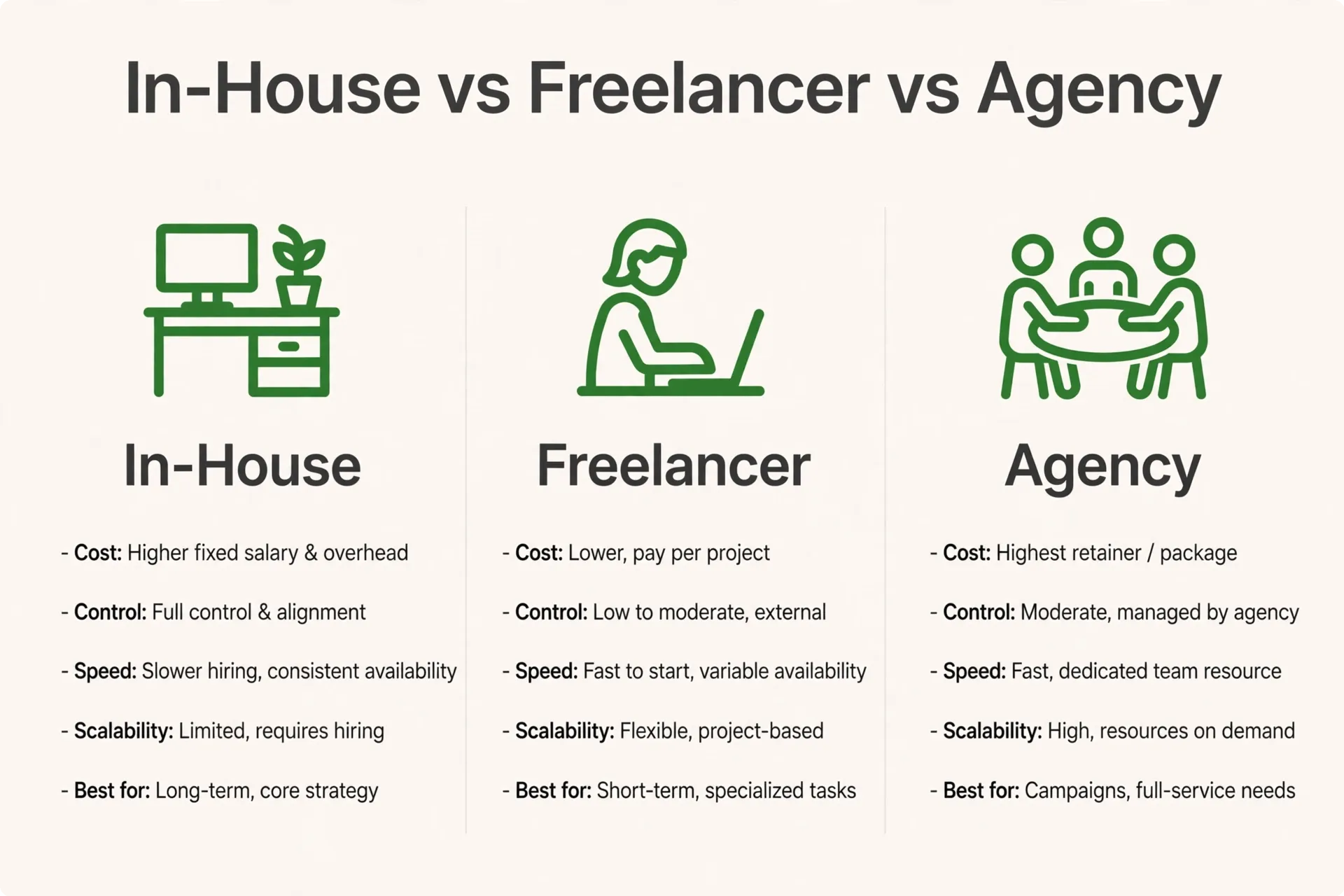
At some point most growing businesses weigh three ways of getting design done: hiring a designer onto the team, working with a freelancer, or engaging an agency. None of them is right for everyone. The honest comparison is about fit, continuity, and how much coordination lands on your desk.
| Dimension | In-house designer | Freelancer | Agency |
|---|---|---|---|
| Typical fit | Steady, high weekly design volume | Occasional, well-defined projects | Ongoing needs across several design types |
| Continuity & brand knowledge | Deep — works with the brand daily | Varies — grows with the length of the relationship | Built through guidelines, files, and repeat projects |
| Range of skills | Limited to one person’s strengths | Usually narrow and specialized | Broader bench across identity, print, packaging, and digital |
| Management effort | You set priorities and manage the person day to day | You manage scope and deadlines on each project | A single point of contact coordinates the work for you |
| Scalability | Hard to increase quickly when demand spikes | Depends entirely on one person’s availability | Can shift capacity across projects as needs change |
| Accountability | Direct oversight as an employee | Individual reputation and your agreement with them | Team coverage if any one person is unavailable |
Many businesses end up combining these. A freelancer who knows your brand may handle routine social graphics while an agency takes on a packaging launch, or an in-house coordinator manages outside specialists for bigger projects. The mistake to avoid is choosing based on a single project and then discovering the arrangement cannot stretch to the next five. Think about your next year of design needs, not just the job in front of you, and pick the arrangement that covers most of it without leaving you managing work you hired someone else to do.
Red Flags to Watch For
Most design disappointments are visible in advance if you know what to look for. These are the warning signs we would take seriously when evaluating any designer or agency, including us:
- Little or no relevant portfolio. A provider who cannot show finished work similar in kind to yours is asking you to take the quality on faith. General design talent matters less than evidence they have solved your type of problem before.
- No questions about your business. If the conversation jumps straight to styles and colors without asking who the piece is for and what it has to achieve, the design will be decoration rather than communication.
- Vague deliverables. “We will send you the logo” with no mention of formats, versions, or source files usually means you will be asking for missing files within a few months.
- No defined feedback process. If nobody can tell you how revisions are handled or how many rounds a project includes, feedback tends to arrive late and expand the scope in both directions.
- Template-first work. When a provider’s recent projects all look alike, your materials will too — and customers are good at sensing when a business looks like everyone else.
- Unclear file ownership. If it is not in writing that you receive editable source files for your own materials, assume you do not, and treat that limitation as a serious factor in your decision. Get it settled before work starts.
- Pressure to decide immediately. Good providers are comfortable with you reviewing their work, checking references, and asking hard questions. Urgency at the sales stage rarely turns into patience at the design stage.
How to Choose: A 7-Step Checklist
Choosing a design provider is easier with a short, ordered checklist. Professional bodies such as AIGA, the professional association for design, publish standards and ethics guidance for the field — useful background when you compare how providers talk about their own work. Here is the sequence we recommend:
Step 1: Write down the job to be done
Before reviewing any portfolios, write a short brief: the materials you need, who they are for, where they will be used, and what success looks like. One page is enough. This document filters out most poor fits on its own, because good providers will respond to the brief and weak ones will respond with a generic pitch.
Step 2: Review work like yours
Look for finished projects in the same category as your need — packaging if you sell products, collateral if you sell services. Range matters less than relevance. Ask what each piece was meant to achieve and notice whether the provider can explain their design decisions in business terms rather than taste alone.
Step 3: Ask how the process runs
Ask the provider to walk you through a typical project: how it starts, how concepts are presented, how feedback is handled, and what happens if a deadline moves. You are listening for a sequence you could repeat back. A clear process is the clearest predictor of a calm project.
Step 4: Confirm deliverables and file ownership in writing
Agree on the exact file list before work begins: formats, versions, editable sources, and any guideline documents. Confirm that fonts and stock imagery will be properly licensed and that the licenses are documented for you. This step takes ten minutes and prevents the most common dispute we see in design projects — needing a file later that was never created.
Step 5: Clarify communication and timelines
Know who your contact is, how quickly they usually respond, and how project milestones will be shared with you. Ask what they need from you to stay on schedule — most delays in design projects come from late content or late feedback, so agree on how both sides will handle that before it happens.
Step 6: Check references from similar businesses
Ask for references or published work from businesses of a similar size or in a similar market, and follow up on at least one. Listen for how the provider handled feedback, deadlines, and the handover of files — the working relationship matters as much as the portfolio.
Step 7: Start with one defined project
Rather than committing to an open-ended arrangement, begin with one complete project with a clear beginning and end. It gives both sides a real working test — communication, quality, file delivery — at a scale where changing course is still simple. Providers worth keeping are usually happy to earn the next project this way.
How to Measure ROI From Design
Design rarely produces a single tidy return figure, but it does produce signals you can track. The ones below are practical for a small business: none of them require special software, and together they tell you whether your design is working or merely decorating.
Response to your materials. When you release a redesigned flyer, landing page graphic, or campaign, compare inquiry volume against the previous version over a similar period. Tracked phone numbers, offer-specific pages, or simply asking new customers where they found you all work. You are looking for direction, not laboratory precision.
Quality of inquiries. Clear materials set expectations before anyone contacts you. If your brochures and product graphics explain what you offer and who it suits, conversations tend to start further along — fewer basic questions, fewer poor-fit inquiries, more time spent on the details that actually close work.
Trust and consistency. Presentation shapes how capable a business looks. Nielsen Norman Group’s research on the aesthetic-usability effect found that people often perceive well-presented products as easier to use, and they are more tolerant of minor issues when the presentation feels considered. You cannot bank that effect directly, but consistently polished materials are part of why some businesses get the benefit of the doubt and others do not.
Time saved in production. Templates, master files, and guidelines pay you back in hours. If producing a week of social graphics used to mean assembling each post from scratch and now means filling in an approved template, that difference is measurable in your own schedule — and it compounds every week.
Fewer production errors. Print-ready files with correct bleed, resolution, and color reduce pieces that have to be redone. Count how often materials go back for correction before and after you put a proper file system in place; the trend line is the return.
Review these signals quarterly rather than project by project. Design compounds: the identity makes the collateral faster, the collateral makes the campaign clearer, and the campaign data tells you what to design next. That compounding — not any single piece — is where the return on design actually lives.
Related Reading
- Logo Design for Small Business: Process, Deliverables & Timelines (2026)
- Brand Identity Design: What’s Included Beyond the Logo
- Marketing Collateral Design: Flyers, Brochures & Decks That Convert
- Social Media Graphic Design: Sizes & Formats That Perform in 2026
- Packaging Design for Small Brands: From Concept to Shelf
- How to Choose a Graphic Design Agency: 7-Step Checklist (2026)
Tell Us About Your Project
If you have a logo to create, collateral to refresh, or a product that needs packaging, tell us what you are working on. A few details about your business, the materials you need, and when you need them is enough for us to map out the next steps. See what our graphic design service includes, or reach us through our contact page and we will take it from there.
Frequently Asked Questions
Most engagements cover the visuals your business uses every day: a logo and brand identity, print collateral such as flyers and brochures, digital and social media graphics, and packaging if you sell products. A complete project also includes the editable source files and a simple brand guideline document, so the work stays consistent and reusable long after the project ends.
You receive finished artwork in the formats your printer, platforms, and developer actually need: print-ready PDFs for collateral and packaging, PNG and JPG files for web and social use, vector masters such as SVG or EPS for your logo, and the editable source files. A short handover explains what each file is for, so nothing sits unused or gets misused later.
On completion, the final designs created for your business are yours to use, and you receive the editable source files for your materials so you are never dependent on one provider. Any fonts or stock imagery used should be properly licensed, with the licensing details documented for you. We recommend confirming ownership and file delivery in writing before any project begins.
It depends on the scope and on how quickly feedback comes together. A logo or identity project usually moves through discovery, concepts, and refinement over a matter of weeks, while a single piece of collateral is often quicker. Multi-part projects such as packaging take longer because print specifications have to be confirmed. You should receive clear milestones at the start, so expectations stay realistic on both sides.
A logo is the single mark your business is recognized by. A brand identity is the wider system around it: the color palette, typography, imagery style, and layout rules that keep every material consistent. Many businesses start with a logo, then add identity guidelines once their materials multiply and different people start producing them. The identity is what makes your flyer, website, and social posts feel like one company.
Yes. Many projects start from existing materials rather than a blank page. We work with your current logo and any brand assets you have, design the new pieces to sit comfortably alongside them, and flag gaps where a small amount of guideline work would make future projects easier. If your existing files are incomplete, for example only a low-resolution logo, we will tell you what needs to be rebuilt first.
After discovery and research, you see a small number of genuinely distinct concept directions, each with a short explanation of who it speaks to and why. You choose one direction, and refinement rounds then focus on typography, color, and detail rather than restarting the design. Feedback works best when it is gathered from your decision-makers in one place and tied to the project goal, which keeps the process moving and the result coherent.
Yes, and the two need different production care. Print pieces require correct bleed, resolution, and color settings so the finished item matches the proof, while digital graphics need the right sizes and formats for each platform and have to stay legible on a phone screen. The visual system stays the same across both, so a customer who sees your social post and then your brochure recognizes the same business.
A short brief is the most useful starting point: what the material needs to achieve, who it is for, and where it will be used. Existing logo or brand files, final text content, product photos, and any printer or platform specifications you already have all help. Examples of design you like, and design you want to move away from, are equally useful. If some of these are missing, the discovery step is where we identify them.
Watch a handful of practical signals rather than looking for one magic number. Compare inquiry volume before and after redesigned materials go out, notice whether new customers arrive better informed, and track how long recurring pieces take to produce once templates and guidelines exist. Fewer pieces needing correction before print is another good sign. Reviewed together every few months, these signals show whether your design is pulling its weight.